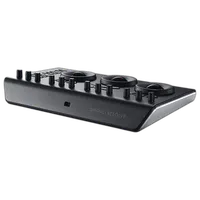
Blackmagic DaVinci Resolve Micro Panel with Resolve Studio Software

Questions? Ask our experts
Key Features
- Blackmagic DaVinci Resolve Micro Panel
- For Windows, Mac, and Linux OS
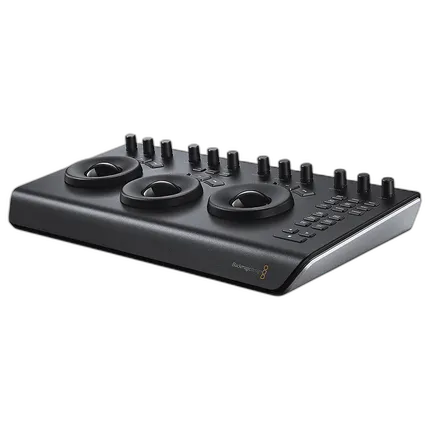
- 3 trackballs
- 18 Navigation and transport Keys
- 12 correction control knobs
- USB 3.0 Type-C input
- Die-cast and machined aluminum construction
- USB 3.0 type-A to type-C cable included
Questions? Ask our experts
Overview
Achieve the desired look for your project with the Blackmagic DaVinci Resolve Micro Panel. It connects to Windows, Mac, and Linus OS systems via the USB 3.0 Type-C port. The panel makes it easy to work with the DaVinci Resolve software. It has three trackballs that let you alter the image settings accurately. You can adjust the luminance with the Y lift and Y gamma controls. The contrast control along with pivot and mid-tone detail enables you to increase or decrease the image sharpness. There are another three functions for adjusting the color intensity, shadows, and highlights. You can set the base color of the image with the hue control and balance the tone between YRGB and Y only adjustments. The panel allows you to assign custom controls to knobs and reset to the previous setting with a push of a button. This Blackmagic Design panel is made of Die-cast and machined aluminum for providing durability.
Brand
hardware & software data
| Interface & Connectivity | USB 3.0 Type-C |
physical specifications
| Dimensions | 2.95 x 10.16 x 16.83" (7.50 x 25.80 x 42.75cm) |
| Weight | 7.71 lb (3.50kg) |
| Color | Black |
detailed specifications
| Material | Die-cast and machined aluminum |
- Blackmagic DaVinci Resolve Micro Panel DV/RES/BBPNLMIC
- USB 3.0 Type-C to USB Type-A Cable
No creators have tagged this product yet.
Articles featuring this product
Post-Processing Software Showdown: Lightroom vs. Capture One vs. DxO PhotoLab
Aug 2, 2026
·
Unique Photo
Blackmagic Pocket Cinema 6K vs Sony FX3 for Documentary Filming: The Practical Guide
May 6, 2026
·
Unique Photo
Upgrading Your Kit for Indie Filmmaking: Blackmagic Pocket 6K Pro vs Sony FX30 Alternatives at Uniqu
Oct 3, 2026
·
Unique Photo
Best Camera Settings for Sharp Landscape Photos: OM SYSTEM OM-5 vs Canon EOS R10 vs FUJIFILM X-T
May 5, 2026
·
Unique Photo
Canon EOS R5 C vs Sony a7S III: High-End Hybrid Cameras for Professional Video Work
Apr 26, 2026
·
Unique Photo
Community questions about this gear
Ask a question
0
votes
2
answers
214
Why does my ColorHug calibration on Linux make my laptop screen look too red or yellow?
Photography Stack Exchange contributor
11y ago
0
votes
2
answers
225
Are Micro Four Thirds lens correction tags in RAW files documented?
Photography Stack Exchange contributor
16y ago
0
votes
2
answers
153
0
votes
2
answers
169
What are Lightroom’s limitations for professional portrait retouching, and when would I need Photoshop?
Photography Stack Exchange contributor
15y ago
You may also like
[Blackmagic Design DaVinci Resolve 18 Studio (Activation Card)
- Blackmagic Design DaVinci Resolve Studio (Activation Card)
- For Windows, Mac, and Linux OS systems
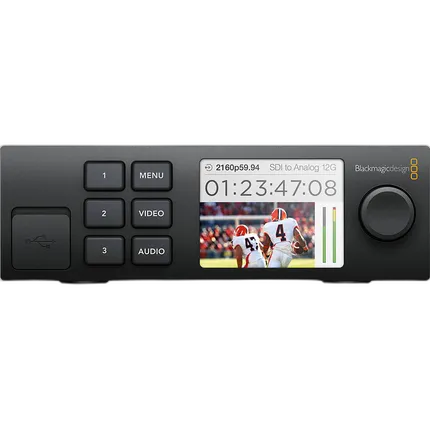
Blackmagic Design Teranex Mini Smart Panel
- Blackmagic Design Teranex Mini Smart Panel
- For Teranex Mini Converter
Blackmagic Design DaVinci Resolve 17 Studio (Dongle)
- Blackmagic Design DaVinci Resolve Studio (Activation Card)
- For Windows, Mac, and Linux OS systems
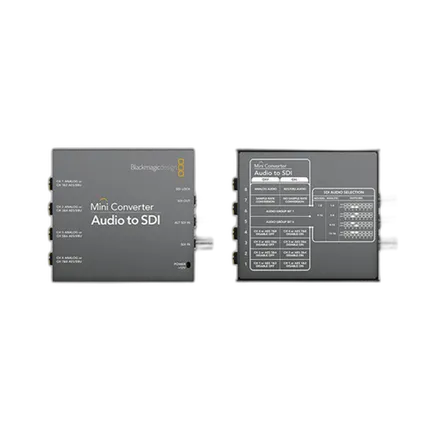
Blackmagic Design Mini Converter - Audio to SDI 4K
- Embed professional audio from devices such as audio mixers
- Ultra HD and 6G-SDI Technology
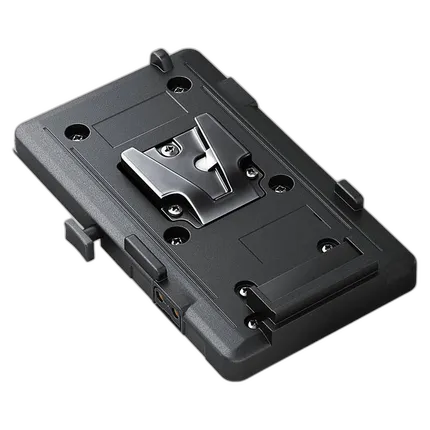
Blackmagic Design V-Mount Battery Plate for URSA
- Blackmagic Design V-Mount Battery Plate
- Compatible with all URSA cameras