Canon MAXIFY GX6020 Wireless MegaTank All-In-One Printer
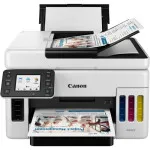
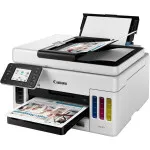
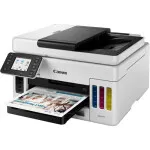
Key Features
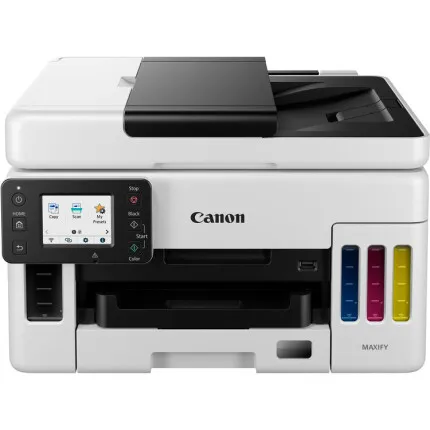
- Print, Copy, And Scan
- Print Up To 6,000 Black / 14,000 Color Pages On A Single Set Of Inks.
- Hold Up 350 Sheets Of Plain Paper
- 2.7” Color LCD Touchscreen
- 50-sheet Auto Document Feeder
- Wireless Connect, Mobile Printing
- Bonus Ink Included
Recommended Accessories
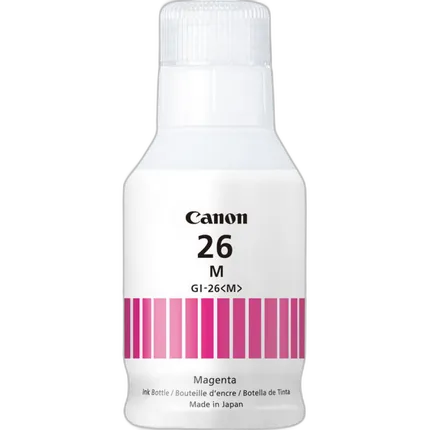
Canon GI-26 Pigment Magenta Ink Bottle
- For MAXIFY 6020 and 7020 Printer
- Pigment-based ink
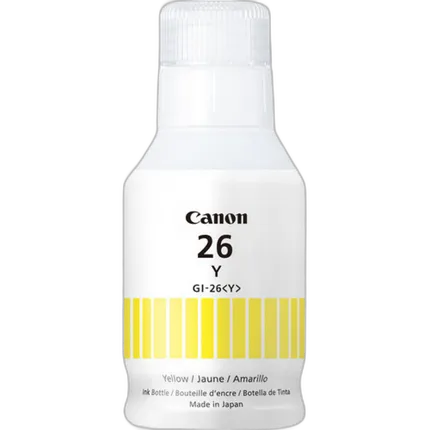
Canon GI-26 Pigment Yellow Ink Bottle
- For MAXIFY 6020 and 7020 Printer
- Pigment-based ink
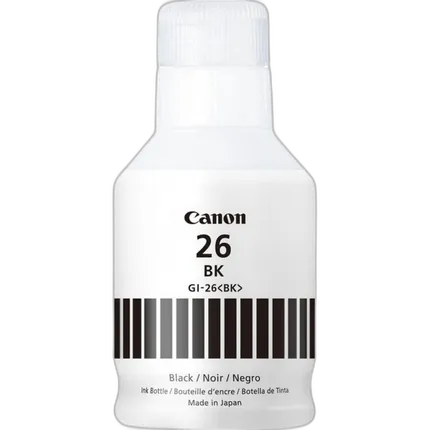
Canon GI-26 Pigment Black Ink Bottle
- For MAXIFY 6020 and 7020 Printer
- Pigment-based ink
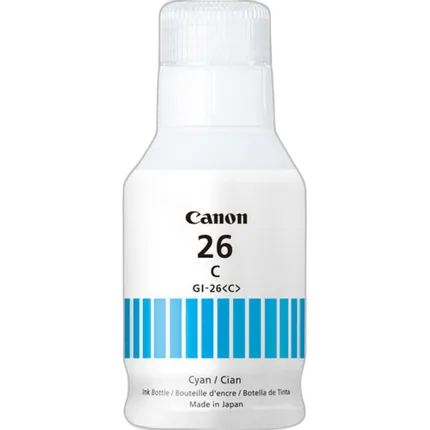
Canon GI-26 Pigment Cyan Ink Bottle
- For MAXIFY 6020 and 7020 Printer
- Pigment-based ink
OVERVIEW
MAXIFY GX6020 Wireless MegaTank Small Office All-in-One Printer
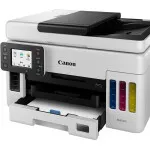
MegaTank high volume, low-cost printing for small and home offices has arrived for next level MAXIFY productivity. Print more for less with MAXIFY MegaTank.
The Canon MAXIFY GX6020 Wireless Small Office All-In-One Printer is designed to meet the needs of small offices by delivering high-quality, low-cost printing, and outstanding wireless connectivity. Get serious print productivity with a high page yield of up to 6,000 Black / 14,000 Color pages per full ink bottle set and a combined 350 sheet plain paper capacity. Save up to 80% on the cost of ink compared to high-yield laser cartridges with a low cost per print of less than 2 cents per page. Each printer comes with a full set of ink, plus 2 bonus black ink bottles, and a 3-year or 80,000 pages limited warranty so you can print with confidence.
The MAXIFY GX6020 is easy to setup and maintain and delivers superior versatility thanks to an auto document feeder for scanning and copying - plus, print on a variety of media types and sizes, including labels, envelopes, and banners. Produce crisp, colorful documents quickly and cost-effectively thanks to fast print speeds and a 4-color pigment-based ink system. Easily connect and print through high-speed USB, Ethernet, or wirelessly5 from computers or mobile devices.
High Page Yield
Print up to 6,000 Black / 14,000 Color pages with just a single set of inks. Each box includes a full set of ink, plus 2 bonus black ink bottles!
Low Cost Per Print
Save up to 80% on the cost of ink compared to high-yield laser cartridges with a low cost per print of less than 2 cents per page.
350-Sheet Plain Paper Capacity
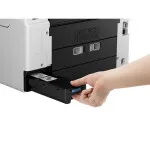
Load up to 250-Sheets of plain paper in the bottom cassette and another 100-Sheets of plain paper in the rear tray.
50-Sheet Single Pass Duplex Auto Document Feeder (ADF)
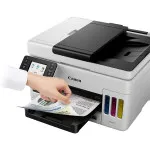
Scan multi-page documents with ease with the 50-Sheet Auto Document Feeder (ADF)— plus scan 2-Sided documents in just ONE pass.
Fast Print Speeds
Get the job done quickly with fast print speeds of up to 24 ipm Black and 15.5 ipm color.
Media Versatility
Print business cards, menus, banners, signs, envelopes, and more! The MAXIFY GX6020 can print on a wide variety of media type and sizes including the ability to print up to 47” in length.
Built to Last
Get the job done during those busy months with a monthly duty cycle of up to 45,000 pages.
Stay Waste-Conscious
Thanks to high page yield ink bottles, keep waste and time spent refilling ink to a minimum.
Replaceable Maintenance Cartridge & Print Heads
Both the print heads and maintenance cartridge in the MAXIFY GX6020 are easily replaceable should the need arise. No service visits are calls required!
Easy to Fill
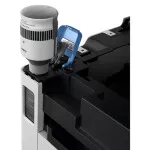
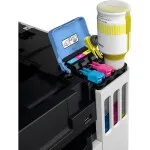
The MAXIFY GX6020 uses ink bottles with a “keyed nozzle” design that can only be placed into the correct color tank. Once inserted, ink will flow automatically until the tank is full— no squeezing needed!
Easy Setup & Wireless Connect
Get running quickly thanks to a streamlined and easy setup process out of the box. Setting up Wi-Fi® is just as simple with Wireless Connect, allowing you to set up Wi-Fi® without a computer.
2.7” LCD Touchscreen
The MAXIFY GX6020 is easy to use thanks to an intuitive and easy to view 2.7” LCD Touchscreen.
Small Footprint
Not only is the MAXIFY GX6020 packed with features, it’s also designed small to fit your workspace.
Easy-PhotoPrint Editor
Take advantage of Canon’s free software to edit photos, size photos, or even create collages with the Easy-PhotoPrint Editor app.
Mobile Device Options
Print from your favorite mobile devices using Apple AirPrint®, Mopria® Print Service, and the free Canon PRINT app.
Brand
printer specifications
| Number Of Nozzles (Total) | Color (C/M/Y): 1024 x 3<BR> Pigment Black: 1280<BR> Total: 4,352 |
| Ink Compatibility | <B>INK TYPE</B><BR> GI-26 Pigment-Based Ink Bottles (Cyan, Magenta, Yellow, Black)<BR> <BR> <B>INK TANK & FILL VOLUME</B><BR> GI-26 Black Ink Bottles: 167.0 ml<BR> GI-26 C, M, Y Ink Bottles: 132.0 ml (each) |
| Copy Features | 4-on-1 / 2-on-1 Copy, <BR> Document Copy, Fit-to-Page, <BR> Frame Erase Copy (Flatbed Only), <BR> ID Card Copy, Auto Exposure Copy, <BR> Multiple Copy (Up To 99 Pages), <BR> Photo Copy, Preset Copy Ratios, <BR> Reduction / Zoom Copy (25% - 400%), <BR> Standard Copy |
| Color Depth | Grayscale: 16-bit/8-bit<BR> Color: 16-bit/8-bit Per Color |
| OS Compatibility | Windows: Windows® 10, Windows 8.1, Windows 7 SP1 <BR> Mac: macOS v10.12.6 - 10.15 (Catalina) <BR> Mobile Operating Systems: iOS®, iPadOS, Android™ |
| Paper Sizes | 4 x 6, 5 x 5 (Square), <BR> 5 x 7, 7 x 10, 8 x 10, <BR> Letter (8.5 x 11), <BR> Legal (8.5 x 14), U.S. #10 <BR> Custom Size: Width: 3.5 - 8.5 / Length: 5 x 47 |
| Maximum Document Size | 8.5 x 11.7 (A4/Letter) <BR> ADF:8.5 x 14.0 (Legal) |
scanner specifications
| Scanner Type | Flatbed & ADF (Auto Document Feeder) |
| Scanner Element | Contact Image Sensor (CIS) |
physical specifications
| Dimensions | Closed: 15.8” (L) x 16.2” (W) x 10” (H) <BR> Trays Extended: 15.8” (L) x 25.4” (W) x 12.9” (H) |
| Weight | 25.6 lbs |
copier data
| Copier Speed | FCOT (Color/Simplex): Approx. 12 seconds |
paper handling
| Print Speed | Black: ESAT Approx. 24.0 ipm<BR> Color: FPOT Color: ESAT Approx. 15.5 ipm |
interface
| Connectivity | Hi-Speed USB<BR> Wi-Fi® (Wireless LAN, 2.4/5 GHz, IEEE 802.11b/g/n)<BR> Wired LAN (100BASE-TX) / 10BASE-T) |
monitor specifications
| Display Size | 2.7 LCD Touchscreen |
detailed specifications
| Max Resolution | Optical:1200 x 1200 dpi (Optical) |
- MAXIFY GX6020 Wireless MegaTank Small Office All-in-One Printer
- Set of Ink Bottles (GI-26: BK, C, M, Y)
- 2 Bonus GI-26 Black Ink Bottles
- Documentation
- Power Cord
No creators have tagged this product yet.
Articles featuring this product
Contest-Specific Tips: Maximizing Your Chances in Wildlife, Street, and Landscape Competitions
Sep 2, 2026
·
Unique Photo
Darkroom Printing Tips for Home Setups: Safelight, Inkjet Proofing, and Learning Support Compared
Jul 26, 2026
·
Unique Photo
New Canon PIXMA Photo All-In-One Printers Provide High-Quality Results And Improved User Experience
Jul 16, 2012
·
UniquePhoto
Canon U.S.A. Introduces Three High-Quality PIXMA Office All-In-One Printers At An Affordable Price
Feb 7, 2012
·
admin
Community questions about this gear
Ask a question
0
votes
2
answers
228
0
votes
2
answers
150
0
votes
2
answers
137
Can I wirelessly tether three Canon cameras to one laptop at the same time?
Photography Stack Exchange contributor
12y ago
0
votes
2
answers
143
Can a Canon Pixma TS9155 all-in-one scanner scan 35mm or 120 film?
Photography Stack Exchange contributor
6y ago
0
votes
2
answers
128
You may also like
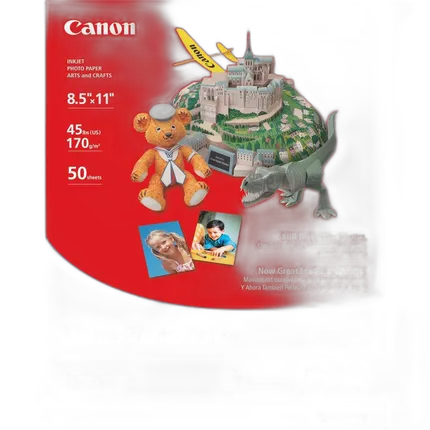
Canon 8.5X11 Matte Photo Paper (50 Sheets)
- - Compatible with Canon PIXMA Printers - Bright White Heavy-Weight Photo Paper - Includes 50 Sheets of 8.5 x 11" Photo Paper - Photo Lab Quality Prints - 108% ISO Brightness - Ideal for Paper Crafts - Vibrant Colors - Matte Finish

Canon 8.5x11 Photo Paper Glossy - 100 Sheets
- Canon Photo Paper Glossy
- Glossy surface finish
Canon GI-26 Pigment Black Ink Bottle
- For MAXIFY 6020 and 7020 Printer
- Pigment-based ink
Canon GI-26 Pigment Magenta Ink Bottle
- For MAXIFY 6020 and 7020 Printer
- Pigment-based ink
Canon GI-26 Pigment Yellow Ink Bottle
- For MAXIFY 6020 and 7020 Printer
- Pigment-based ink
Canon GI-26 Pigment Cyan Ink Bottle
- For MAXIFY 6020 and 7020 Printer
- Pigment-based ink