If you're shopping for the best photo editing software in 2024, you're probably trying to answer a very practical question: which platform actually fits the way you shoot, edit, organize, and deliver images? Adobe Lightroom, Capture One, and ON1 Photo RAW all have loyal followings, but they serve different types of photographers. This guide is for hobbyists upgrading from basic editors, working pros comparing workflow speed and color tools, and hybrid shooters who want a smarter post-production setup.
Because software isn't sold in the available product list for this guide, we've paired our recommendations with helpful editing workflow accessories and output tools that complement a serious photo-editing setup. If you're building a complete workstation, these hardware picks can make just as much difference as the software itself.
Lightroom vs Capture One vs ON1 at a Glance
| Software | Best For | Key Strengths | Potential Drawbacks |
|---|---|---|---|
| Adobe Lightroom | Most photographers, especially those who want cloud sync and a familiar workflow | Excellent cataloging, strong AI tools, mobile/desktop ecosystem, deep Adobe integration | Subscription pricing, some users want more advanced tethering and color controls |
| Capture One | Studio pros, commercial shooters, tethered workflows, color-critical editing | Outstanding color tools, layers, tethering, session-based workflow | Higher learning curve, pricier for many users, library workflow less universal for beginners |
| ON1 Photo RAW | Photographers who want powerful tools without a fully subscription-based ecosystem | Solid effects, masking, local adjustments, asset browsing, broad feature set | Workflow can feel less polished than Lightroom for some users, performance varies by system |
How to Choose the Right Photo Editing Software in 2024
Before picking a platform, think about how you actually work.
- Choose Lightroom if you want the easiest all-around balance of editing, cataloging, presets, syncing, and ecosystem support.
- Choose Capture One if tethered shooting, nuanced color control, layers, and professional studio workflows are top priorities.
- Choose ON1 Photo RAW if you want a robust alternative with lots of creative tools and prefer a workflow that can reduce reliance on subscriptions.
Also consider your output. If you're editing primarily for social, all three can work well. If you're printing portfolios, client work, or event images, color management and a reliable print workflow become much more important.
Our Pick
Best for most photographers in 2024: Adobe Lightroom. It remains the easiest recommendation for the widest range of users thanks to its polished workflow, strong organization tools, AI-powered masking, and integration across desktop, mobile, and Adobe apps. That said, Capture One is often the better choice for high-end studio and tethered shooters, while ON1 Photo RAW is appealing for photographers who want flexibility outside the Adobe ecosystem.
Best Workflow Accessories for Photo Editing Setups
While this guide compares software platforms, the right editing hardware can improve speed, comfort, and final output. Here are the most relevant accessories from the available lineup.
Loupedeck Creative Tool
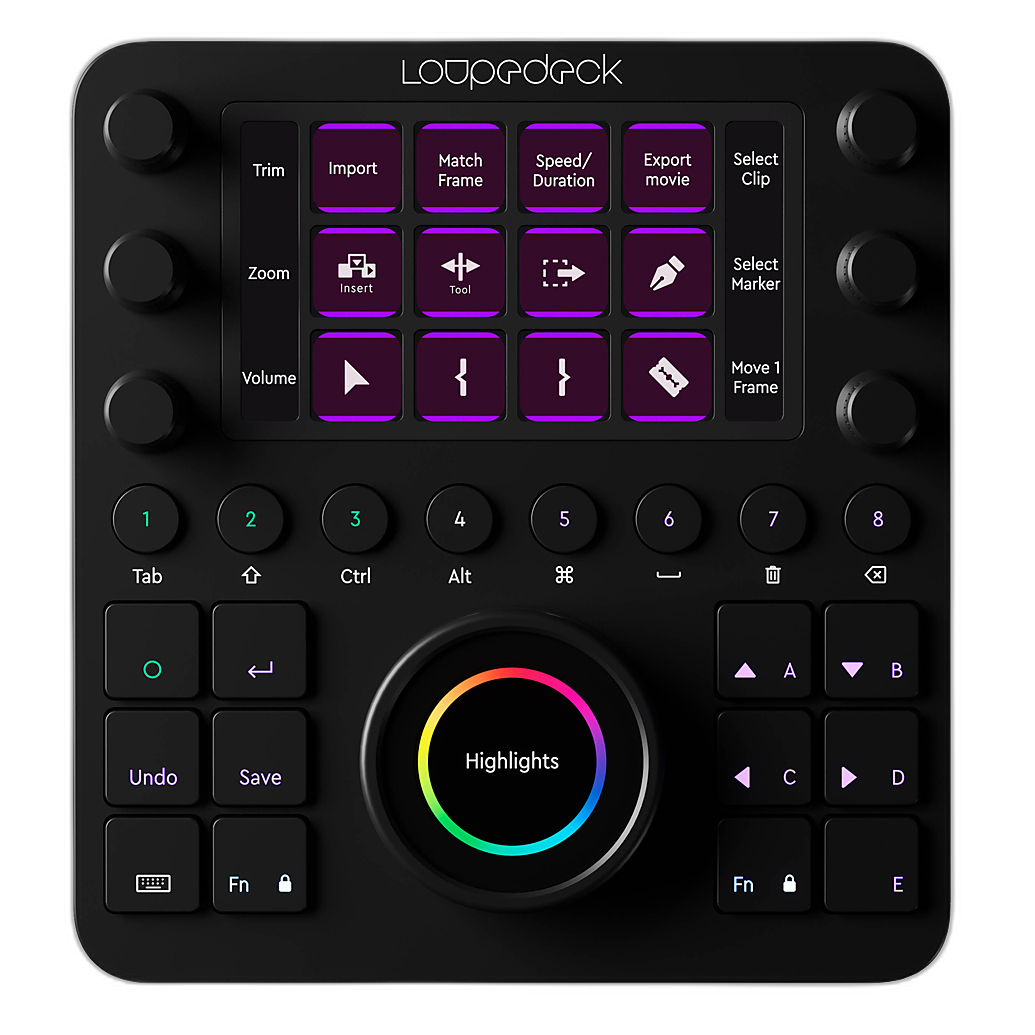
If you're spending hours in Lightroom, Capture One, or ON1, a dedicated control surface can make editing feel faster and more tactile. The Loupedeck Creative Tool is a natural fit for photographers who want hands-on adjustment of exposure, contrast, color, cropping, and workflow shortcuts.
Why it pairs well with editing software:
- Speeds up repetitive adjustments and culling workflows
- Helps reduce mouse-and-keyboard fatigue during long edit sessions
- Useful for photographers, retouchers, and hybrid photo/video creators
Best for: Lightroom-heavy users, creators who value custom shortcuts, and anyone building a more efficient editing desk.
Why buy: If software choice is about workflow efficiency, this is one of the most directly useful hardware upgrades you can add.
Canon MAXIFY GX2020 Wireless MegaTank Home and Office All-In-One Color Printer
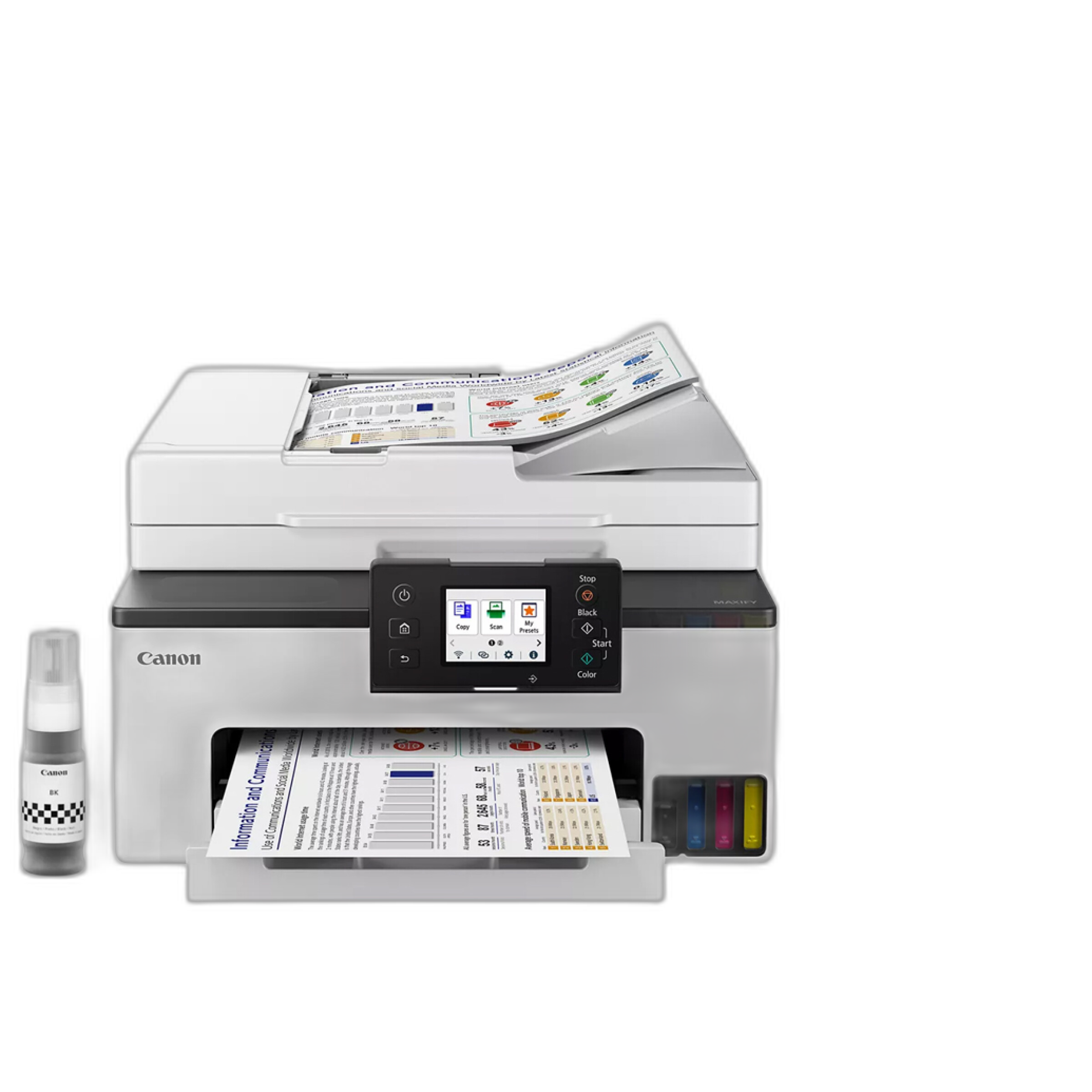
Editing doesn't end on your monitor. For photographers who need to review proofs, client documents, contact sheets, and business materials, the Canon MAXIFY GX2020 is a practical home-office companion. While it's not a dedicated fine-art photo printer, it supports a complete imaging workflow by making it easy to produce reference prints and studio paperwork in-house.
Why it matters for software buyers:
- Useful for proofing layouts and reviewing deliverables
- Good fit for home studios and small offices
- MegaTank design is appealing for frequent printing needs
Best for: portrait photographers, event photographers, and creators running a home-based photography business.
DNP SNAPLAB+SL620A KIOSK SYSTEM ALL IN ONE
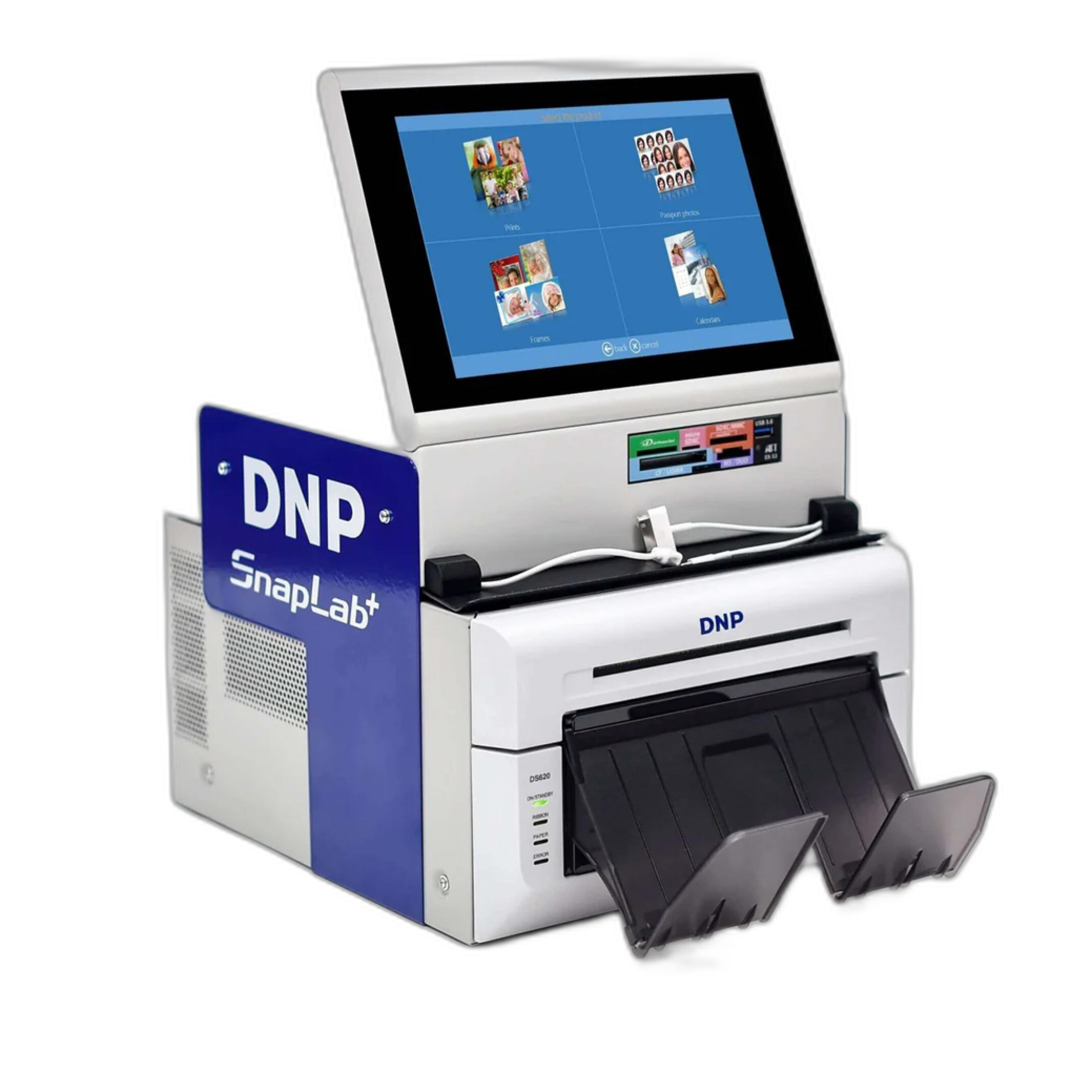
For photographers thinking beyond editing and into customer fulfillment, the DNP SNAPLAB+SL620A KIOSK SYSTEM ALL IN ONE is a specialized solution for on-site printing and output. This is a very different kind of purchase than software, but for event, retail, and experiential photography businesses, output capability can be just as important as the editing platform you use.
Why it complements this guide:
- Supports fast print delivery workflows
- Relevant for event photographers and retail imaging businesses
- Turns edited files into immediate customer products
Best for: event operations, activation booths, and photographers offering instant print services.
Recommended Use Cases: Which Software Fits You Best?
| User Type | Best Software Choice | Why |
|---|---|---|
| Beginner to enthusiast photographer | Lightroom | Easy to learn, excellent tutorials and preset ecosystem, great organization tools |
| Wedding and event photographer | Lightroom or Capture One | Lightroom for volume workflow and cataloging; Capture One for color and premium workflow control |
| Studio/commercial shooter | Capture One | Best-in-class tethering and refined color workflow |
| Subscription-averse user | ON1 Photo RAW | Appealing feature depth with an alternative ownership model approach |
| Creative editor who likes effects and layered adjustments | ON1 Photo RAW or Capture One | Both offer strong local editing flexibility, with different workflow philosophies |
Lightroom: Why It Still Leads for Most Users
Lightroom remains the most broadly useful editor because it balances image organization and editing exceptionally well. If your workflow includes importing thousands of RAW files, sorting them quickly, syncing across devices, and moving into Photoshop when needed, Lightroom continues to be the easiest all-around solution.
Best reasons to buy into Lightroom in 2024:
- Reliable catalog workflow for large libraries
- AI masking and modern editing tools are strong and accessible
- Excellent ecosystem support for presets, plugins, education, and collaboration
Who should skip it: users who strongly dislike subscriptions or who need more specialized tethered capture features than Lightroom prioritizes.
Capture One: Best for Tethering and Color Control
Capture One continues to stand out with superb color editing, professional layers, and one of the best tethered shooting experiences in the industry. For commercial, portrait, and studio photographers, those strengths can outweigh the cost and steeper learning curve.
Best reasons to choose Capture One in 2024:
- Outstanding studio workflow
- High-end color handling and skin tone control
- Flexible sessions for client jobs and commercial organization
Who should skip it: casual users or beginners who want the smoothest and most affordable learning path.
ON1 Photo RAW: Best Adobe Alternative for Many Users
ON1 Photo RAW appeals to photographers who want an editing suite with strong effects, masking, browsing, and creative tools without centering their entire workflow around Adobe. It can be a compelling option for enthusiasts and independent creators who value ownership flexibility and broad toolsets.
Best reasons to choose ON1 in 2024:
- Broad feature set in one platform
- Strong creative effects and local adjustment tools
- Attractive for users exploring alternatives to Adobe subscriptions
Who should skip it: photographers who prioritize the most universally adopted catalog workflow or the most mature tethering environment.
What to Buy Alongside Your Editing Software
If you're upgrading your post-production workflow, here is a quick gear summary:
| Product | Best For | Why It Helps |
|---|---|---|
| Loupedeck Creative Tool | Faster editing | Hands-on control for repetitive edits and custom shortcuts |
| Canon MAXIFY GX2020 | Home office output | Convenient for proofs, paperwork, and studio printing tasks |
| DNP SNAPLAB+SL620A | Event and retail printing | Supports immediate print fulfillment from edited files |
Conclusion
If you want the simplest recommendation, Lightroom is the best choice for most photographers in 2024. It offers the most balanced mix of RAW editing, organization, accessibility, and ecosystem support. Capture One is the smarter pick for studio professionals and anyone who depends on tethering and refined color control, while ON1 Photo RAW is a strong alternative for users who want a feature-rich non-Adobe path.
To build a more complete editing workflow, pair your software with tools that improve speed and output, especially the Loupedeck Creative Tool for hands-on control and practical print solutions for proofs or client delivery. For help choosing the right workflow gear for your photography business, shop with Unique Photo.