Rode HDMI to USB-C Convertor
Key Features
- Converts an HDMI video signal to USB-C for simple plug-and-play connection to compatible computers and mobile devices.
- Ideal for livestreaming, video calls, gaming capture, presentations, and connecting cameras to software that recognizes USB video input.
- Compact, lightweight adapter design makes it easy to integrate into portable content creation and streaming setups.
- Supports high-quality video capture with dependable performance from a trusted creator-focused brand.
- Works well with many HDMI-equipped cameras, switchers, consoles, and other HDMI output devices used as video sources.
OVERVIEW
Compatible With
- HDMI-output cameras, camcorders, switchers, and gaming consoles
- Computers and compatible mobile devices with USB-C that support external USB video input
Simple HDMI-to-USB-C Video Capture
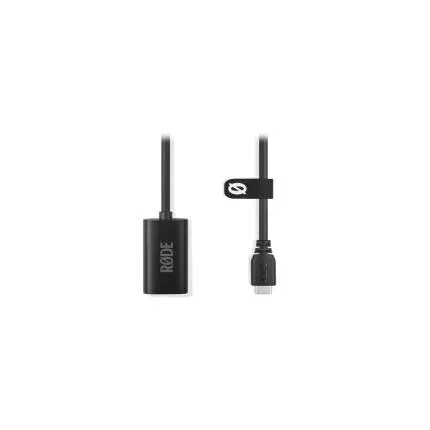
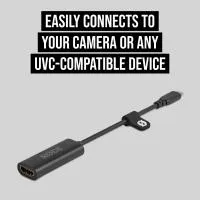
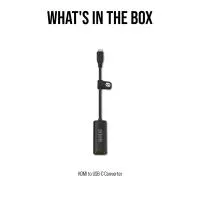
The RODE HDMI to USB-C Convertor, manufacturer number ADAPTER-HDMITOC, is a compact video interface designed to turn an HDMI output into a USB-C connection for easy capture and streaming workflows. It is built for creators, educators, presenters, gamers, and production users who need a straightforward way to connect an HDMI source to a USB-C host device without a bulky capture setup.
Designed for Streaming, Conferencing, and Content Creation
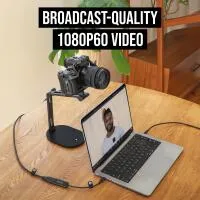
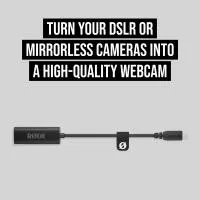
This adapter is especially useful in modern production environments where cameras and other HDMI-equipped devices are being repurposed as high-quality webcams or video inputs. By converting HDMI to USB-C, it helps streamline workflows for livestreaming, online meetings, remote teaching, podcast video production, and mobile content creation. Users can connect a supported HDMI source and bring cleaner video into compatible software and hardware ecosystems that accept USB video input.
Compact and Travel-Friendly Form Factor
One of the biggest advantages of this RODE convertor is portability. Its small footprint makes it easy to add to a mobile kit, creator bag, or desktop workstation without taking up unnecessary space. Whether you are building a permanent studio rig or packing a lightweight field kit, a compact HDMI-to-USB-C adapter can reduce clutter and simplify cable management.
Reliable Integration for Modern USB-C Devices
USB-C has become a standard connection across many laptops, tablets, and mobile devices, making this type of adapter especially practical for current workflows. Instead of relying on larger legacy interfaces, users can connect into newer systems more conveniently. This makes the ADAPTER-HDMITOC a useful option for creators working on modern computers and portable devices that prioritize USB-C connectivity.
Use Cases
The RODE HDMI to USB-C Convertor can be valuable in a wide variety of scenarios. It can be used to connect a mirrorless camera for higher-quality video calls, feed a presentation switcher into a computer for online broadcasting, capture gameplay from a console, or integrate an HDMI camera feed into a content creation setup. It is also practical for houses of worship, classrooms, corporate streaming, interviews, and live event support where a clean and simple capture path is preferred.
Benefits Over More Complex Capture Setups
Compared with larger capture hardware, a dedicated HDMI-to-USB-C convertor offers a simpler and often faster setup experience. It reduces the need for extra boxes, external power solutions, and elaborate mounting arrangements. For users who value speed, portability, and a cleaner desk or rig layout, this style of adapter can be a very efficient solution.
Built for the Creator Ecosystem
RODE is widely recognized for products that serve podcasters, streamers, video professionals, and hybrid creators. This adapter fits naturally into that ecosystem by addressing one of the most common workflow needs: getting an HDMI video source into a USB-C-based device quickly and effectively. It pairs well with camera-based streaming kits, portable production setups, and creator-focused audio/video systems.
Recommended Accessories
To get the most from this adapter, consider pairing it with a quality HDMI cable of the appropriate length, a camera with clean HDMI output, a tripod or mounting arm for stable framing, continuous power for your camera during long sessions, and a dedicated microphone for improved audio quality. Cable ties or cable management sleeves can also help keep your setup tidy and reliable.
Usage Tips
For best results, verify that your camera or source device is set to output a clean HDMI feed if you plan to use it for livestreaming or conferencing. Check your device's output resolution settings and confirm that your host computer or mobile device supports USB video input over USB-C. If you are using a camera for long sessions, external power or a dummy battery can help prevent interruptions. It is also a good idea to test your full signal chain before an important livestream or presentation.
Who It Is Best For
This adapter is a great match for creators who want to simplify camera-to-computer connectivity, professionals needing a portable presentation capture tool, educators teaching online, and anyone building a streamlined USB-C production kit. It is particularly appealing to users who want the convenience of a compact adapter while maintaining the flexibility of HDMI-based source equipment.
In Summary
The RODE HDMI to USB-C Convertor ADAPTER-HDMITOC is a practical, compact solution for converting HDMI video output into a USB-C connection for compatible host devices. With its creator-friendly design, modern connectivity, and portable form factor, it is well suited for streaming, conferencing, capture, and a broad range of video production applications.
Brand
detailed specifications
| Cable Type | Adapter |
| Cable Length | |
| Cable End Angle | Straight |
| Compatibility | Compatible with HDMI-output cameras, camcorders, switchers, gaming consoles, and compatible USB-C host devices. |
| Adapter Type | HDMI to USB-C |
physical specifications
| Color | Black |
| Weight | |
| Dimensions |
microphone specifications
| Connector Type | HDMI, USB-C |
| Mic Cable Length |
- RODE HDMI to USB-C Convertor
No creators have tagged this product yet.
Articles featuring this product
Canon EOS R5 C vs Sony a7S III: High-End Hybrid Cameras for Professional Video Work
Apr 26, 2026
·
Unique Photo
Sony FX3 vs Panasonic S5IIX: The Right Full-Frame Workhorse for Professional Video
May 9, 2026
·
Unique Photo
Sony A7 IV vs Sony FX30 for Portrait & Event Photography: Real-World Findings
Apr 20, 2026
·
Unique Photo
Best Hybrid Cameras for Photo and Video: How to Choose the Right Panasonic LUMIX Body
Sep 15, 2026
·
Unique Photo
Community questions about this gear
Ask a question