Qp Card 202 Color Reference Card for Basic and Advanced Raw Profiling
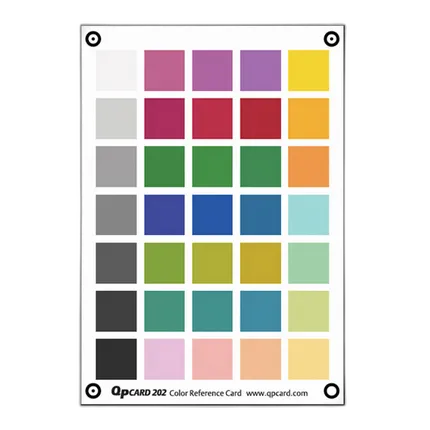
Key Features
- 35 carefully selected and individually manufactured color patches
- Size: 240 x 170 mm (9.45" x 6.7")
- Includes QP calibrator software
OVERVIEW
Getting accurate natural colors from any digital camera with RAW option has been an elusive goal for digital photographers. It can be a challenge to get photographs with correct hue; where red is red, green is green and blue is blue – and to make photographs with sufficient saturation in all channels. Believing that this is the optimum starting point for efficient picture editing in RGB, QP has been at the forefront of addressing this challenge. QP’s second goal is to get the correct colors in a fast, accurate, uncomplicated, and inexpensive way.
QP has addressed these goals with the new QPcard 202 and QPcalibrator software, which perform color correction using color management and profiling at the first accessible stage in the digital image workflow – the RAW image. In order to accurately monitor each camera’s color property, QP has designed a new high quality, color target with modern camera sensors in mind. With only 35 carefully selected and individually manufactured color patches, QPcard 202 can meticulously pin-point color behavior of almost any camera in any light.
QPcalibrator software compares camera performance with the target colors and creates instructions for the profile on how to “move” small segments of colors (almost 1300) into correct position in a three dimensional color space. Color saturation is controlled in two stages: primary control in the matrix, followed by “soft clipping” in the lookup table. It keeps track of color saturation making sure no color channel is over-saturated with blocked or “flat” colors as a result.
Brand
- QP Card QP Color Reference Card 202
- QPcalibration Software
No creators have tagged this product yet.
Articles featuring this product
Post-Processing Software Showdown: Lightroom vs. Capture One vs. DxO PhotoLab
Aug 2, 2026
·
Unique Photo
Community questions about this gear
Ask a question
0
votes
2
answers
197
How can I use a gray reference card to set white balance and brightness for scientific RAW color analysis?
Photography Stack Exchange contributor
8y ago
0
votes
2
answers
142
How should I use a gray card for white balance when shooting a storefront from across the street?
Photography Stack Exchange contributor
8y ago
0
votes
2
answers
233
Can a four-panel color checker be used for RAW color calibration in Darktable?
Photography Stack Exchange contributor
3y ago
0
votes
2
answers
143
Can everyday items work as a rough color or white-balance reference in phone photos?
Photography Stack Exchange contributor
8y ago
0
votes
2
answers
170
Does Canon Digital Photo Professional offer better RAW quality than Aperture?
Photography Stack Exchange contributor
15y ago
You may also like
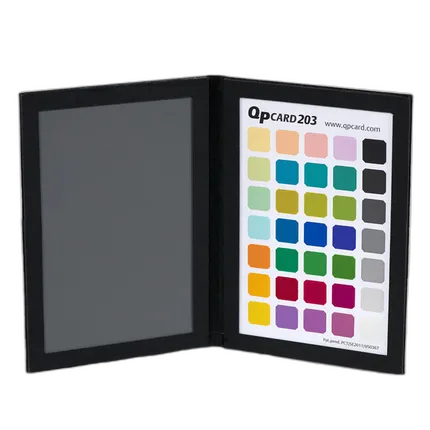
Qp Card 203 Camera Color Calibration
- 35 carefully selected and individually manufactured color patches
- Sturdy book design
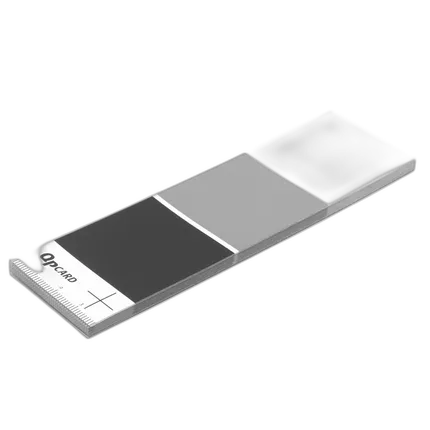
Qp Card 101 Digital Color Balance (3-Pack)
- Size: 142 x 40 mm (5.6" x 1.6")
- 3x Calibration Patches: White (Lab 95*0*0)