Mirrorless Gimbal FAQ: Portability, Payload, Battery, and Setup Tips
Choosing a gimbal for a mirrorless camera is about more than just stabilization specs. Videographers today care just as much about carry weight, real-world payload, battery strategy, and how quickly a rig can be balanced and deployed on location.
At Unique Photo, we help creators build practical video kits that work in the field, whether you are filming travel content, weddings, events, interviews, or social media video. Below are some of the most common questions we hear about pairing gimbals with mirrorless cameras and keeping footage smooth without overcomplicating your setup.
What matters most when choosing a gimbal for a mirrorless camera?
The most important factors are payload capacity, total rig weight, ergonomic comfort, and setup speed. A gimbal may technically support your camera body and lens, but if that combination pushes the motors near their limit, you may see reduced battery life, poorer responsiveness, or more difficulty balancing. A compact mirrorless body with a lightweight prime is usually easier to stabilize than a zoom lens setup with added accessories like microphones, monitors, or focus motors.
Portability also matters in day-to-day shooting. If you expect to carry a gimbal all day, every ounce counts. Many creators find that a slightly smaller setup gets used more often because it is easier to bring along, pack, and rebalance. The best choice is often the gimbal that fits your typical lens selection and shooting style, not just the one with the highest payload rating on paper.
How do I know if my camera and lens combination is too heavy for a gimbal?
Start by checking the combined weight of your camera body, lens, battery, memory card, and any accessories that remain attached during use. Compare that number to the gimbal's rated payload, but leave yourself headroom. Running close to maximum capacity can make balancing trickier and may reduce overall performance, especially during aggressive movement or when the lens extends while zooming.
Physical dimensions matter too. Even if a setup is within the weight rating, a longer lens can interfere with roll-arm clearance or limit screen visibility. This is one reason mirrorless shooters often prefer compact primes or internal zoom lenses on gimbals. If you plan to add external power or other accessories, remember to include their weight and cable routing in your calculations.
Is a lighter gimbal always better for travel and run-and-gun shooting?
Not always. A lighter gimbal is easier to carry, but very small stabilizers can feel less comfortable with heavier mirrorless setups, particularly during long takes. A slightly larger model may provide better grip, stronger motors, and more room for balancing accessories. The right balance is finding a system that is small enough to take everywhere but robust enough to support your actual camera package without compromise.
For travel shooters, the sweet spot is often a compact mirrorless camera paired with one or two lightweight lenses and a moderate-size gimbal. This gives you enough versatility for walking shots, establishing scenes, and handheld cinematic movement without turning your bag into a burden.
How important is battery life on a gimbal?
Battery life is one of the most overlooked factors in real-world production. Long runtime is useful, but what really matters is whether the gimbal can get you through your shooting day without constant worry. Event videographers and documentary shooters especially benefit from dependable power because they may not have time to stop and recharge between key moments.
External power solutions can also be helpful as part of a broader video workflow. If you are powering accessory gear around your camera rig, cable management becomes increasingly important. A product like the Core SWX Coiled D-Tap Cable for Devices Using Sony L-Series Batteries can be useful in video setups that rely on Sony L-series battery systems for monitors, transmitters, or related accessories, helping keep cables tidy in mobile production environments.
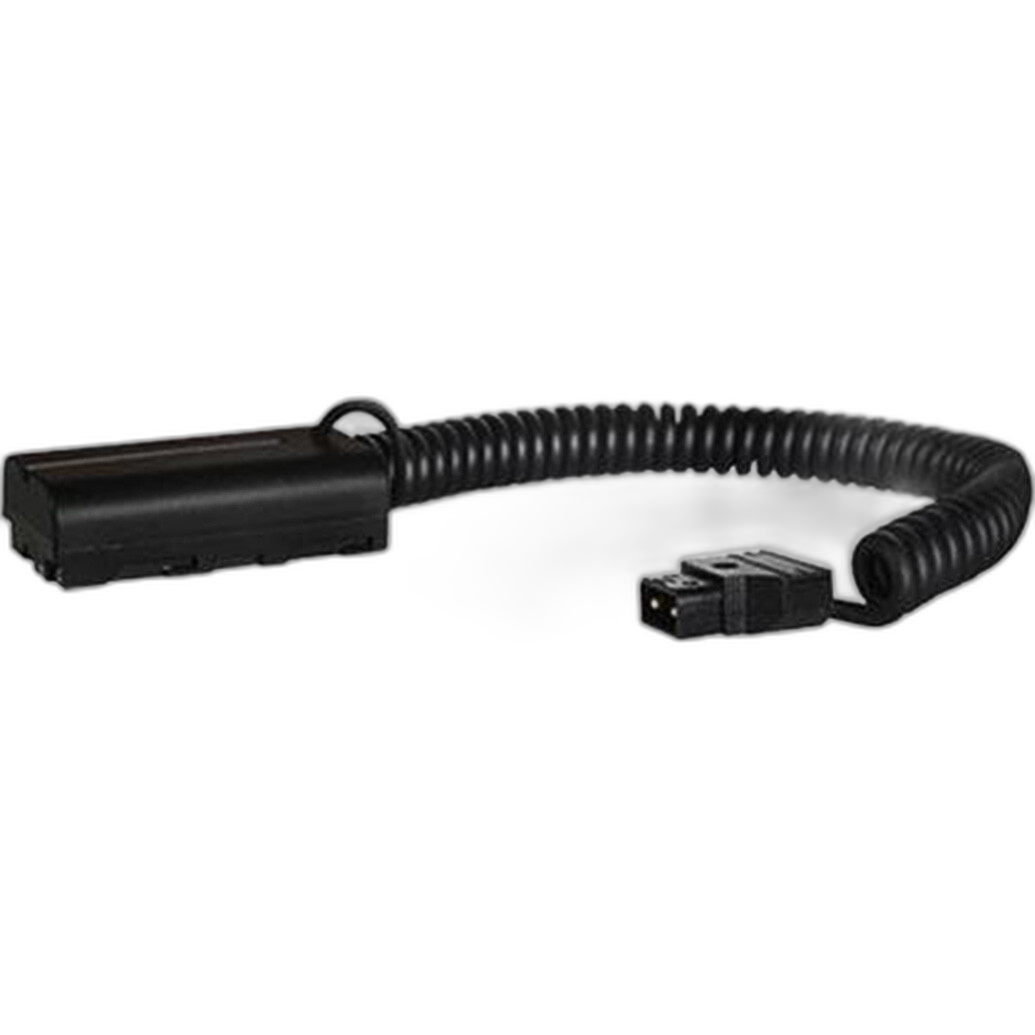
Even when your gimbal itself uses an internal battery, your full shooting kit may still depend on external power distribution for accessories. Thinking through battery strategy before a shoot can save time and reduce interruptions.
Do software features and app control really make a difference?
Yes, especially for solo creators and hybrid shooters. Modern gimbal software can simplify setup with motor auto-tuning, balance checks, subject tracking integrations, timelapse tools, and programmable motion paths. These features can make a noticeable difference when you need repeatable movement or want to create polished content without a full crew.
That said, software should support strong hardware fundamentals rather than replace them. Reliable balancing, responsive motors, and comfortable handling still matter more than a long list of app features. If you use advanced camera systems, getting familiar with your camera's menus and video settings is just as important as learning the gimbal app. For Nikon Z5 users stepping into stabilized video, Unique Photo's Using Your New Nikon Z5 - Quick Start Guide can be a helpful starting point for understanding the camera side of the workflow.
What is the best way to balance a mirrorless camera on a gimbal?
Balance the camera exactly as you intend to shoot it. That means inserting the battery and memory card, attaching the lens hood if you use one, and mounting any accessories that will stay on the camera during filming. Balance each axis carefully before powering on the gimbal. A well-balanced rig reduces motor strain, improves stabilization, and extends battery efficiency.
If you frequently switch between lenses, consider standardizing your setup as much as possible. Some videographers use the same plate position for a favorite lens or keep a minimal lens kit specifically for gimbal work. This speeds up setup and reduces frustration on location. If your lens supports manual focus and you need precise adjustment in controlled scenarios, focus accessories can become part of a broader production toolkit, though many mirrorless shooters keep gimbal builds simple for the sake of speed.
Should I use autofocus or manual focus on a gimbal?
For many shooters, autofocus is the practical choice on a gimbal. Modern mirrorless cameras offer excellent face, eye, and subject detection, which allows you to keep moving while the camera maintains focus. This is especially useful for weddings, events, walking interviews, and creator content where a one-person setup needs to stay nimble.
Manual focus still has a place for controlled narrative work, product video, or scenes where you want a very deliberate focus pull. In those cases, focus tools and rig planning matter more. If your production expands beyond a stripped-down gimbal setup into a more studio-oriented workflow, educational resources can help sharpen your lighting and portrait technique alongside motion skills. Unique Photo also offers classes like EXPO: Portraiture Using Speedlights with Ryan Brown, which can be valuable for creators developing a more complete visual toolkit.
How can I make my gimbal footage look smoother and more professional?
Smooth footage comes from technique as much as equipment. Bend your knees slightly, walk heel-to-toe, and avoid sudden directional changes. Let the gimbal absorb small movements instead of forcing dramatic corrections with your hands. Planning your route before rolling also helps, especially in crowded or uneven locations.
Lens choice affects the look too. Wider focal lengths are generally easier to stabilize and feel more fluid during movement. Slower, intentional camera moves often look more cinematic than fast, complicated motion. In addition, matching your shutter speed, frame rate, and stabilization settings to the scene helps preserve natural motion blur and prevents footage from feeling overly rigid or jittery.
When should I skip the gimbal and use another support method instead?
A gimbal is excellent for moving shots, but it is not always the best tool for every scene. Locked-off interviews, tabletop product videos, and macro work often benefit more from a tripod, slider, or dedicated support accessory. In studio environments where precise positioning matters more than movement, a focusing stage can provide better control than a handheld stabilizer.
For example, the Kaiser Macro Focusing Stage is designed for precise incremental positioning in close-up workflows, making it more suitable for detailed macro or tabletop capture than a gimbal-based approach. Likewise, tabletop product creators may use controlled light shaping tools instead of mobile stabilization when the goal is consistency over motion.
What is a smart starter approach for building a mirrorless gimbal kit?
Start simple. Choose a gimbal matched to your camera body and one primary lens, then build around reliability and repeatability. Extra batteries, fast-release plates, compact audio, and a sensible bag often improve your shooting experience more than adding too many accessories up front. Once you know your workflow, you can add external power, focus tools, or monitoring solutions where they genuinely solve a problem.
Many creators get the best results by keeping one dedicated gimbal configuration ready to go. A lightweight mirrorless body, compact lens, and balanced setup can help you move from setup to shooting quickly, which is often the difference between capturing a moment and missing it.
If you are building out a stabilized mirrorless video kit, Unique Photo can help you choose the right accessories, power options, and learning resources for your style of production. Explore our gear selection and educational offerings to put together a practical setup that helps you shoot smoother, faster, and with more confidence.