Compact Gimbal FAQ for Mirrorless Video Setups
If you are building a lightweight mirrorless video rig, choosing the right compact gimbal can make the difference between smooth, usable footage and a setup that feels awkward all day. At Unique Photo, we help creators look beyond simple payload numbers so they can match a stabilizer to their camera body, lens, shooting style, and overall workflow.
Below, we answer some of the most common questions about compact gimbals for mirrorless cameras, along with a practical note on when a dedicated compact camcorder may be a smarter fit than a gimbal-based setup.
What should I look for in a compact gimbal for a mirrorless camera?
The first thing to evaluate is real-world balance compatibility, not just the maximum rated payload. A compact mirrorless body with a small prime lens is very different from the same body paired with a fast zoom, external microphone, cage, or follow focus motor. You want a gimbal that gives you enough arm clearance, strong enough motors for your heaviest likely lens, and a comfortable grip for longer shoots.
Battery life, quick-release plate design, and app-based controls also matter more than many buyers expect. If you switch frequently between tripod, handheld, and gimbal shooting, fast rebalancing can save a lot of time. For event filmmakers and hybrid shooters, compactness is important, but so is stability during walking shots, low-angle moves, and quick reframing.
How much payload do I really need for a mirrorless gimbal setup?
As a general rule, it is wise to avoid choosing a gimbal that only barely supports your camera package. A stabilizer performs better when it has some headroom, especially if you plan to use heavier lenses later. Start by weighing your body, lens, battery, memory card, and any accessories that stay mounted during operation. Then compare that total to the gimbal's usable range.
Remember that physical dimensions are just as important as weight. Some camera and lens combinations technically fit within the payload limit but still run into clearance issues during tilt or roll movement. If your setup grows beyond what is comfortable on a compact gimbal, a dedicated all-in-one video camera may be the better answer for mobility and speed.
Are compact gimbals best for every type of video shooting?
No. Compact gimbals are excellent for moving shots, walking sequences, reveal shots, real estate walkthroughs, travel content, and dynamic event coverage. They help small mirrorless cameras produce a more polished, floating look that is difficult to achieve handheld.
That said, not every production benefits from a gimbal-first workflow. Interviews, livestreaming, sports coverage, lectures, and long-form event documentation often prioritize fast setup, reliable zoom control, onboard audio options, and extended handheld comfort over cinematic movement. In those situations, a purpose-built compact camcorder can be much more efficient than building out a mirrorless rig.
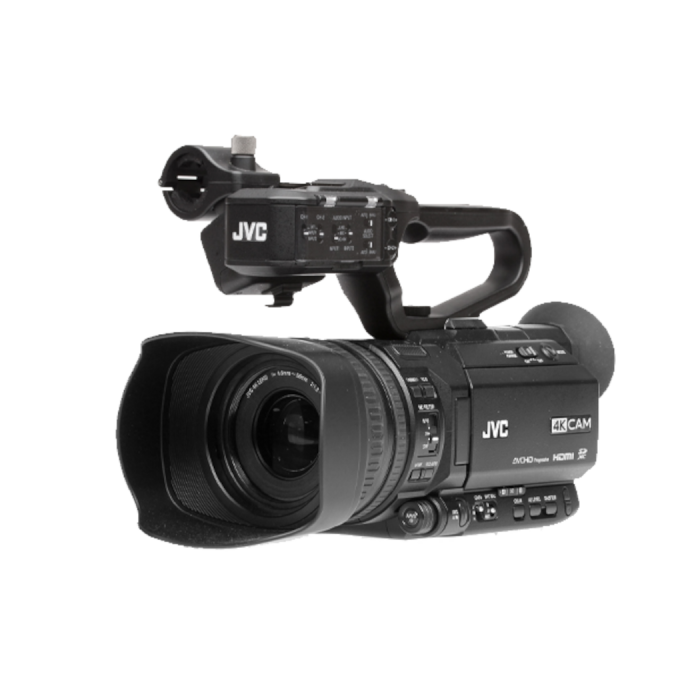
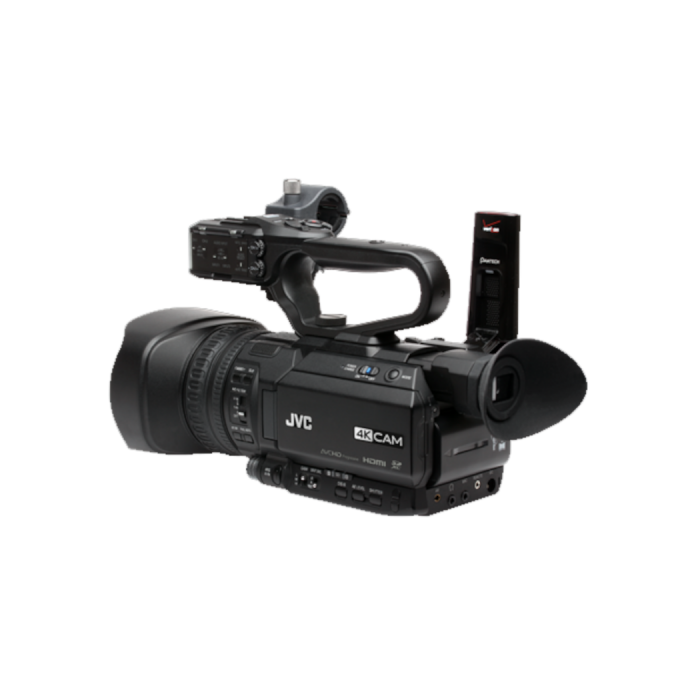
For shooters who want a streamlined video tool without the added balancing process of a gimbal, the JVC GY-HM250U is worth considering. Its integrated 12x lens and compact camcorder design can simplify many run-and-gun productions.
Can I use a compact gimbal with zoom lenses, or should I stick to primes?
You can absolutely use zoom lenses, but compact primes are usually easier to balance and keep balanced. Many zoom lenses change physical length or center of gravity while zooming, which can affect stabilization performance. Internal zoom lenses are generally friendlier on gimbals than extending zoom designs.
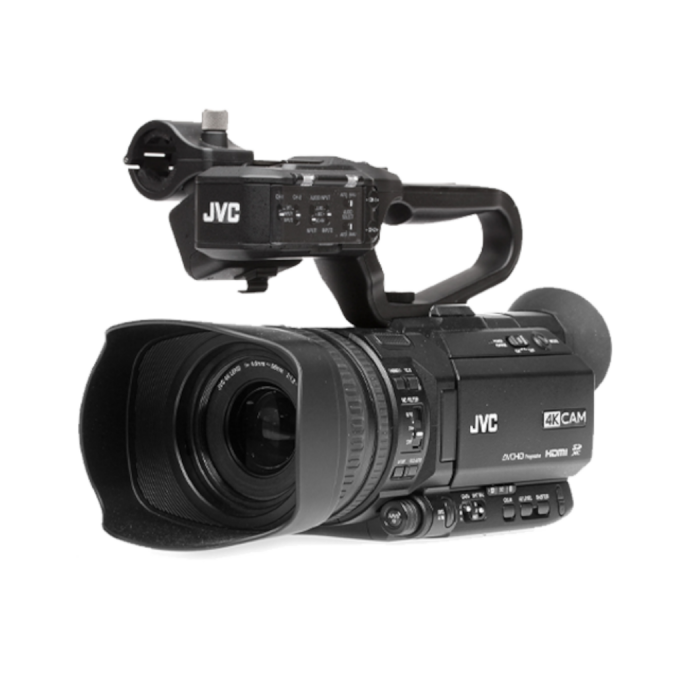
If your work requires frequent focal length changes during a shoot, think carefully about your workflow. Some creators prefer to use a small prime on the gimbal and switch to a separate camera for longer focal lengths or fast framing changes. Others decide that an integrated-lens video camera is more practical overall. A model like the JVC GY-HM250SP offers a compact all-in-one approach for shooters who need a ready-to-go lens solution and dependable handheld operation.
How important is in-body image stabilization if I am already using a gimbal?
In-body image stabilization can still be helpful, but the best settings depend on the camera and the shot. A gimbal handles larger movement across multiple axes, while in-body stabilization can smooth small jitters. However, on some camera systems, leaving every stabilization mode fully active can cause unwanted warping, micro-corrections, or strange edge movement during motion shots.
Testing is the key. For walking shots, many shooters find that a balanced combination of gimbal stabilization, careful operating technique, and moderate in-camera stabilization gives the best result. For locked-off gimbal moves or more controlled slides and push-ins, reducing extra digital stabilization may produce cleaner footage.
What is the easiest way to balance a compact mirrorless setup on a gimbal?
Begin with the exact configuration you plan to shoot. Insert the battery and memory card, attach the lens hood if you intend to use it, and mount any audio accessories that will stay on the camera. Then lock each axis and balance one at a time, following the manufacturer's sequence. Fine adjustments matter, and taking an extra minute during setup pays off in smoother performance and less motor strain.
It also helps to standardize your rig. If you frequently switch lenses, mark common plate positions or dedicate a plate to each setup. If that constant balancing process slows you down too much, that is often a sign to consider a different production tool. Compact handheld camcorders like the JVC GY-HM250U can dramatically reduce setup friction for fast-paced projects.
When does a compact camcorder make more sense than a mirrorless camera on a gimbal?
A compact camcorder makes more sense when speed, reliability, and convenience matter more than the aesthetic of floating camera movement. News gathering, education, worship, sports, stage performances, corporate coverage, and long recording sessions often benefit from built-in zoom range, ergonomic handheld operation, and straightforward video controls.
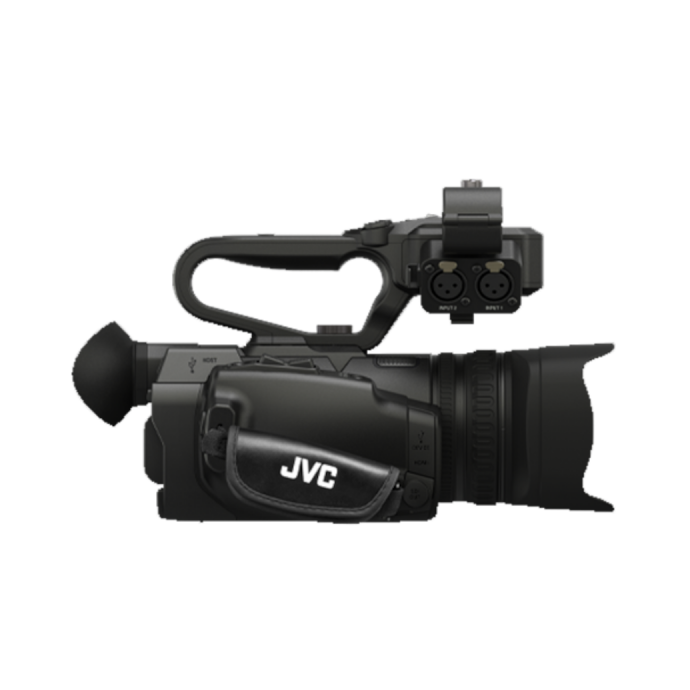
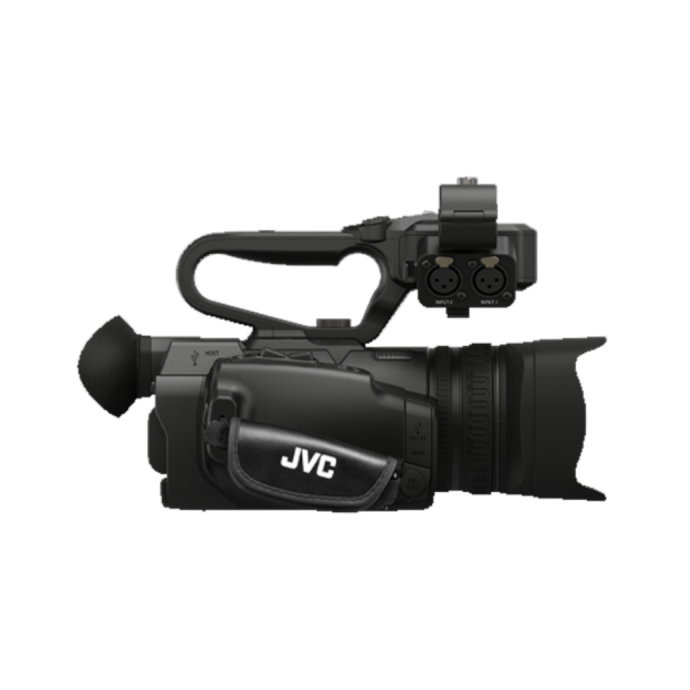
This is where products like the JVC GY-HM250U and JVC GY-HM250SP stand out. Instead of balancing a mirrorless body, monitoring battery life across multiple accessories, and adapting stills-oriented gear to video use, you can work with an integrated system designed for capture efficiency. For many professionals, that is a smarter investment than forcing every assignment into a gimbal workflow.
What accessories matter most for a compact gimbal setup?
The most useful accessories are usually the least glamorous: extra batteries, a compact memory solution, a quick-release system that matches your tripod workflow, and a lens choice that is easy to balance. A small on-camera microphone or wireless audio kit may be necessary, but be careful not to overload a lightweight gimbal with too many add-ons.
Comfort accessories also matter for real-world use. A briefcase handle, mini tripod extension, or support grip can make low-angle and extended walking shots much easier. If your setup is gradually becoming too large or complicated, it may be time to simplify rather than expand. That is often when video creators shift from a mirrorless-plus-gimbal configuration to a compact camcorder platform.
How do I decide between a compact gimbal workflow and an all-in-one video camera?
Ask yourself what you shoot most often. If your work is cinematic, mobile, and movement-heavy, a compact gimbal paired with a lightweight mirrorless setup is a strong choice. If your work is documentary, event-based, educational, or requires dependable zoom operation for long periods, an integrated camcorder may be a better fit.
At Unique Photo, we often encourage creators to think in terms of workflow, not just gear categories. A gimbal is a tool, not a requirement for every shooter. In many cases, a compact video camera such as the JVC GY-HM250U or JVC GY-HM250SP can help you move faster and capture more consistently with less setup time.
If you are comparing stabilization options, building a lightweight video kit, or deciding whether a compact camcorder might serve your productions better, Unique Photo is here to help. Explore our video gear selection and reach out to our team for expert guidance on the right setup for your shooting style.