*Open Box Calibrite ColorChecker Passport Photo 2
Questions? Ask our experts
Key Features
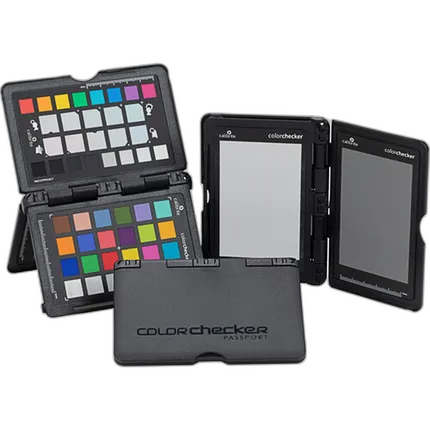
- An essential tool for any imagemaker when working in different lighting situations
- Achieve Proper Exposure & Color Balance
- White Balance Target
- Creative Enhancement Target
- Utilizes standard 24-patch ColorChecker target
- Enhancement target and two gray patches (12 & 18% gray)
- Included software can create ACR corrections and ICC profiles
- Ideal for imagemakers of all levels
- Hard, Protective Pocket-Sized Case
- Integrated Stand and Included Lanyard
- Camera Calibration v1.2 Software
- Adobe Lightroom Plug-In Available
Questions? Ask our experts
overview
ColorChecker Passport Photo 2 is ideal for any photographer looking for accurate and consistent color and creative flexibility. The combination of targets and camera calibration software combined with your choice of Lightroom, Photoshop, CaptureOne or Canon DPP, delivers the most professional quality color control possible.
Passport Photo 2 combines four photographic targets into one pocket-size protective case that adjusts to any scene. Together with the included Camera Calibration software and Lightroom Plug-In, you get the ultimate functionality, flexibility and portability for a more perfect color journey.
Measuring only 125 x 90mm, the pocket sized Passport Photo 2 can be taken anywhere ready for any photographic situation that comes your way.
No creators have tagged this product yet.
Articles featuring this product
Sony FX3 vs Panasonic S5IIX: The Right Full-Frame Workhorse for Professional Video
May 9, 2026
·
Unique Photo
Your Favorite Lens for Portraits: Canon EOS R10 vs R50 vs R100 — Best Starter Kit and Lens Tips
Apr 28, 2026
·
Unique Photo
How to Develop Black & White Film at Home: HP5 Plus and FP4 Plus Step by Step
Sep 26, 2026
·
Unique Photo
Community questions about this gear
Ask a question
0
votes
2
answers
243
Why do my artwork photos look pale even after using a ColorChecker and custom white balance?
Photography Stack Exchange contributor
6y ago
0
votes
2
answers
345
Can Capture One automate color correction from a ColorChecker or other reference card?
Photography Stack Exchange contributor
11y ago
0
votes
2
answers
313
How do color calibration cards differ in accuracy, patch count, and longevity?
Photography Stack Exchange contributor
10y ago
0
votes
2
answers
267
Why does my custom X-Rite ColorChecker profile look wrong on a Sony a7R IV?
Photography Stack Exchange contributor
6y ago
0
votes
2
answers
199
In Photoshop, should I use “Proof Colors > Monitor RGB” to see accurate color on a calibrated monitor?
Photography Stack Exchange contributor
14y ago
You may also like
Carl Zeiss Lens Cleaning Kit
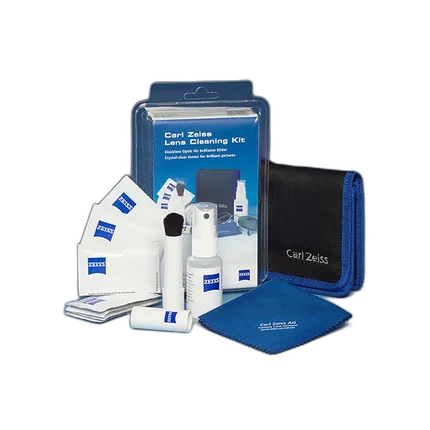
- - Optic cleaning agent - Dusting brush - Microfiber cleaning cloth - 10 wet cleaning cloths - Instruction manual for the professional usage - High-quality belt pouch
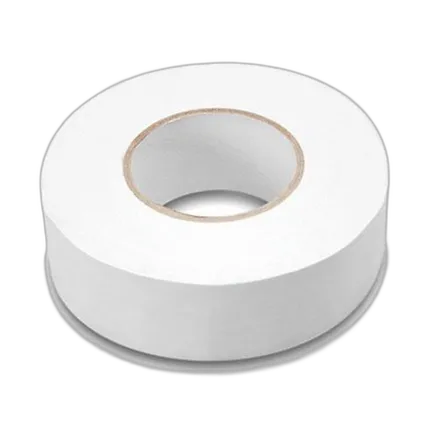
Professional Gaffers Tape - 2X 60 YARDS (White)
- - Gaffer tape - 2 x60 - White