Kondor Blue Quick-Adjust Rosette Module Set (Left and Right)
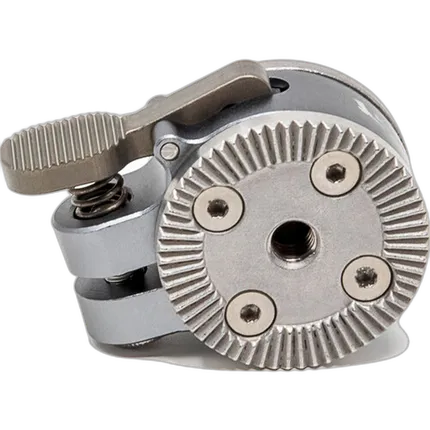

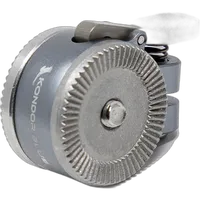
Key Features
- Adjust any Rosette accessory single-handedly
- ARRI-style rosettes on either side
- Allows 360° rotation
- Aerospace Grade Aluminum
- Inset M6 Mounting Screw
- M6 Female Thread, Quick Release Lever
overview
This set of left- and right-side Quick-Adjust Rosette Module Set from Kondor Blue allows you to add a quick adjustment to left- and right-side rosette mounting supports. The module mounts on your rig's rosette with the inset M6 screw, leaving a clean rosette face for you to attach your ARRI rosette-mounted handgrip. The compact aluminum module features a spring-loaded thumb lever that allows you to quickly adjust the orientation of your handle without having to loosen it from your support. This allows for a fast, yet secure, angle adjustment without having to stop shooting to loosen the rosette locking lever, reposition your handgrip, and then retighten your handgrip.
- Turn any handgrip such as the popular Nucleus Focus grips or Canon ZSG-C10 Zoom Grips into quick-release handgrips!
- The compact aluminum module features ARRI-style rosettes on either side and a quick-release lever that allows you to quickly adjust your handgrip angle.
- The rosette features an M6 female thread for mounting a handgrip and it allows 360° rotation.
Brand
physical specifications
| Dimensions | 1.79 x 1.40 x 0.83" |
| Weight | 2.5 oz / 70.9 g |
detailed specifications
| Material | Aluminum-alloy, stainless steel |
- Kondor Blue Quick Release Rosette Module (Right)
- Kondor Blue Quick Release Rosette Module (Left)
- Allen Key
No creators have tagged this product yet.
Articles featuring this product
Lightroom vs. Capture One for Wedding Photography: The Practical Buying Guide
Apr 25, 2026
·
Unique Photo
Nikon Introduces D7100 HD-SLR and New, Pro-Grade WR-1 Wireless Remote Controller
Feb 21, 2013
·
UniquePhoto
Community questions about this gear
Ask a question
0
votes
2
answers
201
How can I correct a blue haze in darktable, and can I adjust RGB channels separately?
Photography Stack Exchange contributor
11y ago
0
votes
2
answers
267
How do you change color temperature with the keyboard in Lightroom Develop?
Photography Stack Exchange contributor
9y ago
0
votes
2
answers
189
0
votes
2
answers
234
How can I make only the sky bluer in Lightroom without affecting similar colors elsewhere?
Photography Stack Exchange contributor
6y ago
0
votes
2
answers
156
You may also like
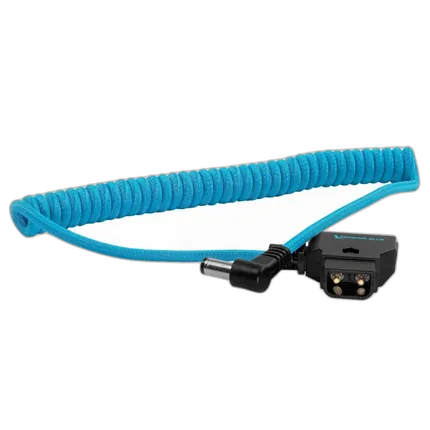
Kondor Blue D-Tap to DC Right Angle Coiled Cable (5.5 x 2.5mm)
- Right-Angled Connector
- Power Accessories like Monitors, Lights and Others
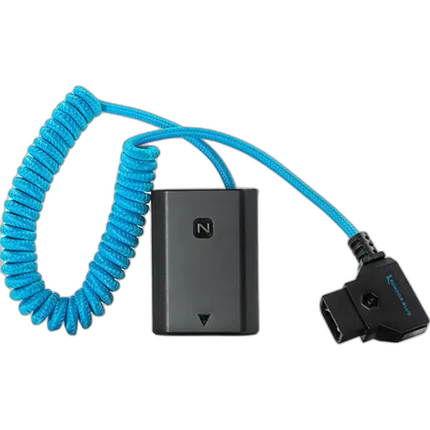
Kondor Blue D-Tap To Sony a7S III Dummy Battery
- Connect D-Tap Sources to Your Sony Camera
- D-Tap to Dummy Battery Connectivity