
Lightroom vs. Capture One for Wedding Photography
Shooting weddings means managing marathon days, mixed lighting, tight turnarounds, and thousands of files that all need to look consistent and flattering. This guide is for wedding photographers choosing between Adobe Lightroom Classic and Capture One Pro—or wondering if they should use both—to build a fast, reliable, color‑accurate editing workflow from prep to delivery.
What Matters Most in a Wedding Workflow
- Speed: Culling and batch developing thousands of files.
- Color and Skin Tones: Clean, consistent results across changing light.
- Tethering: Reliable live preview for portraits and studio‑style moments.
- AI and Automation: Smart masking and noise reduction for low‑light receptions.
- Cataloging and Delivery: Organizing multiple weddings and exporting albums, social sets, and prints.
Lightroom Classic at a Glance
Lightroom Classic is a complete ecosystem for ingest, develop, and deliver. Its library tools excel at organizing multi‑year catalogs, and recent updates supercharge quality and speed.
- Strengths: Best‑in‑class cataloging and keywording; AI Denoise for high‑ISO reception shots; powerful AI masks (people, background, clothing); HDR/Panorama merge; seamless handoff to Photoshop; presets and cloud/mobile options via Lightroom.
- Considerations: Tethering is improved but not Capture One’s level for demanding sets; color fine‑tuning isn’t as surgical as Capture One’s Skin Tone editor; performance can dip with very large catalogs on modest hardware.
Capture One Pro at a Glance
Capture One is favored for tethering and exceptional color control. Sessions offer a lean, per‑job structure that’s great for wedding days and on‑site edits.
- Strengths: Market‑leading tethering speed and reliability; precise Color Editor and Skin Tone tool for uniform complexions; robust layers and masks; fast “Speed Edit” shortcuts; Sessions for one‑wedding jobs.
- Considerations: Cataloging is capable but less comprehensive than Lightroom’s; no native HDR/Panorama merge; AI masking is more limited; pricing/licensing differs from Adobe’s bundle.
Direct Comparison for Weddings
| Feature | Lightroom Classic | Capture One Pro |
|---|---|---|
| Tethering | Good; improving, but not top‑tier | Excellent; industry favorite for reliability |
| Cataloging/Metadata | Outstanding, scalable for large libraries | Good; Sessions excel per‑job |
| Color & Skin Tones | Strong global tools; quick presets | Exceptional precision with Skin Tone tool |
| AI Masking | Advanced (people/background/clothing) | Basic relative to Lightroom |
| Noise Reduction | AI Denoise is excellent for high ISO | Very good; different look, less AI‑driven |
| HDR/Pano Merge | Built‑in and fast | Not native |
| Culling Speed | Fast with Smart Previews; huge ecosystem | Fast rendering; responsive previews |
| Mobile/Cloud | Strong (Lightroom mobile/web sync) | Limited compared to Adobe |
| Pricing Model | Adobe Photography Plan subscription | Subscription or perpetual license options |
| Best Fit | End‑to‑end wedding workflow & delivery | Tethered sets and color‑critical grading |
Choose by Shooting Style
- If you tether bridal portraits or studio‑style sets: Capture One’s rock‑solid tethering and color tools shine.
- If you manage years of weddings and deliver fast: Lightroom Classic’s cataloging, AI tools, and Photoshop integration make it a one‑stop shop.
- If you’re team‑based or travel light: Lightroom’s mobile/cloud options keep edits moving anywhere.
- If skin tone nuance is your top priority: Capture One’s Color Editor and Skin Tone uniformity are hard to beat.
Recommended Learning and Tools from Unique Photo
Capture One: Transitioning from Lightroom (Hoboken)
Thinking about switching—or using both? This class accelerates your move from Lightroom to Capture One, covering Sessions, tethering setups, and color workflow so you can apply Capture One’s strengths to wedding days immediately.
NJCS: Lightroom Photo Editing for Nature and Wildlife with Bobby Stormer

While nature‑focused, the Lightroom techniques translate perfectly to weddings: global and local adjustments, noise handling for low light, and preset strategies for consistent galleries.
Product Photography and Post Production Editing with Blake Taylor

Refine retouching and finishing skills you’ll use on rings, details, and portraits—layer‑based edits, skin cleanup, and export prep for albums and social delivery.
Seminar: How to Capture Great Festival and Event Photos with David Wells

Events move fast—just like wedding receptions. Learn timing, coverage, and camera‑to‑editor habits that streamline your handoff to Lightroom or Capture One.
Kondor Blue HDMI to USB‑C Capture Card for Live Streaming Video and Audio
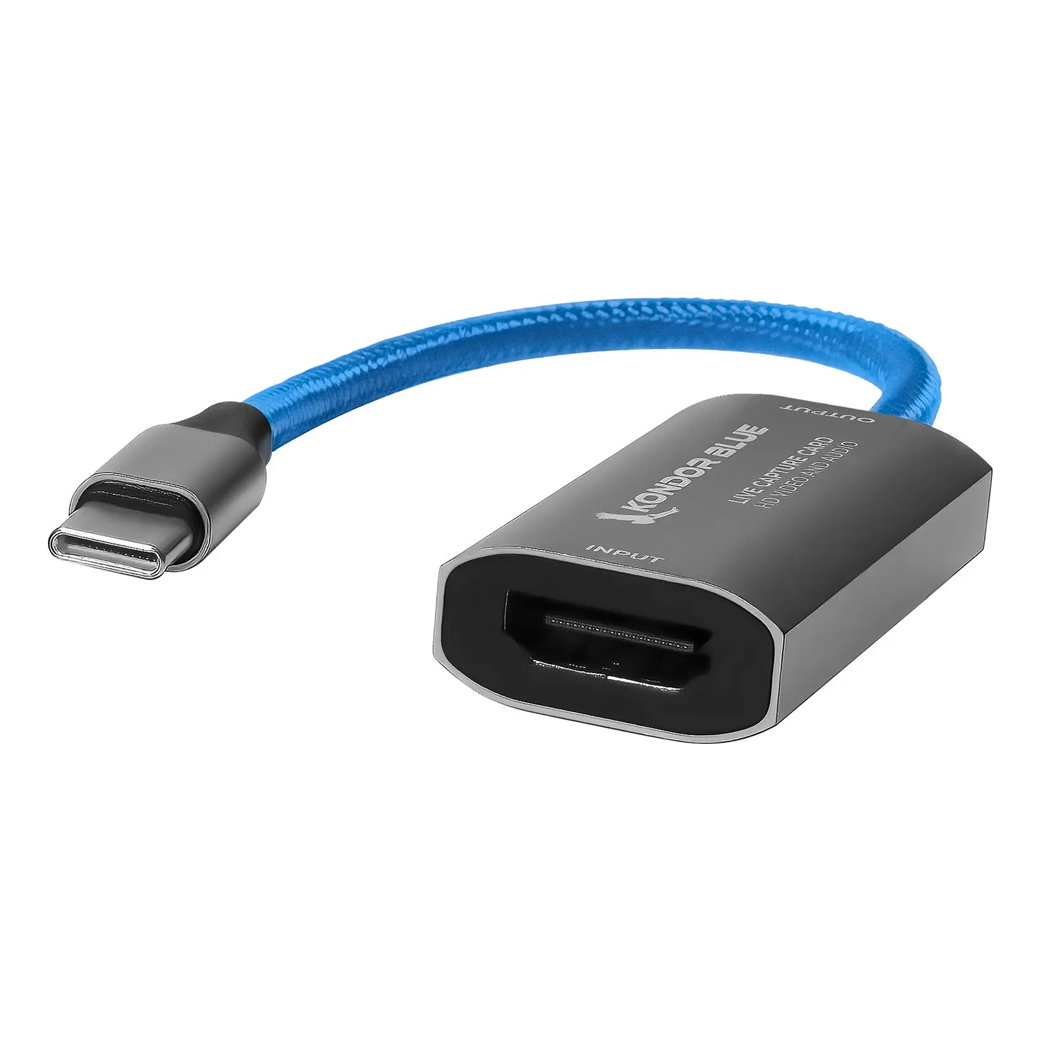
If your studio offers remote reveals, virtual ceremonies, or behind‑the‑scenes streams, this capture card brings a clean camera feed into your computer for client viewing or live sessions.
Bottom Line
If you want the broadest, most automated wedding pipeline—catalogs, AI masking, AI denoise, and seamless delivery—choose Lightroom Classic. If you live on‑set and demand the best tethering and color granularity, Capture One Pro is a superb fit. Many studios benefit from a hybrid approach: Capture One for capture and color, Lightroom for organization and delivery. Not sure which way to go? Visit or contact Unique Photo—our team and Unique University classes will help you build the fastest, most consistent wedding workflow.