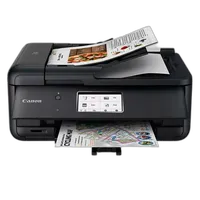
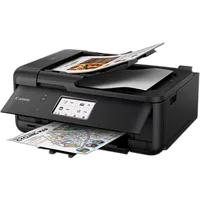
Canon PIXMA TR8620a Wireless Home Office All-in-One Printer

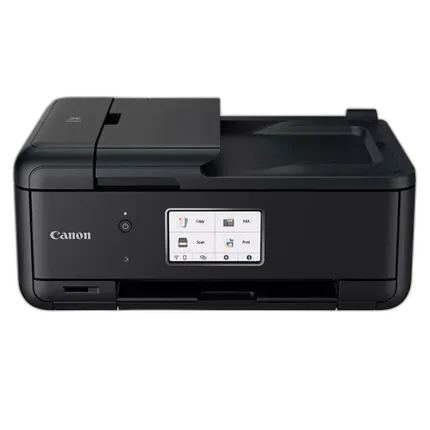

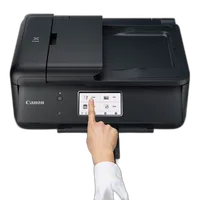
Key Features
- Wireless 4-in-1 (Print | Copy | Scan | Fax)
- 15 / 10 ipm Print Speed
- 200 Sheet Capacity (100 Cassette, 100 Rear Feed)
- Auto 2-Sided Printing
- 1,000 Page Duty Cycle
- Micro SD Slot
- Energy Star, EPEAT Silver
OVERVIEW
The Home Or Office All-In-One For Any Way You Work
When you need a compact home office printer that can handle all your work needs, the PIXMA TR8620a has you covered. With front and rear paper feeding, a 5-Individual Ink System, 4.3" LCD Touchscreen, and impressive wired and wireless connectivity options, you’ll be able to do it all. The PIXMA TR8620a can easily transition from scanning a multi-page contract with the built-in Auto Document Feeder to printing double-sided homework assignments from online classrooms systems, or a family photo wirelessly from your smartphone. Whether it's printing documents and reports, or faxing and scanning, the PIXMA TR8620a is the ultimate compact home office printer that's big on performance and productivity.
 |
 |
 |
 |
 |
 |
 |
 |
 |
 |
 |
Features
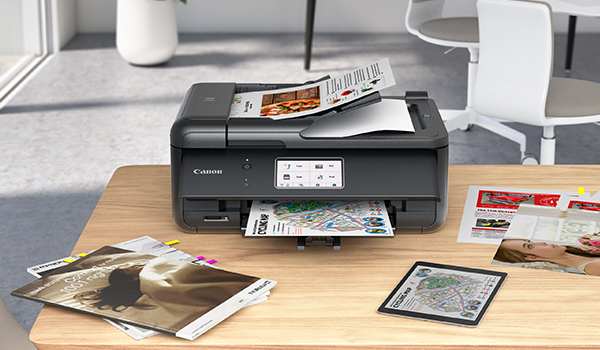
- The PIXMA TR8620a fits into almost any space with its sleek compact design.
- Intuitive control with an effortless user interface & 4.3" LCD touchscreen.
- Fax, copy and scan multi-page documents fast and easy with the 20 Sheet Auto Document Feeder (ADF).
- Print from your favorite mobile devices using the Canon PRINT app, Apple AirPrint®, and Mopria® Print Service.
- Front & Rear Paper Support holds plain & photo papers simultaneously for documents and high-quality photos.
- With a five individual ink system, only replace the ink tank that runs out.
- Enjoy sharp black text for documents and great looking photos with a hybrid ink system.
- Save time and money with Auto 2-Sided Printing, which can save up to 50% of your paper costs.
- Easily print your photos right from your SD memory card.
- Support multiple users through Wi-Fi or networked Ethernet connection.
- You can also download the Easy-PhotoPrint Editor app or Canon Creative Park App for creative printing options.
EFFICIENT FOR THE HOME OFFICE
The TR8620a fits into both a home and work environment with features like a built-in 20-sheet ADF and Auto Duplex Printing to keep life and work moving. It's also easy to set up so you can get to work from your smartphone and computer quickly.
CONNECTIVITY & CONVENIENCE
Connect your smartphone, tablet and all your favorite mobile devices with ease! Print hassle free wirelessly or through USB or networked Ethernet connection.

COMPACT & SIMPLE TO USE
The TR8620a is compact Wireless Home Office All-In-One that fits perfectly anywhere in the home or office, is simple to use, and delivers outstanding results every time.

QUALITY & VERSATILITY
With a 5-Color Individual Ink System and front & rear paper feeding, the PIXMA TR8620a prints high quality documents, photos, and more on a variety of paper types.

Brand
physical specifications
| Dimensions | Closed: 17.3" (W) x 13.8" (D) x 7.5" (H) / With Paper Installed (Cassette): 17.3" (W) x 14.4" (D) x 7.5" (H) |
| Weight | 17.4 lbs. |
copier data
| Copier Speed | FCOT (Color): Approx. 17 seconds 14 ESAT (Color): Approx. 6.8 ipm ESAT (Color, ADF): Approx. 5.2 ipm ESAT (Black, ADF): Approx. 14.1 ipm |
printer specifications
| Ink Compatibility | INK TYPE PGI-280 Pigment Black Ink CLI-281 Dye Based Inks / INK TANK & FILL VOLUME PGI-280 PGBK : 11.2 ml (Std.) , 18.5 ml (XL) , 25.7 ml (XXL) CLI-281 BK, C, M, Y : 5.6 ml (Std.) , 8.3 ml (XL) , 11.7 ml (XXL) |
| Number Of Nozzles (Total) | Color: 3,072 / Pigment Black: 1,024 / Total: 4,096 |
| Maximum Document Size | Flatbed: 8.5" x 11.7" (A4/Letter) ADF: 8.5" x 14.0" (Legal) |
| Paper Sizes | 3.5" x 3.5" (Square), 4" x 6", 5" x 5" (Square), 5" x 7", 7" x 10", 8" x 10", Letter (8.5" x 11"), Legal(8.5" x 14"), U.S.#10 Envelopes, Card Size (91 m x 55 mm) |
| Media Card Support | SD, SDHC, SDXC, miniSD, miniSDHC, microSD, microSDHC , microSDXC |
| OS Compatibility | Windows, Windows 10, Windows 8.1, Windows 7 SP1 / Mac: Mac OS X v10.12.6 - macOS v10.15 (Catalina) Mobile Operating Systems:24 iOS, Android, Windows 10 Mobile, and Fire OS (Amazon Fire) devices |
| Color Depth | Grayscale: 16-bit / 8-bit / Color: 16-bit / 8-bit Per Color |
| Copy Features | AirPrint, Mopria Print Service9, Auto 2-Sided (Duplex) Printing, Document Printing, Photo Printing, Wireless Printing, Mobile Device Printing, Borderless Printing, Wireless PictBridge, Business Card Printing, Label Printing, Direct Photo Printing (Memory Card1 and Camera), Square Media Printing Support, Fine Art and Double-sided Matte Paper Support, Smartphone Auto Photo Correction, Built-in Template printing, Black/Color Ink Only Printing |
scanner specifications
| Scanner Element | Contact Image Sensor (CIS) |
| Scanner Type | Flatbed & ADF (Auto Document Feeder) |
detailed specifications
| Max Resolution | Optical:1200 x 2400 dpi (Optical) |
paper handling
| Print Speed | 4" x 6" Photo: Approx. 37 seconds (Borderless)11,14 / Black:ESAT: Approx. 15.0 ipm / Color:ESAT: Approx. 10.0 ipm |
- PIXMA TR8620a Wireless Home Office All-In-One Printer
- Documentation
- Set of Standard Ink Tanks (PGBK, BK, C, M, Y, PB)
- RJ-11 Telephone/Modem Cords
- Power Cord
No creators have tagged this product yet.
Articles featuring this product
Canon U.S.A. Introduces Three High-Quality PIXMA Office All-In-One Printers At An Affordable Price
Feb 7, 2012
·
admin
CANON U.S.A. ANNOUNCES THREE NEW FEATURE-PACKED PIXMA PRINTERS AND A VOICE-GUIDED SELPHY COMPACT PHO
Aug 19, 2009
·
admin
New Canon PIXMA Photo All-In-One Printers Provide High-Quality Results And Improved User Experience
Jul 16, 2012
·
UniquePhoto
Continuing The Legacy Of Imaging Excellence: New Canon PIXMA PRO-series Printers Produce Superb Blac
Sep 17, 2012
·
admin
Community questions about this gear
Ask a question
0
votes
2
answers
294
0
votes
2
answers
323
Will UK Canon ink cartridges work in a Canon PIXMA Pro-100 bought in the USA?
Photography Stack Exchange contributor
11y ago
0
votes
2
answers
197
Why do my photo prints look different from my monitor, and what kind of printer should I use?
Photography Stack Exchange contributor
14y ago
0
votes
2
answers
208
Can a Canon Pixma TS9155 all-in-one scanner scan 35mm or 120 film?
Photography Stack Exchange contributor
6y ago
You may also like
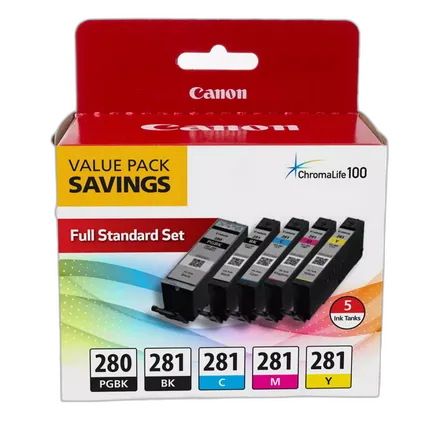
Canon PGI-280/CLI-281 5 Color Value Pack
- Canon PGI-280/CLI-281 5 Color Value Pack
- A full standard set of ink for Select PIXMA printers
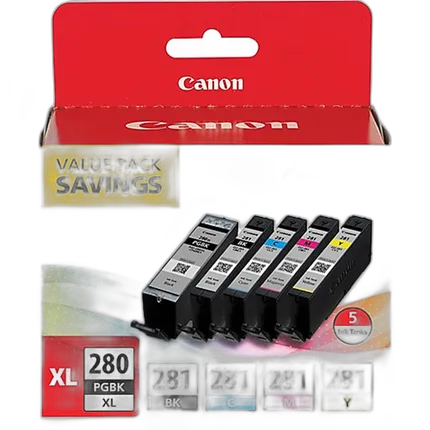
Canon PGI-280XL/CLI-281 5 Color Pack
- Canon PGI-280XL/CLI-281 5 Color Pack
- For select Canon printers
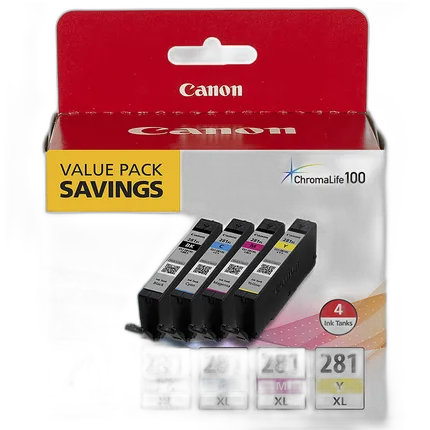
Canon CLI-281 XL BKCMY 4 Color Ink Tank Value Pack
- Canon CLI-281 XL BKCMY 4 Color Ink Value Pack
- For PIXMA-series inkjet printers
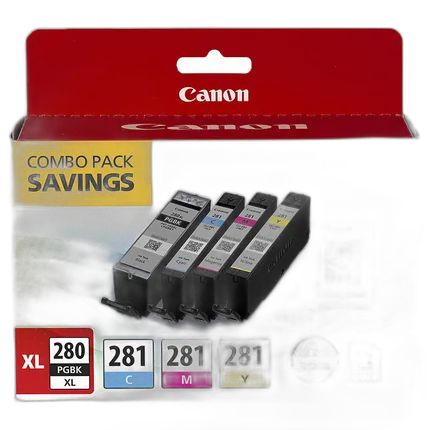
Canon PGI-280 XL / CLI-281 4-Color Ink Tank Combo with PP-301 Photo Paper
- Canon PGI-280 XL / CLI-281 4-Color Ink Tank Combo
- With PP-301 Photo Paper
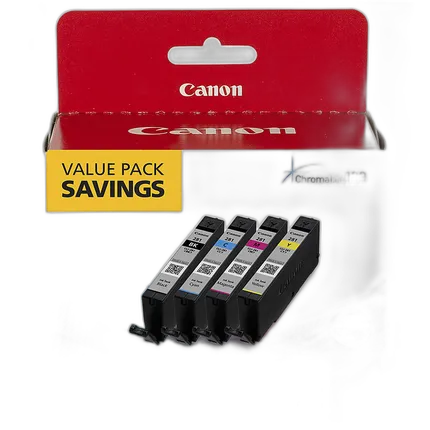
Canon CLI-281 BKCMY 4 Color Ink Tank Value Pack
- Canon CLI-281 BKCMY 4 Color Ink Value Pack
- For PIXMA-series inkjet printers