Who this guide is for
If you’re choosing between Sony E-mount lenses and wondering whether Sony’s Lens Compare (Beta) tool can tell you how they’ll actually look in your photos, this guide is for you. We’ll explain what the tool is great at, where it falls short, and how to use it alongside real-world shooting to pick the right glass—plus a couple of lens recommendations available now at Unique Photo.
What Sony Lens Compare Beta gets right
Most brand-run comparison tools are designed to preview optical behavior in controlled conditions. In that context, Sony’s Lens Compare Beta is generally reliable for:
- Trend-level sharpness differences: Comparing center vs. edge performance and how image quality changes as you stop down.
- Vignetting and light falloff: A clear sense of how much darkening you’ll see toward the corners and how it improves with aperture.
- Geometric distortion: Directional insight (barrel vs. pincushion) and relative severity.
- Chromatic aberration trends: Whether a lens tends to show color fringing and how it responds to stopping down.
Used properly, it’s a strong first filter—helpful for narrowing choices and setting realistic expectations before you rent or buy.
Where it falls short in real shooting
No online comparison can perfectly predict how a lens will behave in the field. Keep these limitations in mind:
- Autofocus behavior: Speed, precision, and subject tracking vary with camera body, firmware, and lighting—rarely replicated in a static tool.
- Bokeh character and rendering: Creaminess, onion-ring highlights, cat’s-eye shapes, and mechanical vignetting are nuanced and scene-dependent.
- Flare and ghosting: Strong backlight, point sources at night, and sunstars change with angle and coatings; small shifts can alter results.
- Sample variation: Real lenses vary slightly; a demo unit may not mirror the median sample.
- In-camera corrections and profiles: JPEG engine and raw developer settings can mask or alter distortion, vignetting, and CA differently than a viewer suggests.
- Handling and balance: Weight, size, and zoom/focus feel influence the shots you actually make—impossible to simulate online.
How to use Lens Compare like a pro
- Match bodies and settings: If the tool allows, compare lenses on the same sensor generation and keep focal length/aperture consistent.
- Check multiple apertures: Note how edges improve stopped down and where diffraction softening might begin.
- Look beyond 100% crops: Evaluate overall contrast and uniformity, not just micro-detail in one corner.
- Cross-check for your genre: Landscapes care about edge uniformity and flare; portraits care about bokeh and focus consistency.
- Validate in the field: Shoot a few of your real scenarios (backlight, low light, moving subjects) before you commit.
Recommended Sony lenses to try in Lens Compare
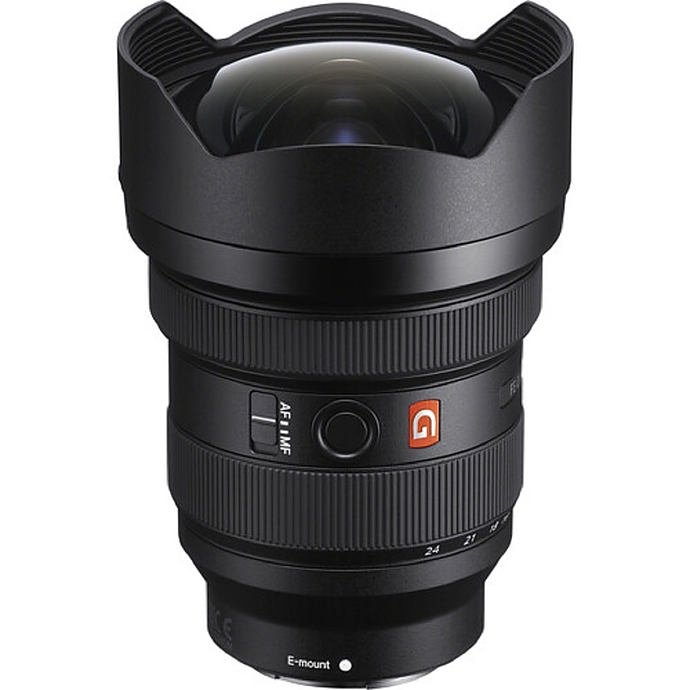
Sony FE 12–24mm f/2.8 GM
Flagship ultra-wide zoom for landscapes, interiors, astro, and dynamic video. Use Lens Compare to examine edge performance at 12–16mm, light falloff wide open, and how distortion behaves at the extremes. In the field, pay attention to flare resistance, coma control for stars, and how it handles filters in your workflow.
Sony FE 24–105mm f/4 G OSS
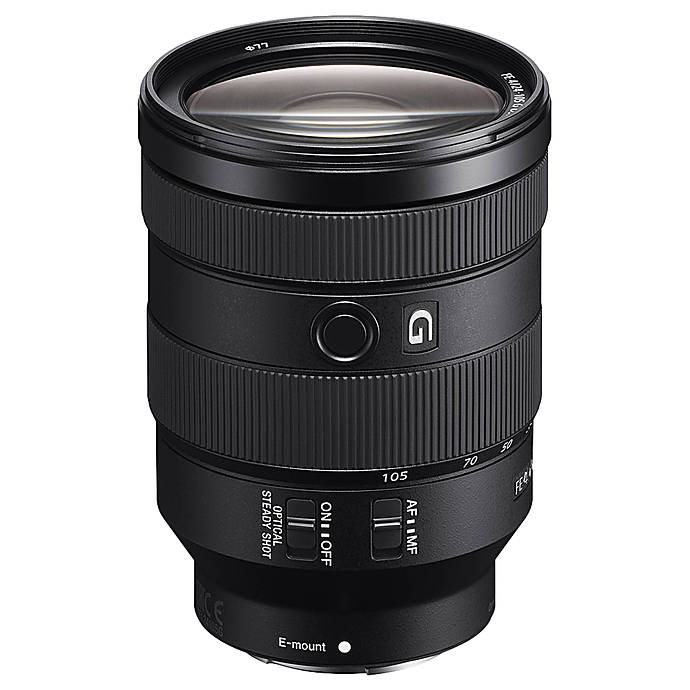
A do‑it‑all zoom that covers everything from travel and family to light commercial work. In Lens Compare, look for center-to-corner consistency across the zoom range and how vignetting improves around f/5.6–f/8. In real use, its OSS stabilization, practical close focus, and balanced handling often matter more than minute lab differences.
Side‑by‑side at a glance
| Lens | Strengths (in tools) | Real‑world advantages | Best for |
|---|---|---|---|
| Sony FE 12–24mm f/2.8 GM | Ultra‑wide coverage; strong resolving trends across frame when stopped down; controllable vignetting for an f/2.8 UWA | Bright f/2.8 for night/astro; premium build; fast, quiet AF; robust sealing | Landscapes, interiors/real estate, astro, dramatic video |
| Sony FE 24–105mm f/4 G OSS | Consistent performance across focal lengths; manageable distortion; even sharpness trends | Optical stabilization; versatile range; travel‑friendly size; reliable AF | Travel, everyday, events, hybrid photo/video |
So, how accurate is it?
Verdict: Sony Lens Compare Beta is directionally accurate for optical characteristics in controlled conditions—very useful for comparing sharpness trends, vignetting, distortion, and aberrations. It’s less predictive for autofocus behavior, flare nuances, bokeh character, and handling. Treat it as a smart first step, then confirm with real‑world shooting or an in‑store test.
Conclusion
Use Sony’s Lens Compare Beta to narrow your shortlist, then make your final call based on how a lens feels and performs in your actual scenarios. If you want a single, reliable everyday choice, we recommend the Sony FE 24–105mm f/4 G OSS. Need maximum impact for ultra‑wide work? The Sony FE 12–24mm f/2.8 GM delivers. Visit or contact Unique Photo to compare these lenses side‑by‑side, get expert advice, and pick up the one that fits your craft.