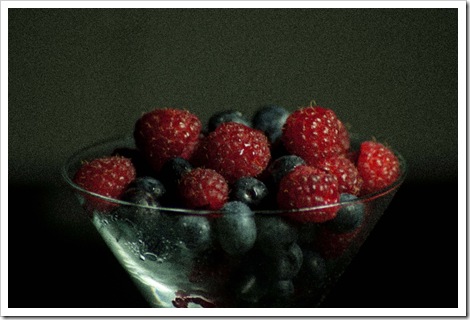

Graininess makes your photographs appear unprofessional and takes away the intended effect they were supposed to create on viewers. Even meticulously shot photos taken with carefully planned efforts could seem like images captured in extremely low quality, just because a few grainy effects creep in while shooting. Most top notch magazines and professional editors reject photographs which bear even a hint of graininess, irrespective of how creative the final composition looks. Let's get down to brass tacks and address the issues that make our photo look grainy and discuss the right methods for avoiding and rectifying them.
Why Photographs Appear Grainy? Various factors could contribute towards the resultant grainy photo. Prime among these include high ISO rates and low lighting conditions. Higher the ISO speed, greater the amount of grain accumulated while shooting. Ditto for lighting conditions, where your photos have a greater chance of becoming grainy, if they are taken in less than permissible light. If such low lighting conditions are coupled with slow shutter speeds, then there's every chance of huge amounts of grain and noise intruding your photographs.
Finally, one surprising factor that might lead to graininess in your pictures is excessive post processing. It's understandable to get tempted to use all the wonderful tools in Photoshop during editing, since they have such positive impacts on your final output. However, one needs to be careful to not get over enthusiastic while doing so, as surplus post processing or unwanted usage of certain tools will have a negative influence on your images. For instance, increasing the sharpness of a picture to unnecessary levels escalates the prominence of its pixels, which ultimately lead to grainy effects.
Ridding Your Photos of Graininess
A host of modern methods are available to efficiently reduce grain problems in photography. These include advanced post processing tools such as Lightroom and Photoshop. However, it's always prudent to try your best and eliminate any signs of graininess while shooting the photo itself. We should always leave little or no work for post processing, and post processing should always be about the composition of your photos and spicing them up with some creative effects.
Let's take a look at the best methods of reducing grainy effects during shooting as well as post processing.
- Improve the Amount of Light Available: If the natural light you're shooting in is not up to the mark, then supplement it with artificial light. Artificial light becomes all the more useful during outdoor shoots, where the natural light can always be fickle. The most common accessories to improve your light and avoid graininess are off-camera flashes and strobe lights.
- Invest in Better Camera Equipment: While it isn't conceivable for everybody to purchase a 5D Mark II camera; using extremely cost-effective, low-end DSLR cameras and substandard lenses would almost certainly result in images bearing some amount of grain. Ensure that your DSLR camera is reasonably capable to live up to your expectations, and your lens at least has a decently large aperture of f/1.4 with smaller f-stops.
- Conduct Post Processing Correctly: Even if you shoot your photos by adhering to the above mentioned parameters and carefully plan and research your shot, sometimes graininess is bound to creep into your pictures. This is when post processing comes in handy. The trick is to never go overboard with your post processing, and your final photos will definitely appear more beautiful, detailed, sharper, and devoid of any grainy effects.
So there you have it. Some simple and highly effective ways of eliminating graininess from your photographs. These methods combined with the right amount of practice should eventually help you master the causes of graininess and avoiding them successfully.