Editing Workflow Recommendations for Feature Photography Projects: Expert FAQ
Planning a feature photo story or long-form project? A well-structured editing workflow keeps your files safe, your selects consistent, and your final deliveries on time. As one of the country’s leading photo retailers and educators, Unique Photo shares best practices and tools we trust for professional results.
What does a professional end-to-end workflow look like for a feature project?
A repeatable framework lets you scale from a short assignment to a months-long feature. We recommend:
- Ingest: Verify cards, copy with checksum, and create immediate redundant backups.
- Culling: Rate, label, and organize quickly to identify anchor images and secondary coverage.
- Develop: Apply a baseline preset, correct exposure/color, lens profile, and transform. Sync intelligently across similar scenes.
- Retouch: Open hero frames as layered files; keep adjustments non-destructive.
- Color manage: Soft proof to intended output (web vs. print), and calibrate your monitor.
- Deliver: Export approved versions in the right color space, size, and naming schema; include captions/metadata.
- Archive: Follow the 3-2-1 rule—three copies, two media types, one off-site or cloud.
Fast ingest matters. A high-speed reader like the Lexar Professional Workflow Dual-Slot SD UHS-II Reader (available at Unique Photo) can cut import times dramatically so you can get culling sooner.
How should I set up file naming, folder structure, and backups for a long-form project?
Standardization prevents headaches later, especially when multiple shoots feed a single story:
- Foldering: YYYY-MM-DD_Location_Subject for each shoot; keep a top-level ProjectName folder with subfolders for RAW, EDITS, PRINT, and DELIVERY.
- Renaming: On import, use Project_Shoot_Date_Sequence (e.g., Riverside_Revival_2026-05-08_0001).
- Metadata: Embed creator, copyright, contact, and descriptive keywords on ingest. Add IPTC captions during edit.
- Backups: Maintain on a working drive, a local backup (NAS/RAID), and a cloud/off-site copy. Verify with checksum or backup software.
Consistent naming simplifies team collaboration and avoids broken links when round-tripping between your raw processor and Photoshop.
Which color space and calibration should I use for consistent results across web and print?
Start with a calibrated, profiled display (hardware calibration recommended). Choose your working color space based on output:
- Web/social: sRGB IEC61966-2.1; export sRGB JPEGs to avoid dull or oversaturated color online.
- Print: Edit in Adobe RGB (1998) or ProPhoto RGB if your retouching is advanced; soft proof using the printer/paper profile and add output sharpening at export.
If you want a guided, hands-on approach to color management and finishing in Photoshop, our Editing and Enhancing Landscape and Nature Photography with Photoshop class at Unique University is a great deep dive.

What’s an efficient culling strategy for thousands of images?
Speed and decisiveness are key. Use a two-pass method:
- Pass 1: Reject obvious misses (out-of-focus, duplicates, misfires). Flag quick contenders.
- Pass 2: Star-rate only the strongest frames (3–5 stars). Aim for a tight hero set, plus alternates.
Group by scene or storyline, not just by time, so you can assemble a coherent narrative arc. If you’re shooting a system like the Nikon D850, understanding in-camera tools and how they translate to your RAW workflow helps you preview accurately and speed culling. Our stocked title Nikon D850 Guide to Digital SLR Photography by David Busch can help bridge camera setup and post-production.

How can I standardize develop settings to keep a cohesive look across the project?
Create a baseline preset that applies lens corrections, a neutral camera profile, mild contrast curve, and consistent color rendering. Then:
- Sync selectively: Apply white balance/exposure only to similar lighting conditions.
- Use reference images: Choose a hero frame as your color and contrast guide for each scene.
- HSL and tone: Keep skin tones and brand colors consistent; save scene-specific presets.
For product-driven stories or brand features, consistency is critical. Our Product Photography and Post Production Editing with Blake Taylor class dives into building repeatable lighting and editing styles that translate from set to screen.

What’s the best workflow for retouching hero images and composites?
Keep your RAW development conservative, then open into Photoshop as a 16-bit file for precision. Recommended approach:
- Non-destructive: Use adjustment layers, smart objects, and masks. Avoid baking changes into pixels.
- Retouch stack: Global cleanup, frequency separation or micro-contrast control, dodge/burn for shape, color grading, and final sharpening.
- Document: Name layers clearly and keep a retouch log for client transparency.
For field-to-edit projects like macro or landscape features, plan capture for post: bracket exposures, consider focus stacks, and keep tripod orientation locked to simplify alignment later. Our Macro and Landscape Photography at Duke Farms with Michael Downey workshop emphasizes capture strategies that make editing smoother.
How do I handle specialized workflows like astrophotography or film within a feature?
Specialty genres require tailored post pipelines:
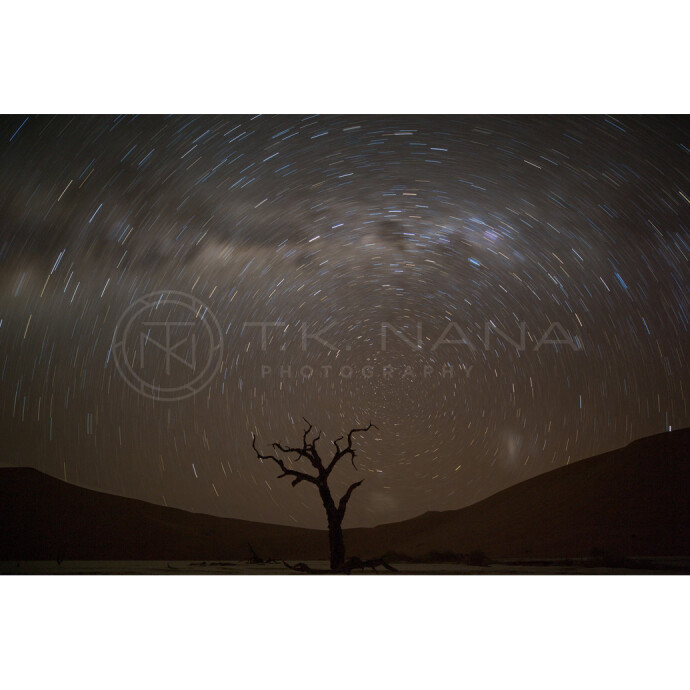
- Astrophotography: Organize calibration frames (bias/dark/flat), stack lights, then stretch tones gently to preserve star color. Work in a wide-gamut space and manage noise carefully. Our UUOnline: Astrophotography 4-Part Series with Temu Nana covers capture-to-edit foundations for deep-sky and nightscapes.
- Film: Log your emulsion, stock, and development. Scan to high-bit-depth TIFF; apply color negative inversion and film profiles; dust/scratch cleanup; grain-preserving sharpening. Our Film Lovers Event: Intro to Film Photography provides a great start if you’re integrating analog into a digital project workflow.


Which tools and accessories actually speed up my workflow?
Time saved at ingest and organization pays dividends later:
- High-speed card reader: The Lexar Professional Workflow Dual-Slot SD UHS-II Reader quickly offloads dual cards—ideal after long shooting days.
- Reliable storage: Use fast SSDs for active projects and RAID/NAS for redundancy.
- Labeling: Color labels and star ratings keep your editing decisions clear across revisions.
Combine these with keyboard shortcuts and custom import presets, and you’ll shave hours off each project.
How should I prepare final deliverables for clients, editors, and printers?
Match format to use-case and embed the correct profiles:
- Web/social: sRGB JPEG, 2048–4096px on the long edge, standard output sharpening for screen.
- Editorial: High-quality JPEG or 8-bit TIFF in Adobe RGB; include clear filename sequencing and IPTC captions/credits.
- Print: 16-bit TIFF or layered PSD for hero images; convert/soft proof to printer/paper ICC profile; supply crop marks if required.
Include a readme with delivery specs, a thumbnail contact sheet, and a versioned archive of layered files for future updates. After sign-off, archive to your 3-2-1 standard and validate your backups.
Ready to refine your workflow? Explore classes and tools at Unique Photo—from editing courses and specialty workshops to fast readers and pro books. Visit us in-store or online to build a workflow that keeps your next feature project on track.