Photography contests can be career-making—but only if you protect your rights and present your files exactly the way organizers expect. Here’s a practical checklist to keep your copyright intact, preserve critical metadata, and avoid disqualification, with a few education picks from Unique Photo to sharpen your workflow.
Know What Rights You’re Granting
1) Read the license, not just the headline
Scan the Terms & Conditions for scope (where the contest can use your image), duration (how long), and exclusivity (can you license it elsewhere?). Be cautious of “perpetual, irrevocable, sublicensable” language—especially if it’s exclusive—unless the prize justifies it. Ask whether credit is guaranteed for any promotional use.
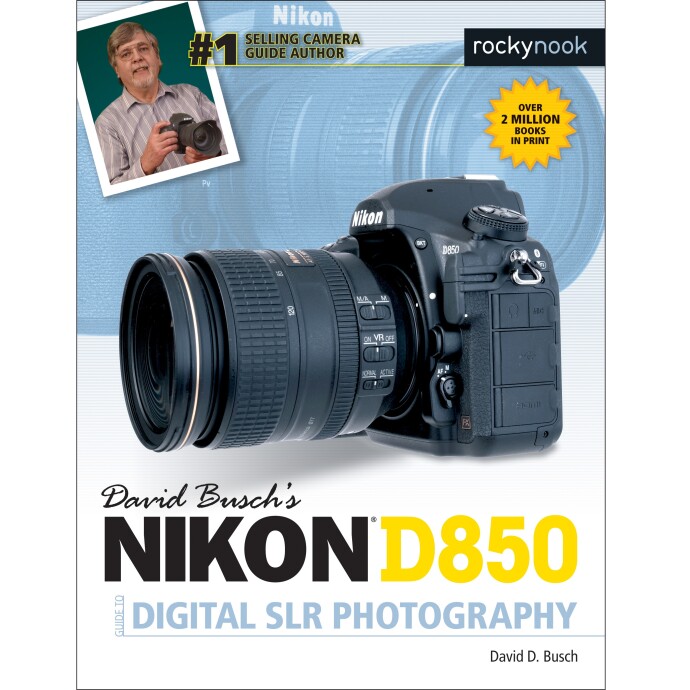
Pro tip: Add creator and copyright info to your camera’s metadata so it’s embedded from capture. Many cameras allow this—brand-specific guides can help you find the menu. If you shoot Nikon, a reference like the Nikon D850 Guide can streamline this setup.
2) Keep your copyright (and know when you’re licensing)
By default, you own your photos. Most contests require a limited license to display entries for judging and promotion. That’s normal. A transfer of ownership is not. When in doubt, ask for clarification or skip the contest. This article is general information, not legal advice.
3) Watch for “rights grab” red flags
Red flags include broad commercial use without compensation, sublicensing to third parties, and terms that survive even if you don’t win. Also check for social media clauses; some contests upload entries to platforms with their own license terms. Make sure you’re comfortable with the chain of rights.
Prepare Files Without Losing Metadata
4) Embed IPTC creator & copyright data before exporting
Set IPTC Core fields (Creator, Copyright Notice, Website, Email, Usage Terms) in your master files. This ensures your identity and contact details travel with the image. If you work in Photoshop/Bridge, an education session focused on nature edits will also cover export discipline and metadata panels.

5) Don’t strip EXIF/IPTC on export
Many contests use EXIF for eligibility (capture date, lens, shutter, RAW verification). In your export dialog, disable “Remove Metadata” or choose “All Metadata.” If anonymous judging is required, some organizers ask you to remove identifying IPTC text but keep camera EXIF—follow their exact instructions.
6) Keep your RAWs and edit history
Contests often request RAWs or out-of-camera JPEGs for verification. Maintain a clean folder with originals and sidecar files, and avoid destructive edits. Genre classes that emphasize planning and capture discipline (e.g., astrophotography) make passing authenticity checks much easier.

Follow Content Rules (and Protect Yourself)
7) Secure model and property releases early
People, recognizable private property, certain art/murals, and branded products may require releases depending on the contest’s usage. Build a release workflow—collect signatures at the shoot and file them with your project. A product photography and post-production class can help you structure paperwork and asset management for commercial-style submissions.

8) Respect editing limits—and declare composites
Some contests allow only global adjustments; others permit focus stacking, panoramas, or astro composites with disclosure. Read the rules: if stacking or blending is allowed, keep your frames and document your process. Learning a disciplined stacking workflow in macro helps you disclose accurately and stay within guidelines.

9) Match technical specs exactly
Export the requested color space (often sRGB), longest edge or file size (e.g., 3000 px or under 5 MB), and naming convention (no personal info if blind judging). Watermarks are usually disallowed in the judging round unless explicitly permitted.
Special Cases: Film, Astro, and Field Work
10) Film submissions: add metadata at scan
Film images lack native EXIF, so add IPTC data at scanning: film stock, camera, date, location, your name, and copyright. Keep negative scans and a contact sheet for verification. If you’re diving into film, a quick intro session can help you set up a sensible hybrid workflow.
11) Astrophotography: document everything
Many astro categories allow tracked/untracked exposures or blends but require transparency. Keep a capture log (times, gear, frames used) and export a version with visible stars not over-smoothed. A deeper-dive session can help you structure your files and notes for contest-ready submissions.

12) Landscapes & macro: mind access and restrictions
Obey park rules, permits, and wildlife distance guidelines—some contests disqualify images taken in restricted areas. Workshops in real locations reinforce ethical field practices and help you create contest-ready images without rule risks.

Export & Submission Checklist
- Confirm license terms (scope, duration, exclusivity) and that you retain copyright.
- Embed IPTC Creator, Copyright, Website/Email; keep EXIF intact unless told otherwise.
- Export to the exact specs (format, color space, dimensions, size, naming).
- Remove watermarks if prohibited; keep a clean, unwatermarked master.
- Verify timestamps are correct; supply RAWs on request; keep all component frames.
- Attach required model/property releases and any location permits.
- Check GPS data—remove if it reveals sensitive locations (or if rules forbid it).
- Keep a local archive of what you submitted and a PDF of the contest rules.
Contests should elevate your work—not take your rights. With careful reading, solid metadata, and disciplined file handling, you’ll protect your authorship and stand out on merit. If you want to sharpen capture, editing, and export skills, explore Unique Photo’s classes and learning resources—from Photoshop-focused editing for nature, to stacking techniques, to field workshops and camera guides. Good luck, and see you on the winners’ list!