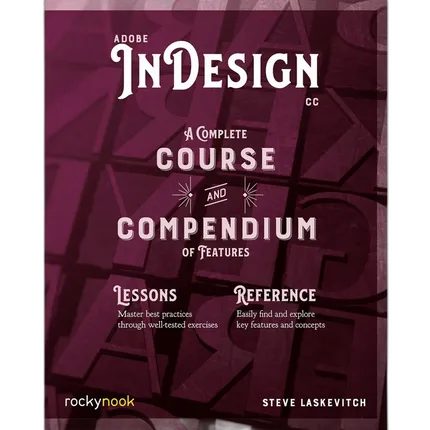
Rocky Nook - Adobe InDesign CC by Stephen Laskevitch
$49.95
Out of Stock
30-day returns
See policy
Pay over time
PayPal at checkout
Ask an expert
1-800-631-0300
Trade in gear
Credit toward this
Key Features
A Complete Course and Compendium of Features
$49.95
Out of Stock
30-day returns
See policy
Pay over time
PayPal at checkout
Ask an expert
1-800-631-0300
Trade in gear
Credit toward this
Have any questions?1-800-631-0300
OVERVIEW
The book you’re reading about right now was created with Adobe InDesign CC. And that’s the case no matter which reading format you prefer—whether it’s the physical book made of plant fiber and ink, or the digital version made of electrons in an e-reader. In fact, most of the books, magazines, posters, and brochures you see were likely made with InDesign as well. It’s all around you.
Adobe InDesign CC: A Complete Course and Compendium of Features is your guide to building publications great or small in this ubiquitous page layout application. First, with a complete Course that includes a set of projects and lessons derived from the curriculum of award-winning and Adobe Certified Instructor Steve Laskevitch, you will learn the procedures needed to use InDesign professionally. Dozens of lessons are included that can be applied to any document you have in mind: engineering proposals, marketing collateral, spec sheets, magazines, newsletters, books, and more. Through these step-by-step lessons, you’ll be exposed to all of InDesign’s features in practical contexts and its best practices for publishing workflows.
To complete the Course, we’ll supply lesson documents and their assets to download. These can even serve as starting points for your own projects.
Then, for greater depth of knowledge and subsequent reference, you’ll use the Compendium to uncover more of the “how” and “why” of InDesign and publishing tech in general. With each topic easy to access, you can find and explore all of InDesign’s key features and concepts in depth. With cross references between the Course and Compendium, the two parts of the book complement each other perfectly. Best of all, when the lessons in the Course are done, the Compendium will continue to serve for months and years to come.
Learn step by step how to:
- Create documents from postcards and posters to large books
- Take control of typography and more with styles
- Combine images with text for compelling layouts
- Use color with predictable results
- Prepare documents for both print and electronic output
- And much more!
Brand
Rocky NookMore from Rocky Nook
book specifications
| Number of Pages | 400 |
| ISBN | 9781681984407 |
| Author | Stephen Laskevitch |
0 Reviews
No creators have tagged this product yet.
Articles featuring this product
Post-Processing Software Showdown: Lightroom vs. Capture One vs. DxO PhotoLab
Aug 2, 2026
·
Unique Photo
Community questions about this gear
Ask a question
0
votes
2
answers
192
Can Photoshop Elements enable Camera Raw editing in Adobe Bridge CC?
adobe-bridgeraw-workflowsoftwarephotoshop-elementsadobe-camera-raw
Photography Stack Exchange contributor
9y ago
0
votes
2
answers
341
0
votes
2
answers
187
How can I recreate a solarization-style effect in Photoshop?
photoshopcolor-effectspost-processingediting-techniquesolarization
Photography Stack Exchange contributor
11y ago
0
votes
2
answers
186
Where can I download Adobe Camera Raw for offline installation on Mac?
photoshopadobe-camera-rawoffline-installmacsoftware-updates
Photography Stack Exchange contributor
12y ago
0
votes
2
answers
159
0
votes
2
answers
190
Does the order of Camera Raw adjustments affect the final image?
photoshop-elementsworkflowadobe-camera-rawraw-editingexposure
Photography Stack Exchange contributor
10y ago
You may also like
Rocky Nook - How Do I Do That In Photoshop by Scott Kelby
RNB161
MFR# 9781681980799
- The Quickest Ways to Do the Things You Want to Do, Right Now!
$29.95
In Stock
Free shipping

How Do I Do That In Lightroom Classic 2nd Ed by Scott Kelby
RNB160
MFR# 9781681984209
- The Quickest Ways to Do the Things You Want to Do, Right Now!
$29.95
In Stock
Free shipping