Kodak Photo Print Kit 6800 THERMAL PRINTER 750 PRINTS 1419597 1010867

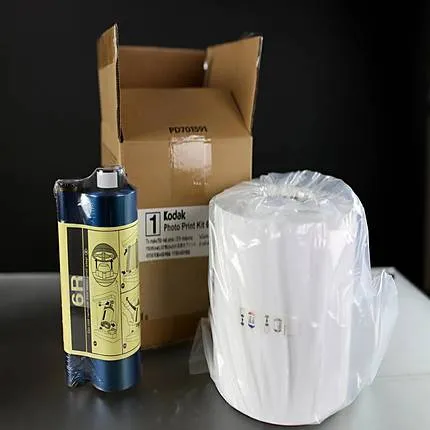
Key Features
- Kodak Photo Print Kit
- For 6800 Thermal Printer
- Contains ribbon and paper
- 6 x 8" or 5 x 7" printable area
- Glossy paper surface
Overview
This Print Kit is for the Kodak 6800 Photo Printer 6R, and provides sufficient receiver paper and ribbon to make 375 6x8-inch borderless prints, 375 5x7-inch prints with border or 750 4x6-inch prints. Prints are durable, glossy, and water resistant.
Ribbon and receiver for the Kodak 6800 Printer
This media can print either 750 4 x 6 sheets or 375 5 x 7 or 6 x 8 in prints.
Loading the Paper into the Printer
- Remove the plastic cover from the new paper roll. IMPORTANT: Do not remove the label from the paper roll until you have successfully loaded the paper into the printer.
- Attach the paper flanges to each end of the paper roll. a. Line up the lugs on the green paper flange with the notches on the left side of the paper roll. b. Place the green paper flange on the left side of the paper roll. c. Place the black paper flange on the right side of the paper roll. NOTE: Be sure to match up the lugs on the green paper flange with the notches on the left side of the paper roll. If you do not attach the paper flange properly, the paper roll will not fit into the printer.
- For the KODAK Photo Printer 6805, attach the paper spacers before attaching the paper flanges.
- Open the paper door. The operator panel displays the Cover Open message.
- Set the paper roll into the printer according to the green and black arrows on the label.
- Remove the label from the paper roll.
- Align the edge of the paper with the alignment marks on the paper guide.
- Use the 5" alignment marks when loading paper into the KODAK Photo Printer 6805.
- Use the 6" alignment marks when loading paper into the KODAK Photo Printer 6800.
- Insert the paper under the pinch roller. IMPORTANT: Do not advance the paper past the red line or you may cause the paper to jam.
- Advance the paper to the red line by turning the paper feeding knob.
- Carefully close the paper door. The operator panel displays the Paper Empty message.
- Press Paper Advance to load the paper into the printer. The printer advances the paper, then cuts and discharges about 24 in. (607 mm) of blank paper. This reduces the possibility of fingerprints or other damage to the prints. It does not decrease the 750 4 x 6 in. print capacity of the paper roll. The operator panel displays the Ready message.
- Kodak Photo Print Kit 6800/6R
- Paper
- Ribbon
No creators have tagged this product yet.
Articles featuring this product
Home Color Film Workflow Comparison: Kodak Gold 200 Shooting vs Epson SureColor P5370 Printing for B
Jun 19, 2026
·
Unique Photo
Community questions about this gear
Ask a question
0
votes
2
answers
233
0
votes
2
answers
233
Best home photo printing option for infrequent use: printer or online lab?
Photography Stack Exchange contributor
8y ago
0
votes
2
answers
200
Can I create and apply a custom profile for an uncalibrated print shop printer?
Photography Stack Exchange contributor
4y ago
You may also like
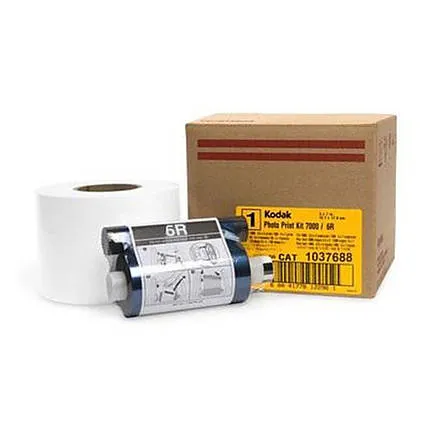
KODAK APEX 7000 PRINT KIT 6R 1140 PRINTS (1661925) (3952587)(8462004)
- - Apex 7000 Print Kit - 1000 Prints
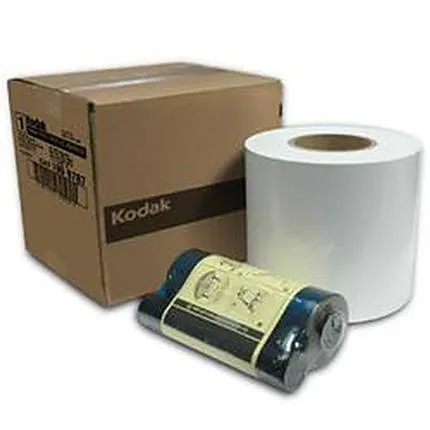
Kodak Photo Print Kit 8880/8810 L (8X12) 250 PRINTS 1156413 1090786
- - Kodak Photo Print Kit 8800L - For Use with 8800 Dye-Sub Printers - Create 8"x12" Beautiful Glossy Prints