Calibrite ColorChecker Video
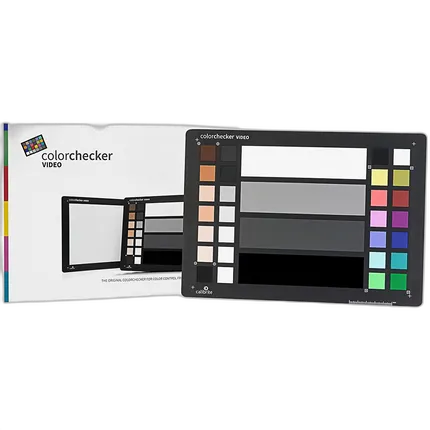

Key Features
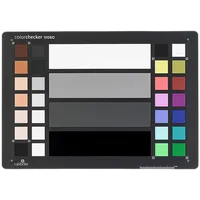
- Four grayscale calibration bars
- Saturated and Unsaturated RGB primaries
- Extended skin tone patches for additional color precision
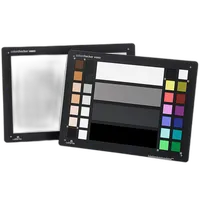
- An 8×11 size white balance target on the back
- This target is an essential tool when color matching multiple cameras
- Supported by many key third-party software applications
overview
The ColorChecker Video offers color balance and control for filmmaking – from shoot to edit, it is the same size as the original ColorChecker Classic at 215.9 x 279.4mm but specifically designed for video.
The Calibrite ColorChecker Video is the ideal color chart for your video workflow. This two-sided target provides chromatic color chips, skin tone chips, and gray reference chips on one side and a spectrally neutral white balance card on the other side. This color target is perfect for pre-camera checks and wider shots.
The ColorChecker Video will get you to a worry-free color balanced and consistently neutral place, with ideal camera exposure, faster than ever before – giving you more time to spend on your creative look. It’s an essential color tool you won’t want to be without, saving you valuable time from capture to edit.
ColorChecker Video is a durable and rigid color target, specifically intended for video production. It includes a video color chart on one side and a large spectrally neutral white balance card on the flip side.
- Calibrite ColorChecker Video
No creators have tagged this product yet.
Articles featuring this product
Essential Accessories for Indie Video Production: Building Around JVC Pro Video Cameras
Jul 8, 2026
·
Unique Photo
Community questions about this gear
Ask a question
0
votes
2
answers
155
Can a Pantone uncoated swatch book replace a ColorChecker for photo or video color correction?
Photography Stack Exchange contributor
9y ago
0
votes
2
answers
162
How often should you create a new ColorChecker profile for different lighting?
Photography Stack Exchange contributor
9y ago
0
votes
2
answers
188
Why do my artwork photos look pale even after using a ColorChecker and custom white balance?
Photography Stack Exchange contributor
6y ago
0
votes
2
answers
195
Why does my custom X-Rite ColorChecker profile look wrong on a Sony a7R IV?
Photography Stack Exchange contributor
6y ago
0
votes
2
answers
186
0
votes
2
answers
201
Can you use an X-Rite ColorChecker Passport with scanned film?
Photography Stack Exchange contributor
10y ago
You may also like
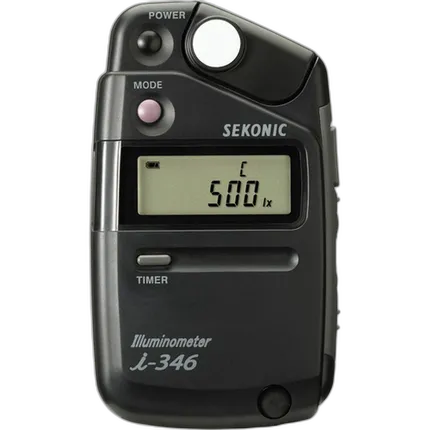
Sekonic i-346 Illiminometer Foot Candle Light Meter
- - Small, Lightweight, Easy to Use - Measures Lux or Footcandles - Incident Light Readings - Single, Continuous & Delayed Modes - Up to 20 Hrs of Operation on AA Battery