Sony Lens Compare Beta for Video: What Filmmakers Should Know
When you are choosing lenses for video, charts and specifications only tell part of the story. Sony's Lens Compare Beta can be a helpful starting point for evaluating autofocus behavior, stabilization characteristics, and framing differences, but videographers still need to interpret those results in the context of real shooting situations.
At Unique Photo, we recommend treating comparison tools as one part of a larger lens-buying process. The best video lens for your workflow depends on subject movement, rig setup, power needs, and whether you are shooting handheld, on support, or in a controlled studio environment.
Is Sony's Lens Compare Beta useful for videographers?
Yes, it can be useful as a visual reference tool, especially when you want a quick side-by-side look at focal length behavior, focus transitions, and how different lenses may respond in common shooting situations. For video creators, that makes it easier to narrow down options before renting, testing, or buying.
That said, a comparison platform cannot fully simulate your camera body, your preferred picture profile, your gimbal balance, or the lighting conditions you actually work in. If you shoot interviews, events, documentary, or commercial content, you should use Lens Compare Beta as a shortlist tool rather than a final decision-maker.
Can Lens Compare Beta accurately show autofocus performance for video?
It can give you a helpful impression, but autofocus performance in video depends on more than the lens alone. Your Sony camera body, AF settings, subject recognition mode, aperture choice, and scene contrast all affect how smoothly and confidently focus tracks.
For example, a lens that appears fast in a controlled comparison may behave differently when tracking a person walking toward camera in low light or when shifting between foreground and background subjects. Videographers should pay attention to focus breathing, transition smoothness, and whether the lens hunts during difficult scenes. Those characteristics matter just as much as raw speed.
If your work includes mobile video production, a cage can also improve handling and accessory mounting while you evaluate focus performance in the field. The PGYTECH ProShot Phone Cage for iPhone 17 Pro is a good example of a support tool for creators building compact video rigs or testing multi-camera workflows with a phone-based B-camera.

How reliable are stabilization comparisons when choosing lenses for handheld video?
Stabilization comparisons are helpful, but they should be interpreted carefully. A lens with optical stabilization may perform very differently depending on whether you pair it with in-body image stabilization, electronic active stabilization, or a support rig. Walking shots, static handheld frames, and long-lens shooting all stress stabilization in different ways.
What matters most is whether the lens delivers footage that matches your style. A documentary shooter working handheld all day may prioritize natural correction and minimal frame wobble. A commercial shooter on sticks or sliders may care less about stabilization and more about focus consistency and edge-to-edge sharpness.
If you are comparing lenses for handheld shooting, try to replicate your own use case: standing interview shots, slow push-ins, vehicle interiors, or event coverage. Comparison tools are useful, but real-world testing remains the best way to judge whether stabilization feels cinematic or distracting.
Does Lens Compare Beta help with choosing lenses for controlled studio or tabletop video?
Yes, especially if you are trying to understand framing differences, close-focus behavior, or how a lens might render product details. In tabletop, macro, and studio work, even small changes in angle of view and focus throw can affect your production setup.
For precision work, support accessories often matter just as much as the lens itself. A product like the Kaiser Macro Focusing Stage can help you make careful incremental adjustments for close-up video and product demonstrations, which is especially useful when evaluating lenses for detail shots. In a small studio environment, shaping light is equally important, and the Photek Digital Lighthouse can help create softer, more controlled tabletop illumination for lens testing or finished product footage.


What should videographers look for beyond autofocus and stabilization?
Autofocus and stabilization are important, but they are only part of the story. Video shooters should also evaluate focus breathing, manual focus feel, low-light performance, sharpness wide open, flare resistance, and whether the lens introduces distracting changes during zooms or focus pulls.
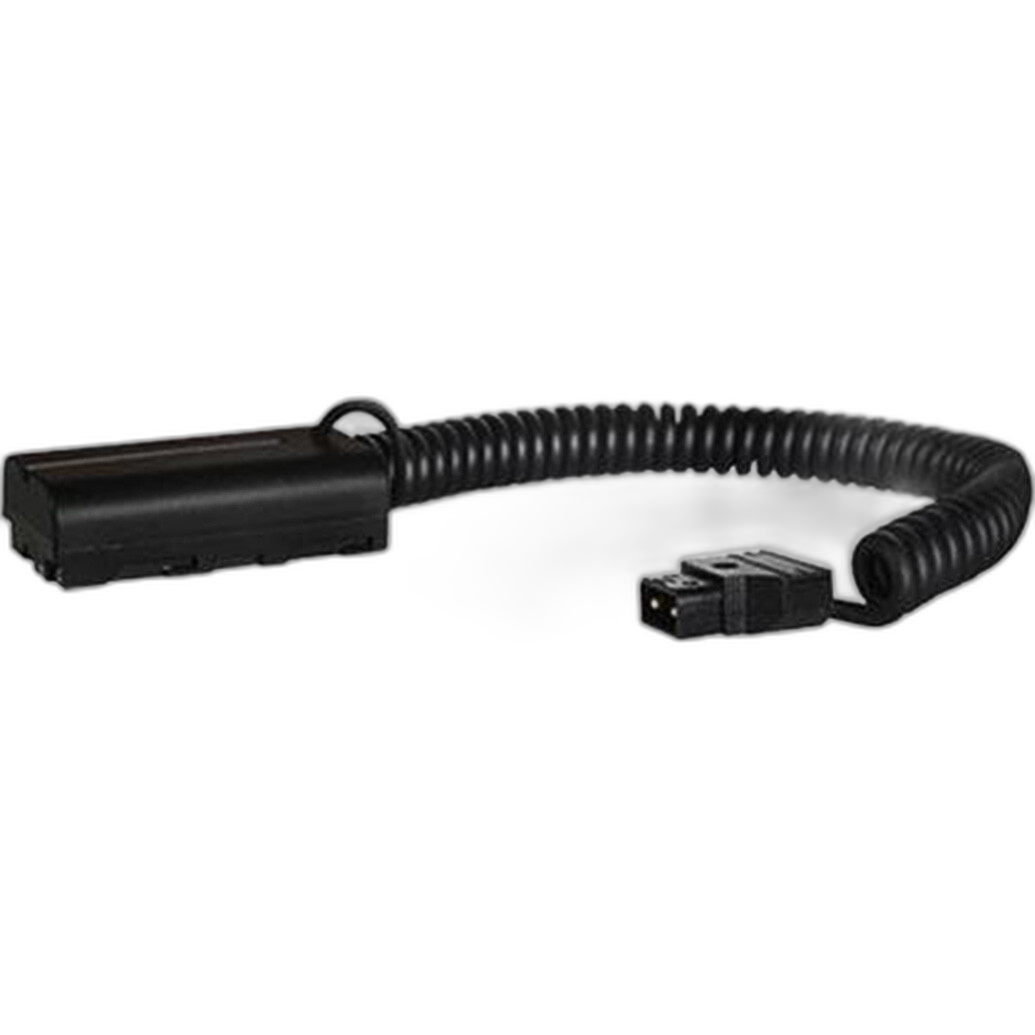
Another key consideration is rig integration. If you build out your camera with an external monitor, wireless video, or a battery system, power management and cable routing become part of the usability equation. For creators using accessories powered from Sony L-series batteries, the Core SWX Coiled D-Tap Cable can help integrate devices cleanly into a production setup, reducing strain and clutter compared with a loose cable run.
Is Lens Compare Beta enough to decide between lenses for fast-moving shoots like events or run-and-gun video?
Not by itself. Fast-paced work places unusual demands on a lens: quick reframing, reliable subject acquisition, compact size, manageable weight, and dependable performance over long shooting days. A comparison tool may help you identify candidates, but event and documentary work usually requires practical testing with your camera body and your preferred settings.
Run-and-gun shooters should ask whether the lens balances well on their support system, whether it responds smoothly to focus changes, and whether stabilization remains usable over time. If your setup includes external accessories or compact support gear, every component can affect how comfortable and efficient the lens feels in real use.
How should creators use comparison tools when building a lightweight hybrid setup?
For hybrid shooters moving between stills and video, comparison tools are best used to narrow the field based on focal length, focus behavior, and stabilization options. From there, think about how the lens fits into your complete system. A lightweight creator may prefer a small rig with a phone-based secondary angle, modest power accessories, and simple lighting for interviews or social video.
In that kind of setup, a cage like the PGYTECH ProShot Phone Cage for iPhone 17 Pro can support monitoring, grip, or accessory mounting, while compact tabletop lighting tools and focusing aids can support product segments or insert shots. Lens selection is important, but workflow efficiency is what often separates a good purchase from a great one.
What is the best way to make a final lens decision for video work?
The best approach is to combine online comparisons with hands-on evaluation. Start with Lens Compare Beta to identify lenses that fit your focal length, autofocus, and stabilization needs. Then assess how each option performs in your actual shooting style, whether that means interviews, handheld documentary coverage, tabletop product video, or studio production.
Also consider the accessories that complete your workflow. Precision tools like a focusing stage, studio modifiers for cleaner light, and dependable power accessories can have a major impact on the final quality of your footage. A lens does not work in isolation, and your support gear should complement the way you shoot.
If you are ready to refine your video kit, Unique Photo can help you choose the right tools for your workflow, from production accessories and lighting support to mobile rigging and power solutions. Explore our selection and build a video setup that performs confidently in the real world.