Introduction: Building a Competition-Ready Workflow
Preparing images for a photo competition is about much more than selecting your strongest frame. The best results come from a repeatable workflow: fast ingestion, organized storage, careful editing, reliable proofing, and polished final output for digital or print submission. For photographers who want a streamlined, professional approach, a small ecosystem built around Lexar workflow storage and a dedicated print solution like the DNP DS820A makes a lot of sense.
In that context, the Lexar Professional Workflow Dock Station - 6-Bays serves as the central hub, while the Lexar Professional Workflow Portable SSD 2TB and 4TB offer fast, portable working storage for active projects and archives. For competitions that require or reward physical prints, the DNP DS820A 8 Professional Photo Dye Sublimation Printer adds a practical finishing step. Together, these products position themselves as tools for photographers who need efficiency, consistency, and confidence before hitting submit.
Step 1: Ingest and Organize Your Competition Files
The first stage in any competition workflow is getting files off your capture media and into a structure you trust. This is where a modular storage-centered setup becomes genuinely useful. A competition deadline is the wrong time to deal with scattered cards, inconsistent folders, or slow transfers.
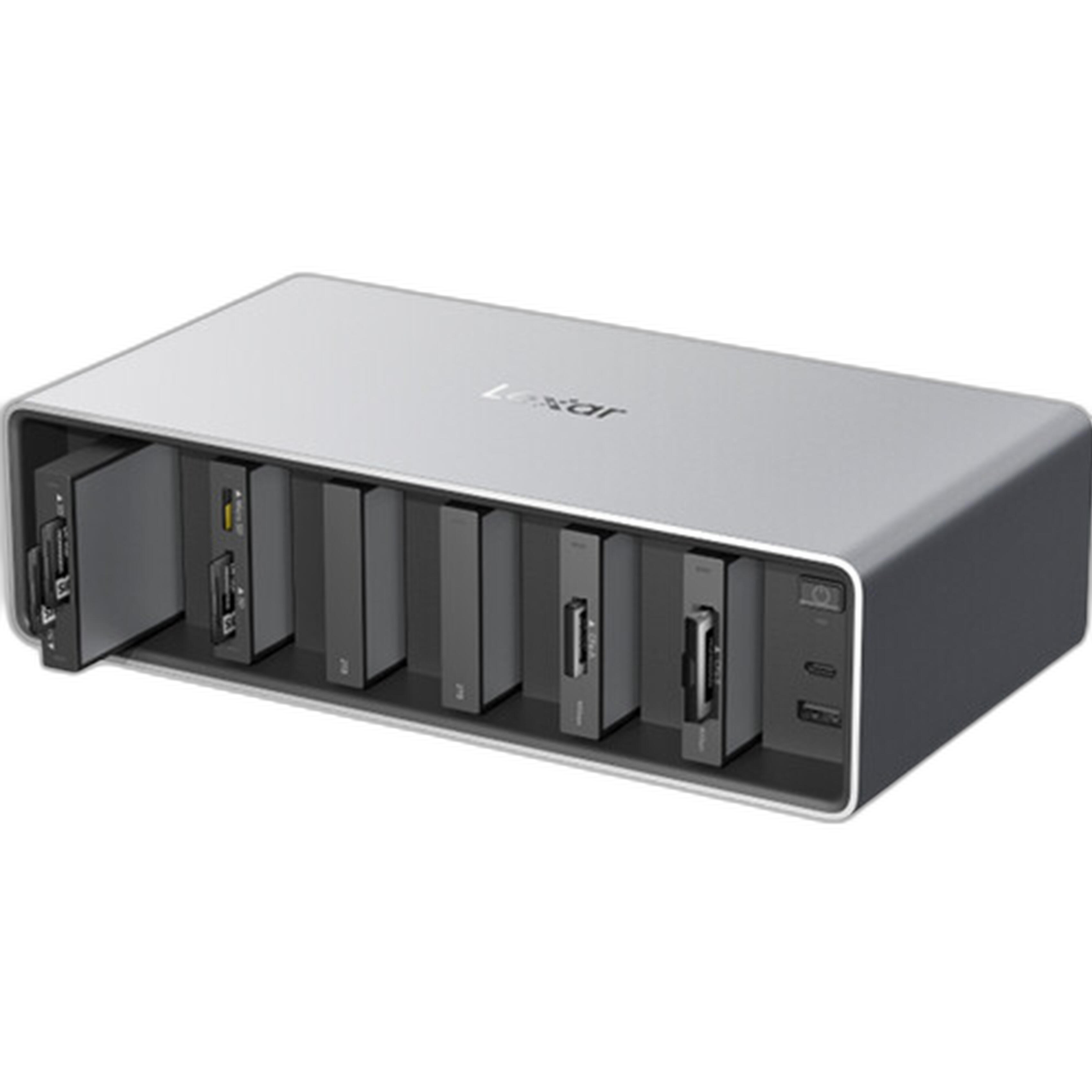
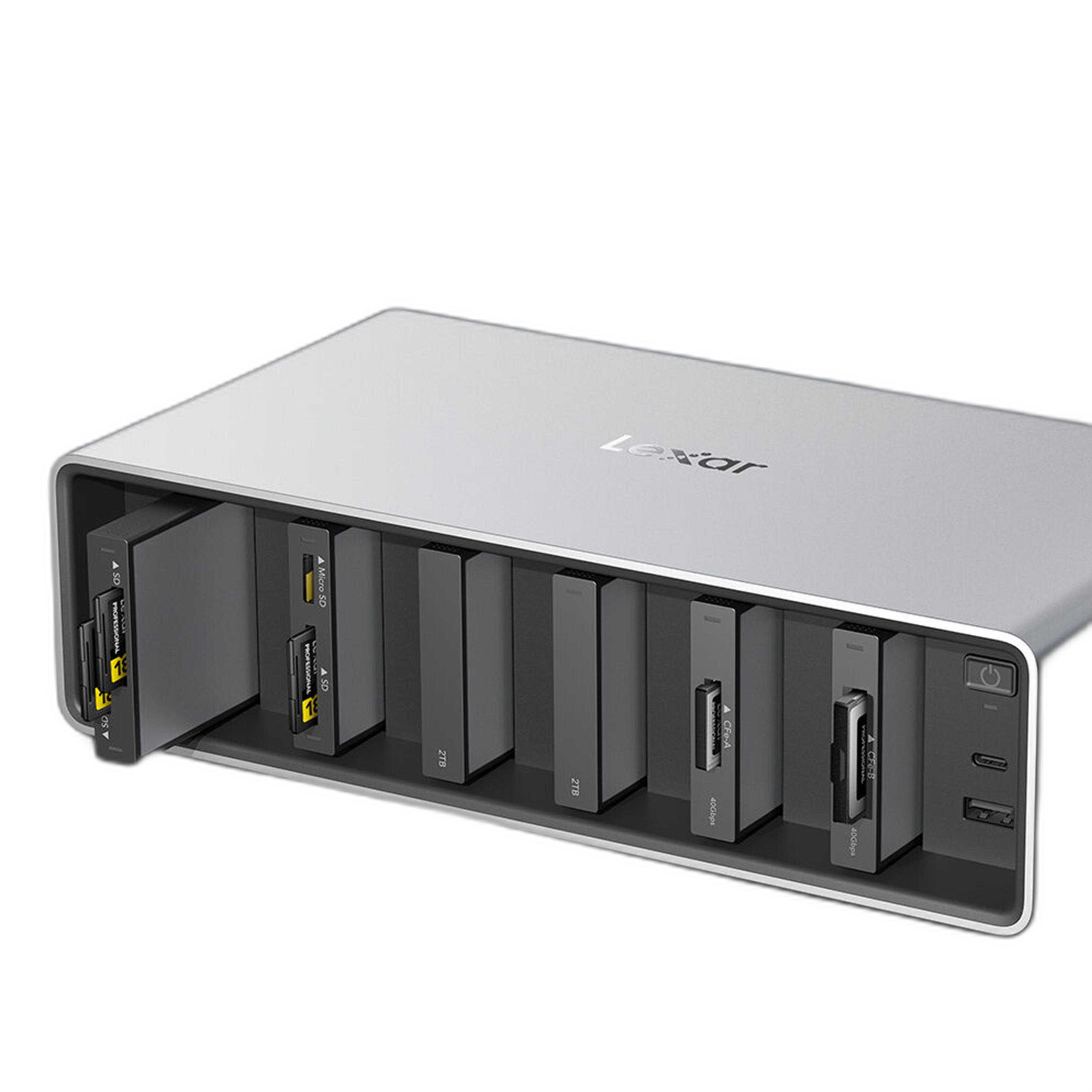
Lexar Professional Workflow Dock Station - 6-Bays as the Hub
The Lexar Professional Workflow Dock Station - 6-Bays is the anchor of this workflow. Its biggest appeal is consolidation. Instead of juggling separate readers, cables, and drives, you can build a centralized desk setup that keeps your import and backup process orderly. For photographers regularly processing large RAW files, panoramas, or competition image sets with multiple edits, that kind of clean workflow is a major advantage.
For competition prep specifically, the dock station is well positioned for photographers who want to move from ingest to cull to backup with minimal friction. It feels like the kind of product that supports disciplined file handling, which matters when you are tracking multiple versions such as master RAWs, edited TIFFs, resized JPEGs, and final submission files.
Why Fast External SSD Storage Matters
Competition workflows tend to create duplicate and derivative files quickly. You may have your original RAWs, selects folder, retouched versions, print-ready exports, and separate files tailored to each competition's pixel and color space requirements. Working from portable SSD media keeps this process faster and more manageable than relying on slower legacy storage.
Step 2: Edit, Version, and Backup With Lexar Portable SSDs
Once files are imported, the next challenge is maintaining speed and clarity while narrowing down your entries. This is where the Lexar Professional Workflow Portable SSD line fits naturally into a serious photography workflow.
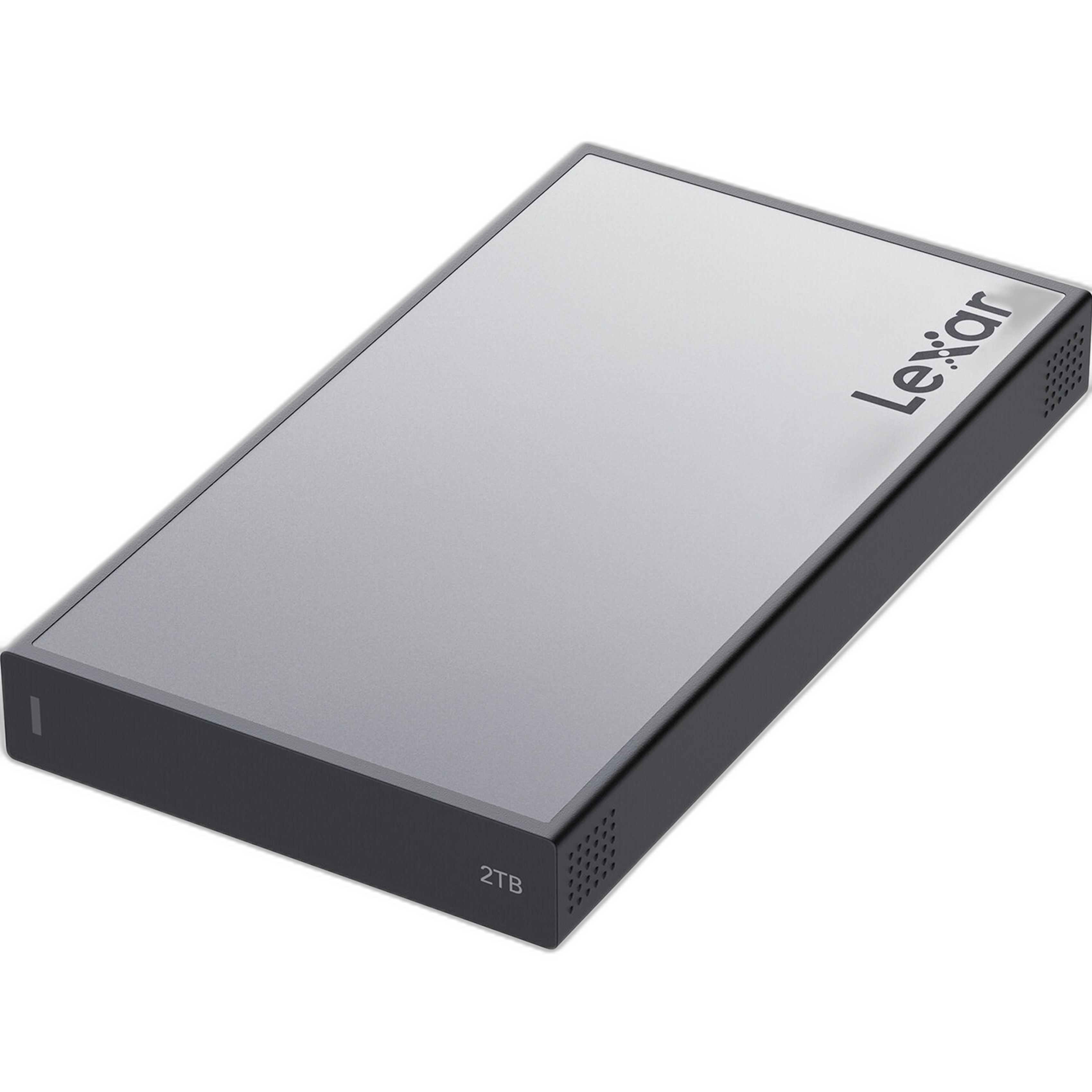
Lexar Professional Workflow Portable SSD 2TB
The 2TB version strikes a practical balance for active competition projects. It is especially appealing for photographers who want a dedicated working drive for current submissions, recent shoots, and export folders without overcommitting to a larger capacity. If you typically work on seasonal contest entries, maintain a few active portfolios, or travel with your edit set, 2TB is often the sweet spot.
From a workflow perspective, this drive is easy to recommend as a "current work" SSD: fast access, portable form factor, and enough room for substantial RAW libraries and layered files. It encourages good habits because you can keep a focused project environment rather than letting every shoot live on your desktop indefinitely.
Lexar Professional Workflow Portable SSD 4TB
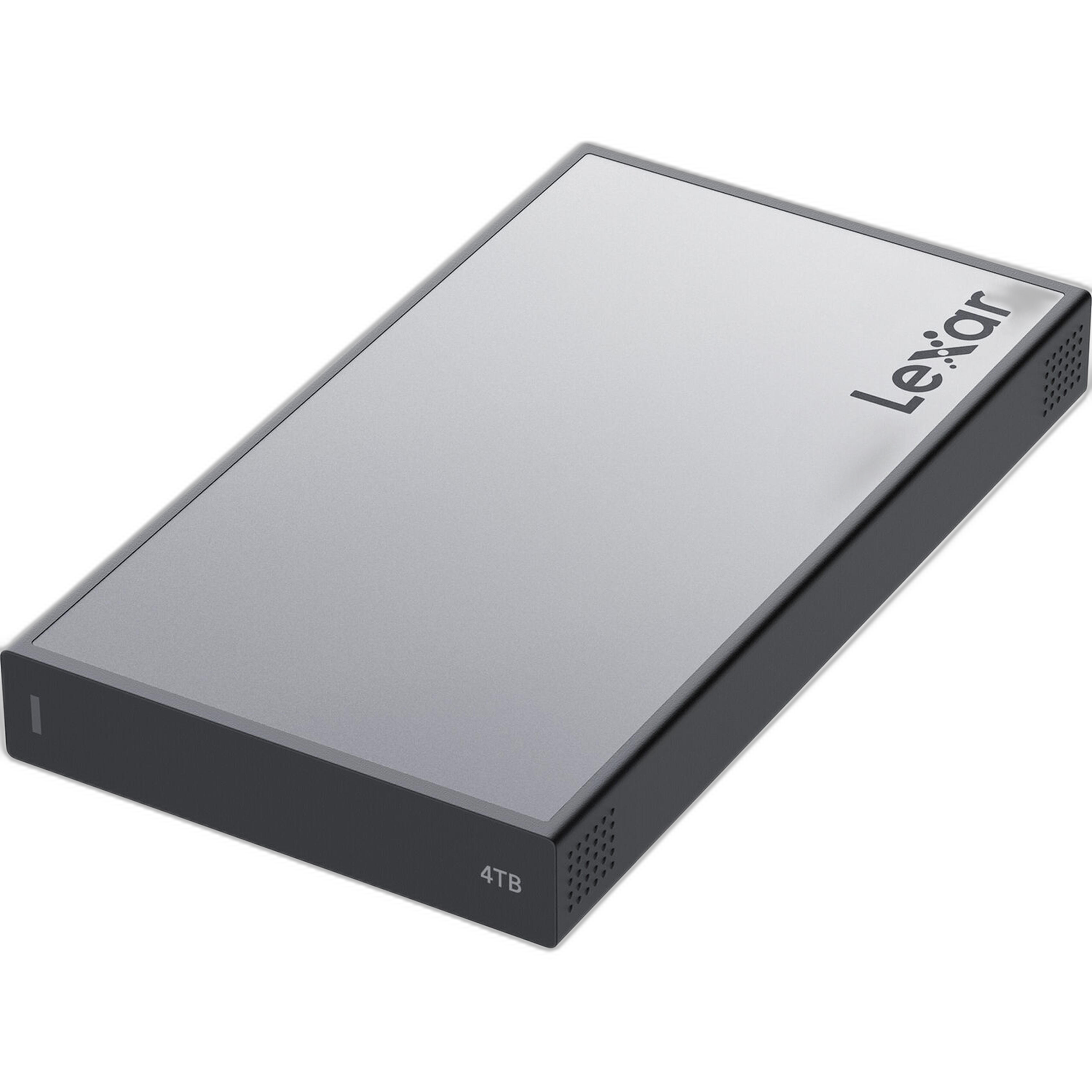
The 4TB version is the better fit for heavier shooters, hybrid creators, or photographers entering multiple competitions with extensive archives. If you often revisit old image libraries to find overlooked contest-worthy frames, the extra capacity can be a real advantage. It also makes sense if your competition preparation includes high-resolution composites, stitched files, or multiple output variants.
In practice, the 4TB model works well as either a primary portable project drive or a nearline archive for competition-ready portfolios. It gives you more breathing room for keeping both source and final files together, which is useful when a competition asks for verification, re-submission, or alternate crops later.
Recommended Editing Workflow Using These Drives
A strong competition workflow with these products would look like this:
1. Import all RAW captures through your main workstation and organized dock-based storage setup.
2. Copy your selected project to a Lexar Portable SSD for active editing.
3. Create a folder structure with clear labels such as RAW, Selects, Finals, Print, and Submission JPEGs.
4. Export multiple versions based on competition rules, including sRGB web files and high-resolution print files if needed.
5. Keep one SSD as the working drive and another location as backup before submission.
This approach is simple, repeatable, and easy to maintain under deadline pressure.
Step 3: Proof for Print Competitions
Not all competitions are digital-only. Many juried exhibitions, salon entries, camera club competitions, and portfolio reviews still involve prints. Even when only digital files are submitted, a print can reveal issues in tonality, sharpening, and composition that are easy to miss on screen.
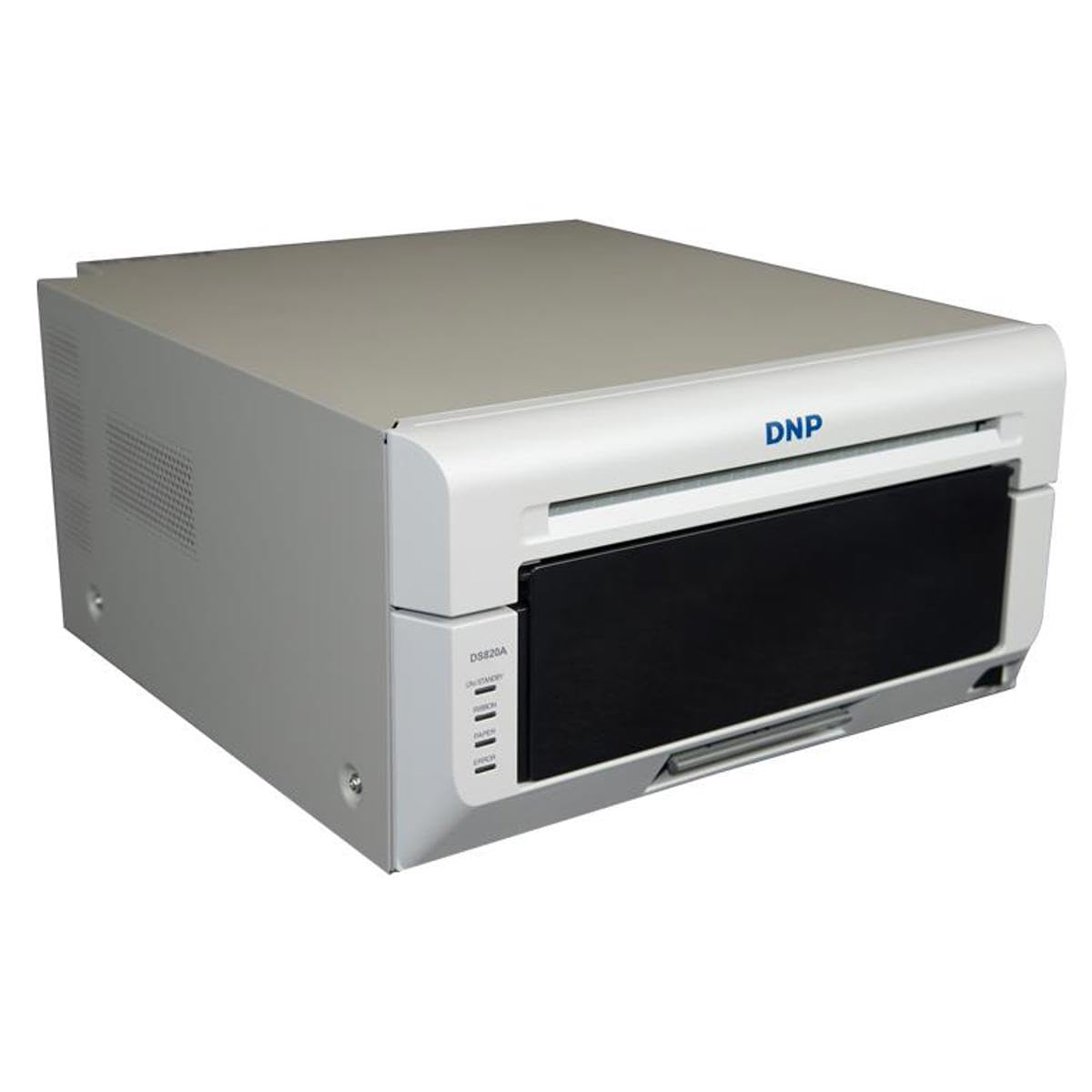
DNP DS820A 8 Professional Photo Dye Sublimation Printer
The DNP DS820A is a specialized output device that makes the most sense for photographers who regularly need consistent, presentation-ready prints. While it is not a casual desktop printer for occasional snapshots, it becomes highly relevant in a competition workflow if you want dependable physical proofs or finished prints with efficient turnaround.
Its value in this context is speed and consistency. For photographers testing final crops, checking skin tones, verifying black-and-white separation, or preparing event and exhibition output, a dedicated dye-sub printer can simplify the finishing stage. If your competition schedule includes repeated submissions throughout the year, having a printer like this in your workflow may be more practical than outsourcing every round of proofs.
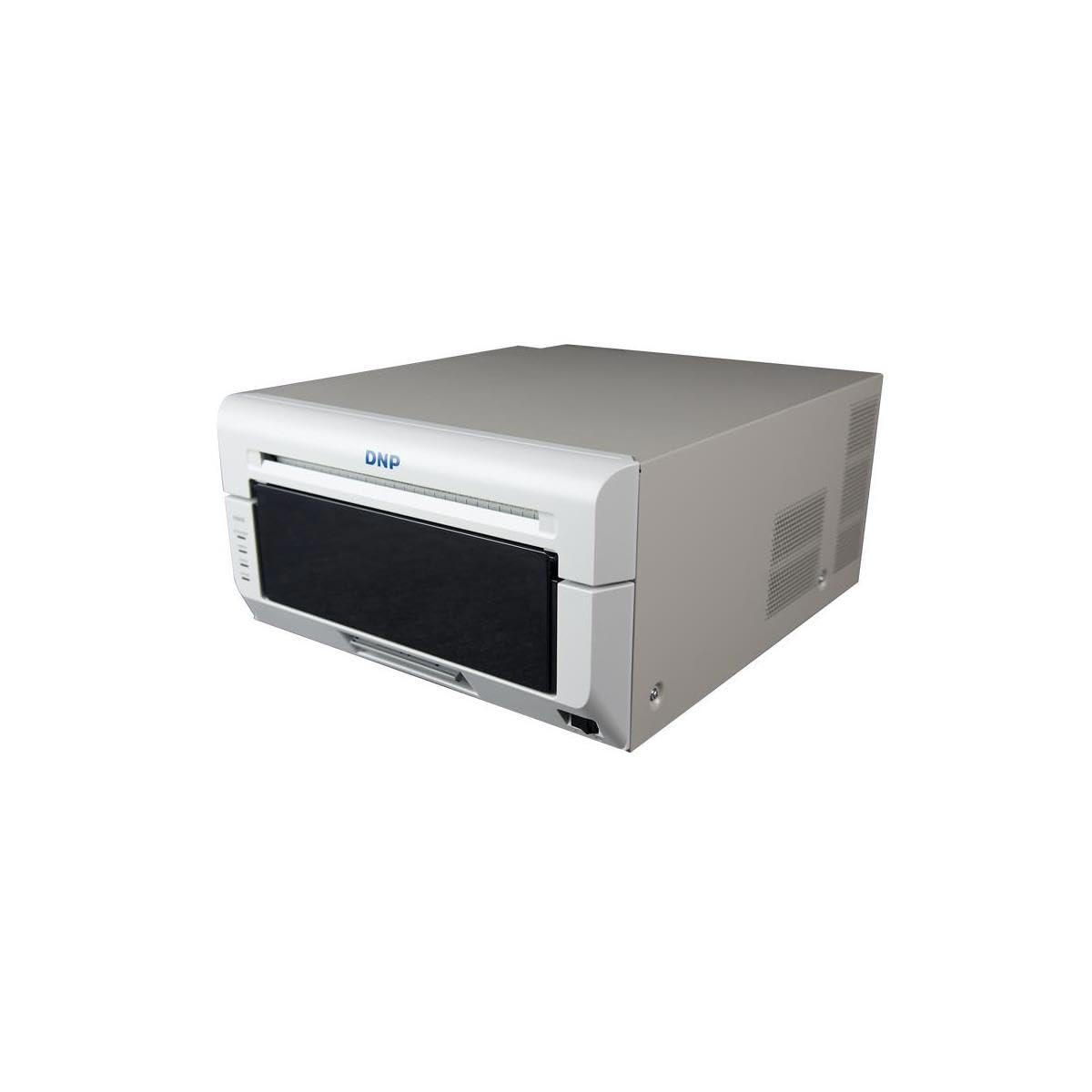
It is especially useful for photographers who want quick physical review prints before making a final call. Seeing your image in hand often changes which frame you choose, how much contrast you apply, or whether your crop really works at the intended size.
Step 4: Final Submission Checklist
With your files stored, edited, and proofed, the last step is making sure the final deliverables match competition requirements exactly. A reliable workflow reduces mistakes, but discipline still matters.
Best Practices Before You Submit
Here is the workflow I recommend:
Check dimensions and file size: Export exactly to the contest specifications.
Confirm color space: Most online competitions want sRGB unless otherwise stated.
Review naming rules: Some competitions disqualify entries with identifying filenames.
Inspect sharpening: Use separate exports for screen and print use.
Retain your master files: Keep the RAW and layered edit on your Lexar SSD or dock-connected archive.
Back up the final submission set: Never rely on just one copy before deadline.
The Lexar dock and SSD combination supports this process nicely because it encourages structure. Instead of hunting for the "final-final-v3" file across multiple devices, you can keep your contest assets centralized and easier to verify.
Pros and Cons of This Workflow Setup
Pros
- Centralized storage workflow helps reduce submission errors
- Lexar Portable SSDs are well suited for active editing and transportable project storage
- 2TB and 4TB options let photographers scale according to workload
- Dock-based setup promotes cleaner ingest and backup habits
- DNP DS820A adds practical proofing and print competition capability
- Excellent fit for photographers managing multiple contests or deadlines
Cons
- The full workflow is more of a serious investment than a beginner solution
- Dedicated print hardware only makes sense if you regularly need physical output
- Some users may prefer simpler single-drive setups if they enter competitions infrequently
- The dock-and-SSD ecosystem is most valuable when paired with disciplined file management habits
Verdict: A Smart Workflow for Serious Competition Photographers
If your goal is to improve how you prepare and submit to photo competitions, the strongest takeaway is this: a repeatable workflow beats last-minute scrambling every time. The Lexar Professional Workflow Dock Station - 6-Bays, together with the Lexar Professional Workflow Portable SSD 2TB and 4TB, creates a convincing storage and editing foundation for photographers who need speed, portability, and better organization. Add the DNP DS820A if your competition strategy includes print proofing or physical submissions, and you have a very capable end-to-end system.
This is not about buying gear for its own sake. It is about reducing friction between capture and submission so you can focus on image quality, sequencing, and presentation. For photographers who enter contests regularly, this setup is easy to appreciate and easy to recommend.
If you are ready to build a more reliable competition workflow, Unique Photo is the place to buy these tools and put together a submission-ready setup.