Lightroom vs Capture One vs ON1 Photo RAW: Frequently Asked Questions
Choosing photo editing software is about more than feature lists. The right platform should fit your shooting style, budget, file volume, and how much time you want to spend learning a new workflow.
At Unique Photo, we regularly help photographers compare Adobe Lightroom, Capture One, and ON1 Photo RAW based on real-world use. This FAQ breaks down the biggest questions photographers ask when deciding which editor belongs in their post-processing setup.
Which program has the best noise reduction and color grading tools?
Each platform has strengths, but the best choice depends on what and how you shoot. Lightroom is a strong all-around option with effective AI-assisted noise reduction, broad camera support, and familiar global and local color tools. For many photographers, especially event, travel, wildlife, and portrait shooters, Lightroom offers an excellent balance of speed and quality.
Capture One is often favored by photographers who want refined color control, especially for skin tones, studio work, product photography, and tethered workflows. Its color editor and layer-based adjustments are powerful, precise, and highly customizable. If color nuance is a major priority, Capture One is a serious contender.
ON1 Photo RAW appeals to photographers who want an all-in-one editor without a subscription, and it includes capable effects, masking, and raw development tools. While some users appreciate its creative flexibility, many professionals still find Lightroom and Capture One more polished for high-volume workflows and advanced color-critical work.
If you want to build stronger editing skills regardless of platform, classes can make a major difference. Unique Photo offers hands-on learning opportunities such as Lightroom-focused instruction and software demos that help photographers understand what these tools can really do in practice.

Is Lightroom's subscription worth it compared to Capture One or ON1 Photo RAW?
For many photographers, yes. Lightroom's subscription can be worth it if you want frequent updates, cloud-connected tools, Photoshop integration, mobile editing, and wide industry adoption. The Photography Plan remains attractive for photographers who rely on both Lightroom and Photoshop in one ecosystem.
Capture One may be more appealing if you prefer a different editing philosophy, prioritize tethering, or want color tools that suit your workflow better. ON1 Photo RAW is often attractive to photographers who want to avoid recurring fees and prefer a perpetual-license style approach, depending on the version offered.
The key question is not just monthly cost. It is total workflow value. If Lightroom saves time on culling, syncing edits, organizing a library, and sending files to Photoshop, the subscription can easily justify itself. If Capture One gives you better color faster on every portrait or product shoot, that value can outweigh pricing differences too.
Photographers who are unsure whether Lightroom is the right long-term fit often benefit from a fundamentals class first. Unique Photo's Lightroom education options are a practical way to determine whether the Adobe workflow matches your needs before you commit more deeply.

Which software has the easiest learning curve?
Lightroom is typically the easiest starting point for most photographers. Its library and develop workflow is widely taught, well documented, and intuitive once you understand the basic import, organize, edit, and export sequence. Beginners often find that it offers the smoothest on-ramp.
Capture One can feel more advanced at first. Its interface is highly customizable, which is excellent for experienced users but can be intimidating for someone switching from another editor or learning raw processing from scratch. Once mastered, however, many photographers appreciate the control it provides.
ON1 Photo RAW sits somewhere in the middle. It offers a broad toolset and a lot of functionality in one place, but the number of features can feel dense if you are just getting started.
If you are moving from Lightroom to Capture One, structured instruction can shorten the transition considerably. Unique Photo offers a dedicated class for that exact move, helping photographers understand how sessions, catalogs, color tools, and interface customization compare.
Which program is best for managing large photo libraries?
Lightroom remains one of the strongest choices for managing large image libraries efficiently. Its catalog system, keywording, collections, smart collections, metadata filters, and batch editing tools are all designed for photographers who shoot often and need to find images quickly later. Wedding, sports, travel, and wildlife photographers frequently benefit from this structure.
Capture One also offers cataloging, but many photographers especially value it for session-based workflows, such as commercial shoots, studio portraiture, and tethered productions where a contained job-by-job structure makes sense. ON1 Photo RAW can work for photographers who prefer browsing folders directly, but some high-volume users still prefer Lightroom's mature asset-management ecosystem.
For anyone building a complete image management workflow, remember that not every photo has to live only on a hard drive. Physical organization can still matter for prints and keepsakes. For example, a compact print album can be a helpful complement to your digital archive when you want an easy way to store selects, proofs, or family images.

Is Capture One better than Lightroom for studio and product photography?
It often can be, especially in tethered environments. Capture One has long been respected for dependable tethered shooting, advanced color editing, and a workspace that many commercial photographers tailor to fit studio production. Product photographers, fashion shooters, and portrait studios often appreciate its precision and session-based structure.
That said, Lightroom is still a very capable option, particularly when your workflow includes broader library management, quick syncing across many images, or regular round-tripping to Photoshop. A lot of photographers use Lightroom for cataloging and general editing, then rely on specialized tools only when the assignment demands it.
If your interest is product photography specifically, learning how editing choices affect color, contrast, retouching, and final output is just as important as picking software. Unique Photo's educational offerings include instruction focused on product photography and post-production editing, which can help photographers build a stronger end-to-end process.

Can ON1 Photo RAW replace Lightroom completely?
For some photographers, yes. ON1 Photo RAW can cover raw editing, effects, masking, browsing, and export in a single package, making it appealing to users who want an alternative to Adobe's subscription model. If your workflow is relatively straightforward and you like keeping everything in one application, ON1 may be enough.
However, replacement depends on your needs. Photographers deeply invested in Lightroom's cataloging tools, Adobe's AI features, cloud sync, and Photoshop integration may find a full switch harder to justify. Others may find ON1 works well as a creative companion rather than a total replacement.
Before changing systems, it helps to map out your must-have features: raw conversion quality, local adjustments, masking, speed, export presets, archival organization, plugin support, and compatibility with your camera files. The software that looks cheaper or simpler at first may not be the best fit once those daily-use details are considered.
What is the best software for wildlife, travel, or outdoor photographers?
Lightroom is often the most practical answer for many outdoor photographers because it combines robust library management with strong raw editing and efficient batch processing. If you come home from a trip or wildlife outing with thousands of frames, Lightroom's organization and synchronization tools can save significant time.
Capture One can also be excellent, particularly if you are selective with your imports and prioritize color control over large-scale cataloging. ON1 Photo RAW may appeal to adventurous photographers who want a broad creative toolkit without subscribing. The best fit depends on whether you value speed, precision, or ownership model most.
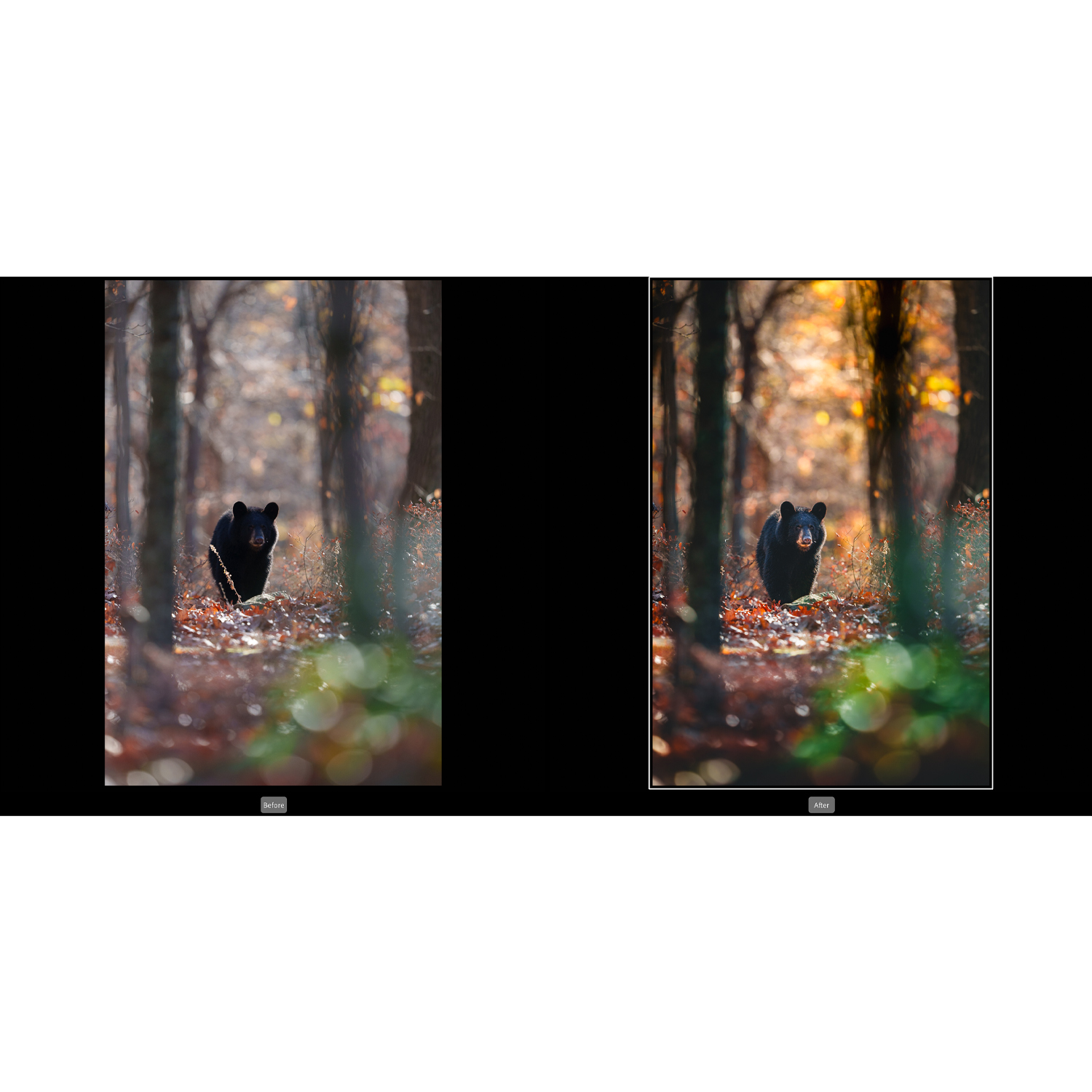
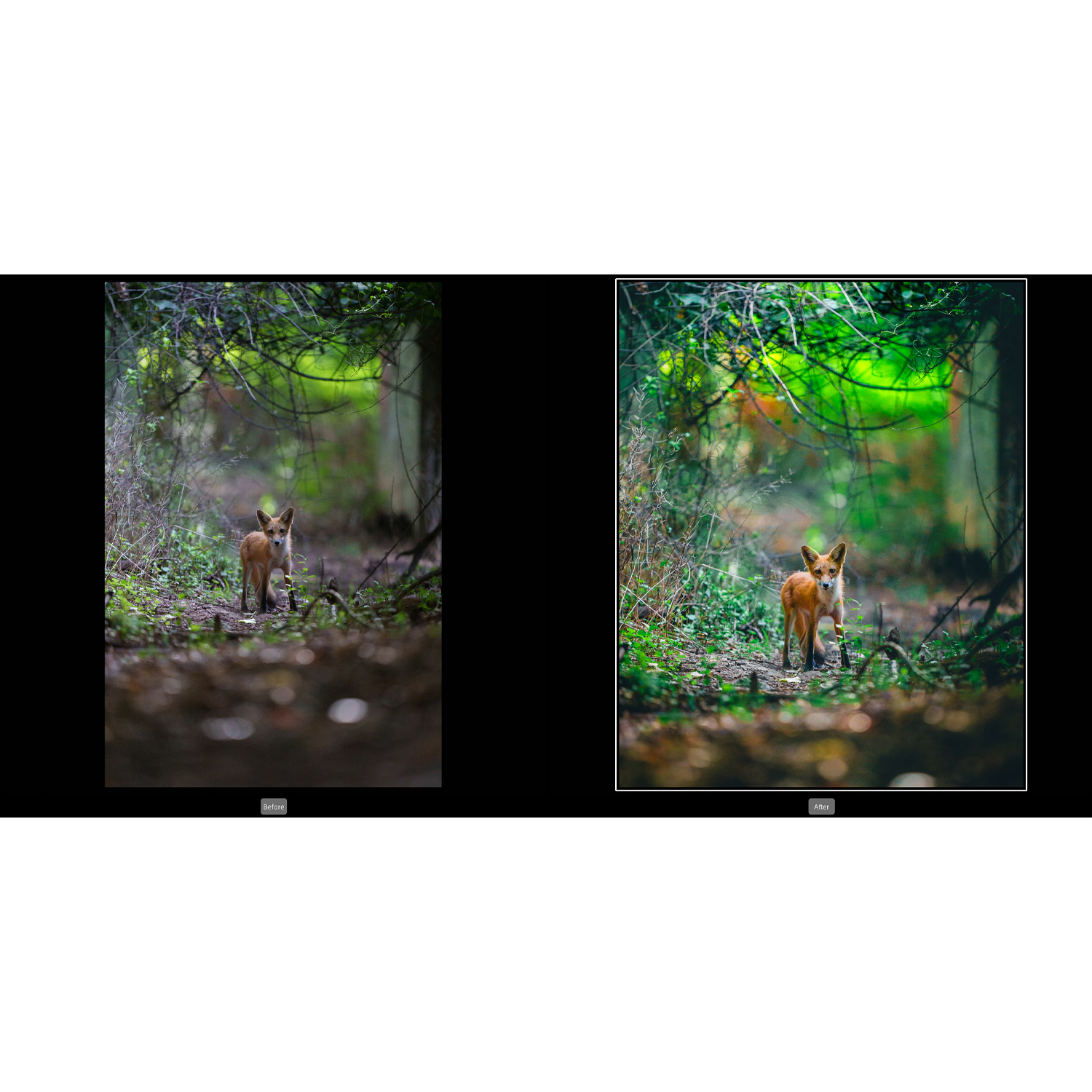
For photographers who want to sharpen their Lightroom technique specifically for nature and wildlife images, Unique Photo offers a dedicated class that covers editing approaches relevant to those subjects.
How should beginners choose between these editing programs?
Beginners should start by evaluating workflow first and features second. Ask yourself a few practical questions: Do you want the simplest learning path? Do you need strong asset management? Do you want to avoid subscriptions? Do you shoot portraits, products, wildlife, or a little of everything?
In broad terms, Lightroom is usually the safest starting point for beginners who want a mature ecosystem and a clear editing workflow. Capture One is a great option for photographers who are comfortable investing more time to gain precision and customization. ON1 Photo RAW is worth considering if owning software outright is a high priority and your workflow does not depend heavily on Adobe integration.
Whatever you choose, education accelerates results. Taking a class can help you avoid inconsistent edits, poor file organization, and wasted time learning by trial and error. Unique Photo offers classes for Lightroom users, photographers transitioning to Capture One, and creators looking to improve their overall post-production skills.
The best post-processing software is the one that helps you work quickly, edit confidently, and keep your photo library under control. If you want expert guidance on Lightroom, Capture One, or building a stronger editing workflow, explore classes and educational events at Unique Photo to find the tools and training that fit your photography.