Gimbal vs. Tripod for Event Videography: How to Choose (and When to Use Both)
Stability makes or breaks event video. Whether you’re covering a wedding, concert, or conference, the right support system can turn chaotic scenes into clean, watchable footage. As a leading resource for creators, Unique Photo helps videographers choose smart, reliable solutions. Here’s a practical guide to deciding between a gimbal and a tripod for event videography—plus pro tips, sample kits, and training options from Unique University.
Gimbal vs. Tripod for Events: The Short Answer
- Choose a gimbal when you need movement: tracking entrances, dance floor energy, walk-and-talks, quick location changes, or dynamic B-roll.
- Choose a tripod when you need locked shots: ceremonies, speeches, panel discussions, livestreams, interviews, and long-duration coverage.
- The most reliable event kits carry both so you can switch as the schedule and environment demand.
When a Gimbal Is the Right Tool for Event Videography
Gimbals shine for scenes that benefit from motion and speed:
- Weddings & social events: Bridal prep, first looks, venue reveals, couple portraits, and the dance floor.
- Festivals & concerts: Crowd movement, artist walk-ons, merch areas, and sponsor activations.
- Corporate & trade shows: Booth walkthroughs, product demos, and dynamic b-roll between sessions.
Pro tips for gimbal success at events:
- Balance fast: Use quick-release plates and practice balancing your most-used lens/body combo.
- Match payload to reality: Gimbal payload ratings are max specs—keep your operational load (camera, lens, mic, plate, wireless) well under the limit for reliable motors.
- Manage batteries: Start charged, carry spares, and plan swap points during schedule lulls.
- Shoot wider, get closer: Wide-to-normal primes are easier to stabilize and allow energetic movement without motion sickness.
- Walk like a ninja: Soft knees, heel-to-toe steps, with gentle directional changes. Let the gimbal smooth—not fight—your movement.
When a Tripod Wins for Event Videography
Tripods are ideal when endurance and consistency matter more than motion:
- Ceremonies and speeches: Lock off a master shot; pan and tilt with a fluid head for clean coverage.
- Livestreams & long-form: Stable framing protects bitrates and viewer experience.
- Interviews & panels: Minimize micro-movements for easy multicam edits and better audio sync.
- Time lapses & detail shots: Crisp frames, repeatable compositions, and safe camera placement.
Tripod features to prioritize:
- True fluid head with adjustable drag for smooth pans/tilts.
- Mid-level spreader for quick, stable setups on uneven floors.
- Fast locks + leveler to adapt quickly between locations.
Monopods, Light Stands, and Hybrid Setups
- Monopods: Great middle ground for ceremonies and fast-moving coverage; faster repositioning than a tripod, more stable than handheld.
- Gimbal-on-monopod: A compact “poor person’s jib” for gentle lifts and overheads. Practice for safety and always mind the crowd.
- Gimbal on a tripod: Can work as a remote head for static venues with predictable action.
Stabilization Stack: IBIS, Lens IS, Digital, and Gimbals
Stabilizers can fight each other if you don’t manage the stack:
- On a gimbal: Try IBIS on “normal” and turn off aggressive digital stabilization. Some lenses behave better with OIS off to prevent robotic “warps.” Test your combo.
- On a tripod: Turn off IBIS/lens IS to avoid micro-drift and frame creep, especially at telephoto focal lengths.
- Shutter angle: Aim near 180° shutter for natural motion (e.g., 1/50 for 24p) unless you want staccato action.
Payload, Size, and Balancing: Choosing the Right Gimbal
- Camera + lens + accessories should be well under the gimbal’s max payload.
- Lens length matters: Extending zooms shift balance during the day. Favor constant-length lenses or rebalance when necessary.
- Plate strategy: Use matching quick releases across tripod and gimbal to swap fast between locked and moving shots.
- Scene prep: Pre-balance for your most common shooting configuration and mark plate positions with tape.
Audio and Lighting: Don’t Forget the Sound
Clean pictures won’t save bad audio. Compact mobile bundles are ideal for fast-moving events or secondary angles.
Try this mobile-friendly kit:
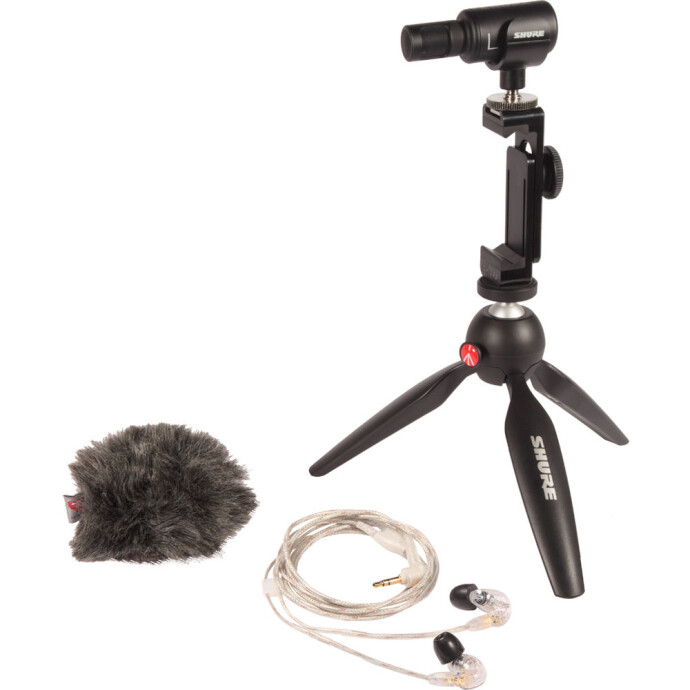
Shure MV88+ SE215-CL Portable Videography Bundle — a flexible, on-the-go audio solution that pairs well with smartphones and small cameras for interviews, ambient capture, and content on the move. Available at Unique Photo.
Practice Makes Pro: Learn with Unique University
Unique Photo’s Unique University offers classes and events to sharpen your event coverage skills—from camera basics to festival strategy and Sony-focused training.

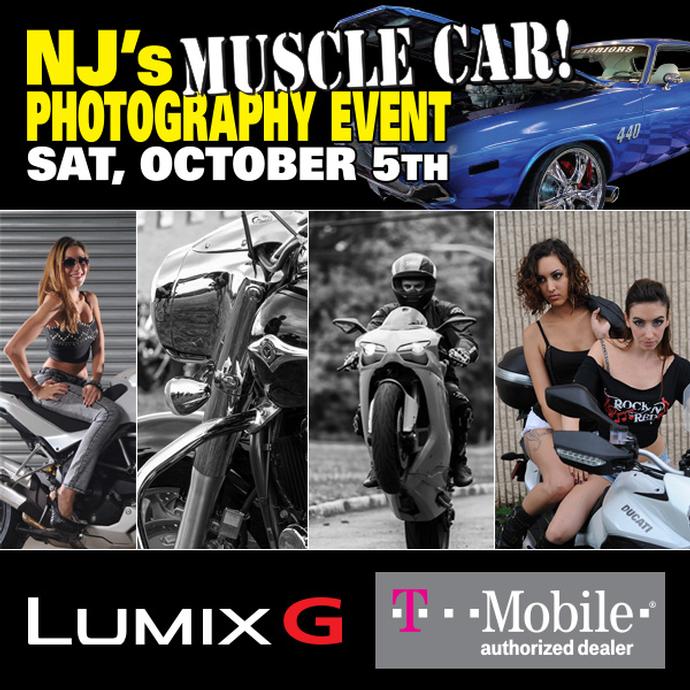
Events like photo-focused seminars and themed shoots are also perfect practice grounds for panning, timing, and crowd navigation—skills that translate directly to video.
Sample Event Kits: Wedding, Festival, and Corporate
Weddings
- Gimbal with 24–35mm prime; tripod with fluid head for ceremony; on-camera mic plus lavs for vows/speeches.
Festivals/Concerts
- Gimbal for artist walk-ons and crowd; monopod for tight venues; fast wide zoom; external audio feed or compact mobile mic solution.
Corporate/Conferences
- Tripod for keynote and panels; gimbal for venue b-roll and transitions; dual system audio; quick-release plates for fast swaps.
Quick Decision Guide
- Is the subject staying put ≥ 30 seconds? Use a tripod.
- Do you need to follow action through space? Use a gimbal.
- Long takes or livestream? Tripod.
- Energetic montage or dynamic b-roll? Gimbal.
- Unsure? Start on tripod for safety, then move to gimbal for variety.
FAQ
Can I shoot an entire event on a gimbal? You can, but your edit will benefit from a mix of locked and moving shots. Tripods deliver clean masters that anchor dynamic cutaways.
Do I need both a gimbal and a tripod? For most event work, yes. Each tool solves a different problem, and together they cover nearly every scenario.
Will venue policies affect my choice? Some venues restrict tripods in aisles or certain areas. Always check policies and carry a compact monopod or shoulder-supported rig as a backup.
Next Steps with Unique Photo
Visit Unique Photo in-store or online to compare gimbals, tripods, fluid heads, and audio solutions hands-on. Explore Unique University classes to build confidence before your next event.
Suggested internal links:
- Gimbals & Stabilizers category
- Tripods & Fluid Heads category
- Monopods & Supports
- Microphones & Audio Accessories
- Unique University classes & events calendar