Compare the Fujifilm Instax Mini Evo Cinema, Canon PowerShot V10 and Minolta MNF10Z on instant prints, video features, optical zoom and price.
Instant prints, video production or optical zoom
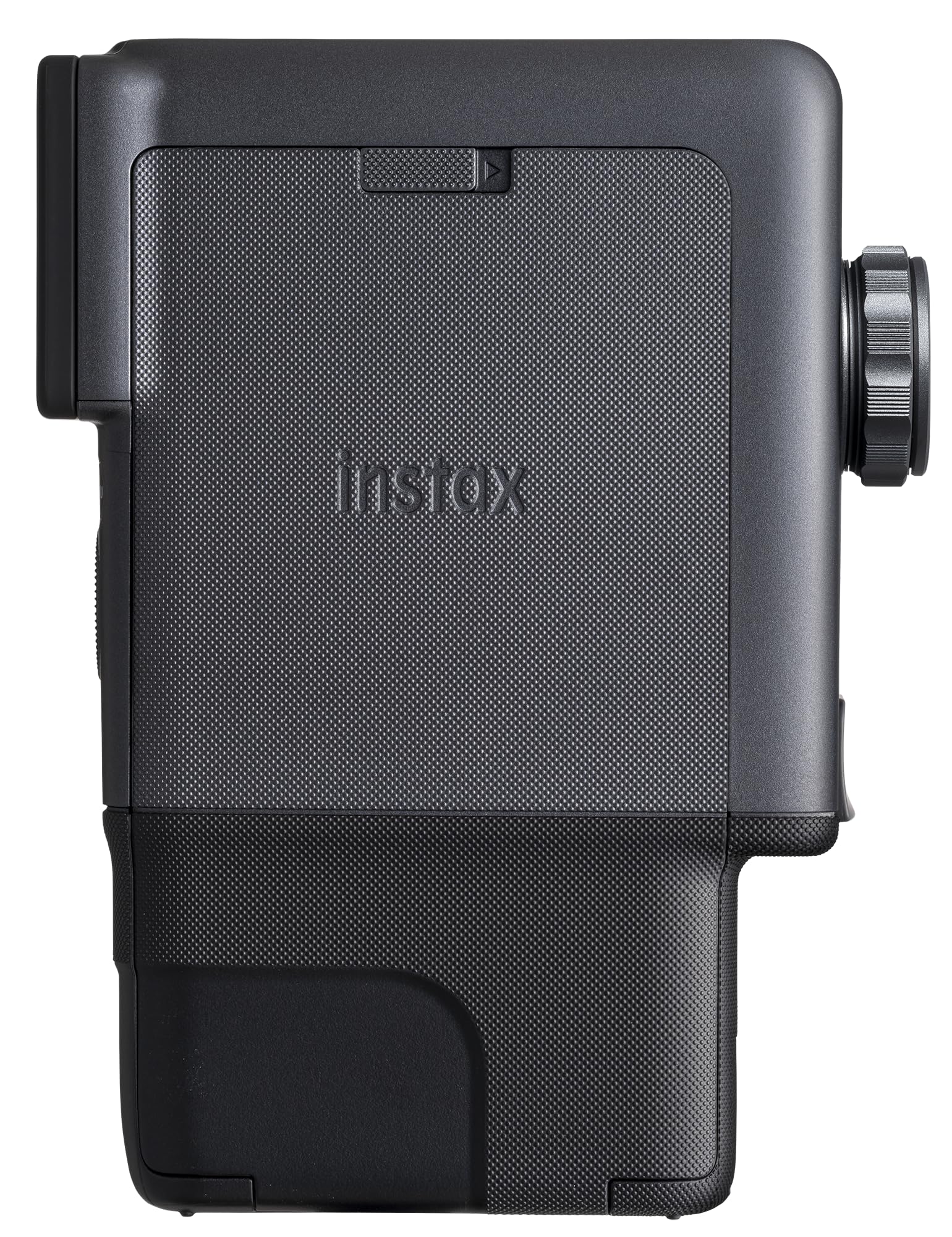
The Fujifilm Instax Mini Evo Cinema records stills and short video clips, then brings instax mini prints into the process. The version here includes film and memory and costs $409.95. Its appeal is less about building a conventional video kit and more about making a physical object from a photo or a short recorded moment.
The Canon PowerShot V10 costs $399.99 and emphasizes video capture, including live streaming and UVC support. The Minolta MNF10Z kit costs $299 and gives more priority to reach, with a 10x optical zoom lens. These are different tools, not interchangeable versions of the same camera.
All three are in stock at Unique Photo.
Price, display and power compared
The Canon has a larger screen than the Fujifilm, and its display tilts 180° and accepts touch input. Minolta has the largest screen of the three at 3.0 inches. A larger display gives more room for framing and reviewing images.
| Specification | Fujifilm Instax Mini Evo Cinema | Canon PowerShot V10 | Minolta MNF10Z |
|---|---|---|---|
| Current price | $409.95 | $399.99 | $299 |
| Display | 1.54-inch LCD | 2.0-inch, 180° tilting touchscreen LCD | 3.0-inch LCD |
| Built-in flash | Yes | No | Yes |
| Battery | Built-in rechargeable lithium-ion | Built-in lithium-ion, 3.6 VDC, 1250 mAh | Rechargeable lithium-ion |
Flash is another practical split. Fujifilm and Minolta include one; Canon lists no built-in flash. The Cinema also has a continuous LED light, which is relevant to video because it stays on during capture rather than firing for a still exposure.
Fujifilm: short clips with a physical print
Fujifilm's 15-second recording limit makes the Cinema a camera for brief moments. Clips can be edited, combined or given cinematic titles in the instax mini Evo App. That process suits small sequences, but the per-clip limit should be part of the decision before buying it for spoken content.
The distinctive feature is what happens after capture: video memories can become instax mini prints with scannable QR codes for online playback. The print acts as a physical way to share access to the clip. It is not just a camera with a retro-looking body.
Bluetooth 5 connectivity also lets the Cinema work as a mobile photo printer. That gives it a use beyond printing pictures made with its own camera. Physical prints use instax mini film, so keeping film on hand is part of owning it.
The Gen Dial offers 10 decade-inspired visual effects. Handling follows the Super 8 inspiration, with a vertical grip and attachable handgrip, plus a tactile print lever. A detachable viewfinder provides another framing option alongside the 1.54-inch LCD. The selfie mirror and self-timer are useful for setting up self-portraits.
Canon: framing and connections for video
Canon specifies 3840 x 2160 recording at 23.98, 25 or 29.97 fps. Full HD recording also includes 50 and 59.94 fps options. Those are concrete video choices for someone preparing footage for editing, rather than organizing the purchase around instant prints.
The built-in stand matters for stationary recording: it gives the camera its own support on a suitable surface. Pair that with the 180° tilting touchscreen and the V10 supports framing from in front of the lens. Its wide-angle view can include a person and some of the surrounding setting.
Audio connections are another reason to favor the Canon for spoken content. It records stereo sound and includes a 3.5mm TRS stereo microphone input, so an external microphone can be part of the setup. Live streaming and UVC support address computer-based video work as well.
Canon also lists digital image stabilization and Auto and Manual exposure modes. Manual exposure gives more direct control over exposure than relying entirely on the camera's automatic choices. The sensor is a 1-inch CMOS unit.
Minolta: 10x optical zoom and 72MP stills
Minolta's main buying argument is its 10x optical zoom. For family outings or travel, that can matter more than a retro effect: it changes how tightly a subject is framed without requiring the photographer to move closer. It is a different priority from the Canon's wide-angle video approach.
Minolta lists 72MP still-image output and 5K Ultra HD video. Its CMOS sensor is 1/2.3 inch, compared with the Canon's 1-inch sensor. A higher pixel count is not, by itself, a complete image-quality comparison. The zoom is the more direct reason to pick the Minolta for subjects at varying distances.
Operation centers on Auto exposure and autofocus. The 3.0-inch rear LCD handles framing and review, and the built-in flash has Auto, Fill Flash and Flash Off modes. Images are recorded as JPEGs, with SD, SDHC and SDXC media compatibility. At $299, it also has the lowest purchase price here.
Who should choose each camera
Choose the Fujifilm for physical keepsakes. A guest book or a small collection of QR-linked video prints gives its printing hardware a clear purpose. The mobile printing function also makes sense for someone who wants to print phone photos. Be comfortable with short video clips and the need to keep instax mini film on hand.
Choose the Canon for spoken video or live streaming. A talking-to-camera setup that needs an external microphone is a specific reason to favor the V10. Its built-in stand is useful for recording at a desk. The lack of a built-in flash is a tradeoff if the same camera will also be used for flash-lit stills.
Choose the Minolta when optical zoom is the main requirement. It suits a conventional point-and-shoot purchase for framing subjects at different distances without changing lenses. Its $299 price also makes it the candidate for a buyer whose budget rules out the two higher-priced options.
Prices at Unique Photo
- Fujifilm Instax Mini Evo Cinema Camera with film and memory: $409.95
- Canon PowerShot V10 Vlog Camera for Content Creators (Black): $399.99
- MINOLTA MNF10Z 72 MP / 5K Ultra HD Camera w/10x Optical Zoom Kit (Black): $299.00
Prices as of October 23, 2026. Browse more: Fujifilm Instax MINI, Fujifilm at Unique Photo.
Related reading: Fujifilm Instax Mini Evo Cinema: Specs, Price and Video.
Frequently asked questions
Does the Fujifilm Instax Mini Evo Cinema record video?
Yes. It records clips up to 15 seconds long, which can be edited, combined or customized with cinematic titles in the instax mini Evo App.
Can the Fujifilm Instax Mini Evo Cinema print photos from a phone?
Yes. It functions as a mobile photo printer through Bluetooth 5 connectivity and uses instax mini film.
Does the Canon PowerShot V10 support an external microphone?
Yes. It has a 3.5mm TRS stereo microphone input and also supports stereo sound capture.
Does the Minolta MNF10Z have optical zoom?
Yes. The Minolta MNF10Z has a 10x optical zoom lens.