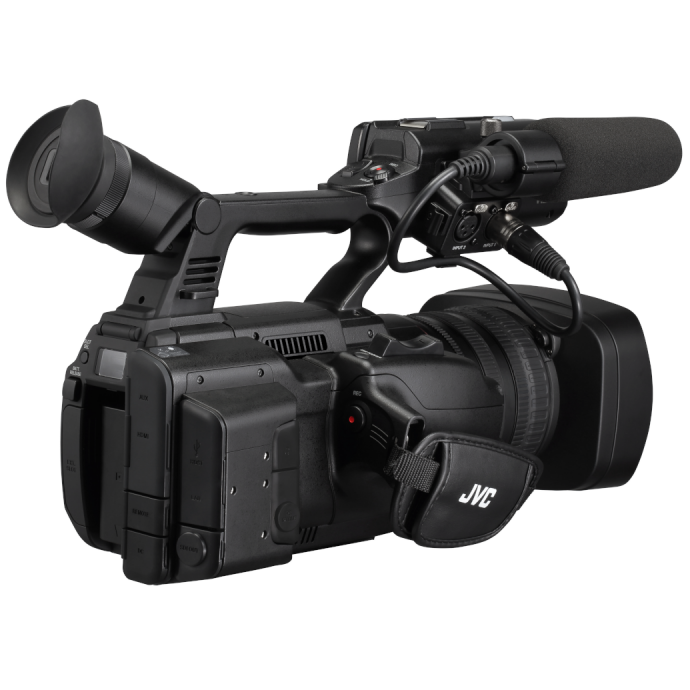
If you’re searching for the best budget video camera setups for beginners in 2024, the right answer depends on what you want to film: YouTube videos, livestreams, school productions, church services, interviews, sports, or small business content. The good news is that beginners no longer need a massive production budget to build a capable setup. With smart planning, you can create a reliable starter video kit that delivers clean image quality, simple operation, and room to grow.
At Unique Photo, many first-time creators ask the same question: Should I start with a handheld camcorder or a PTZ camera? For beginners, both can be excellent budget-friendly choices depending on your workflow. Handheld camcorders are versatile and familiar, while PTZ cameras are ideal for fixed-position shooting, streaming, classrooms, worship spaces, and multi-angle productions with less crew.
What makes a budget video camera setup beginner-friendly?
A beginner video setup is not just about the lowest camera price. It’s about getting the most value from a system that is easy to learn and practical to use. The best entry-level setup usually includes:
- A camera with reliable autofocus or controlled framing
- Built-in zoom lens so you do not need to buy extra lenses
- Simple recording and output options for streaming or editing
- Good ergonomics for new users
- Scalability so you can upgrade over time
That’s one reason camcorders and PTZ cameras remain strong choices in 2024. Unlike interchangeable-lens systems that can get expensive quickly, these all-in-one video tools reduce complexity for beginners. Unique Photo carries several JVC Professional Video options that fit this practical approach well.
Best budget video camera setup for YouTube beginners
If your goal is to create YouTube videos, tutorials, product demos, interviews, or event recaps, a compact handheld camcorder setup is often the easiest way to start. You get an integrated lens, familiar video-first controls, and dependable zoom without shopping for separate glass.
A strong example is the JVC GY-HM250SP Compact Handheld Camcorder. For beginners who want a straightforward shooting experience, this type of camera can simplify production significantly.
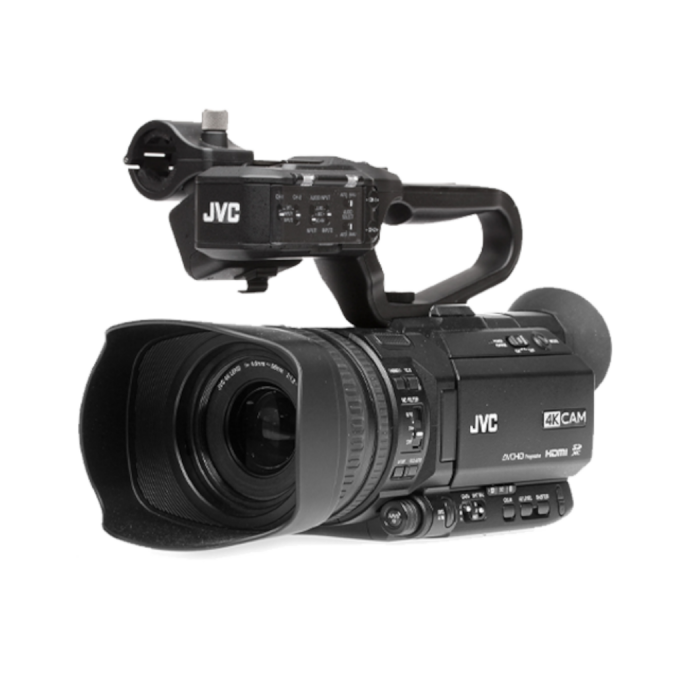
Why this style of setup works for beginners:
- Integrated lens keeps total cost more manageable
- Compact body is easier to handle than larger studio rigs
- Built for video capture rather than hybrid stills/video compromises
- Useful for interviews, school media, houses of worship, and web content
Suggested beginner budget setup:
- Compact handheld camcorder
- Tripod
- On-camera or external microphone
- Basic LED light
- SD cards and spare battery
For creators shopping at Unique Photo, this kind of setup can be one of the smartest ways to start making polished video content without overcomplicating the process.
Best affordable camcorder setup for beginner videographers
Many new videographers still prefer a dedicated camcorder because it offers long recording times, comfortable handling, and a built-in zoom range that is incredibly useful for events and run-and-gun shooting. If you want a camera that can cover recitals, community events, sports clips, interviews, or behind-the-scenes footage, a handheld 4K camcorder is a practical investment.
The JVC GY-HC500U Handheld Connected Cam 1in 4K Professional Camcorder is a more advanced option for beginners who want to invest in a system they can grow into rather than replace quickly.
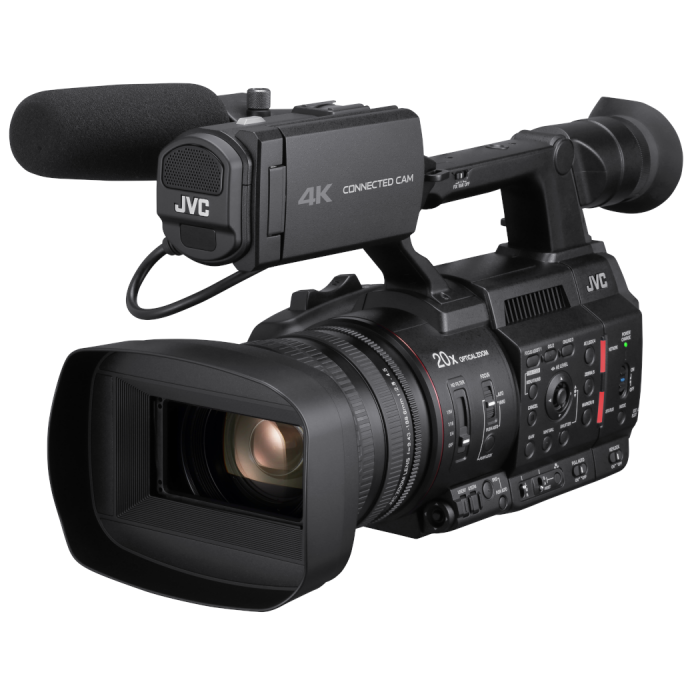
Benefits of a connected handheld camcorder setup:
- Professional-style controls in one unit
- 4K capture for future-ready delivery
- Useful for live production, recorded content, and hybrid workflows
- More dependable zoom handling than many beginner mirrorless setups
This type of kit is especially appealing for creators who need one camera that can cover multiple jobs. At Unique Photo, customers often choose a connected camcorder when they want an all-in-one video solution that supports both learning and long-term growth.
Best budget PTZ camera setup for livestreaming beginners
If your main focus is livestreaming, a PTZ camera can be one of the best budget video camera setups for beginners in 2024. PTZ stands for pan, tilt, and zoom, and these cameras are designed for remote control. That means you can mount the camera in place and operate framing without needing a camera operator standing behind it.
The JVC KY-PZ200N HD NDI HX PTZ Remote Camera with 20x Optical Zoom is a strong fit for entry-level streaming environments that need flexibility and clean remote operation.
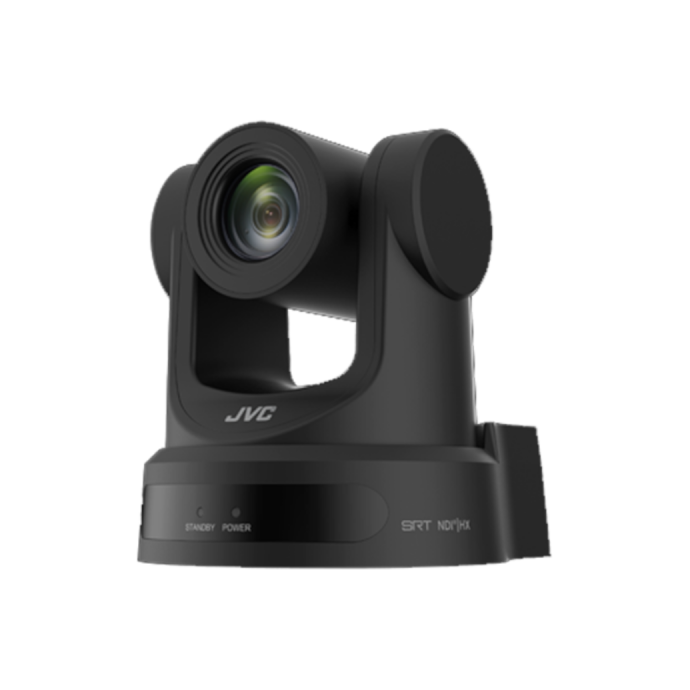
Why beginners like PTZ setups:
- Minimal crew required
- Ideal for fixed venues and repeat productions
- Remote framing makes operation easier
- 20x optical zoom helps cover larger rooms
- Well suited for houses of worship, education, and conference streaming
Suggested beginner PTZ streaming setup:
- One PTZ camera
- Tripod, wall mount, or ceiling mount depending on venue
- Video switcher or streaming system
- Microphones and audio mixer
- Stable internet or local recording workflow
For customers building a simple streaming station through Unique Photo, starting with one PTZ camera can be a cost-effective way to produce a professional look without staffing a full crew.
Is a 4K PTZ camera worth it for beginners?
Some beginners want to future-proof their setup from day one. If that sounds like you, a 4K PTZ camera may be worth considering, especially if you plan to grow into higher-end livestreaming, event coverage, or multi-camera production.
The JVC KY-PZ400N 4K NDI HX PTZ Remote Camera with 12x Optical Zoom is a compelling option for users who want advanced capability in a remote production workflow.
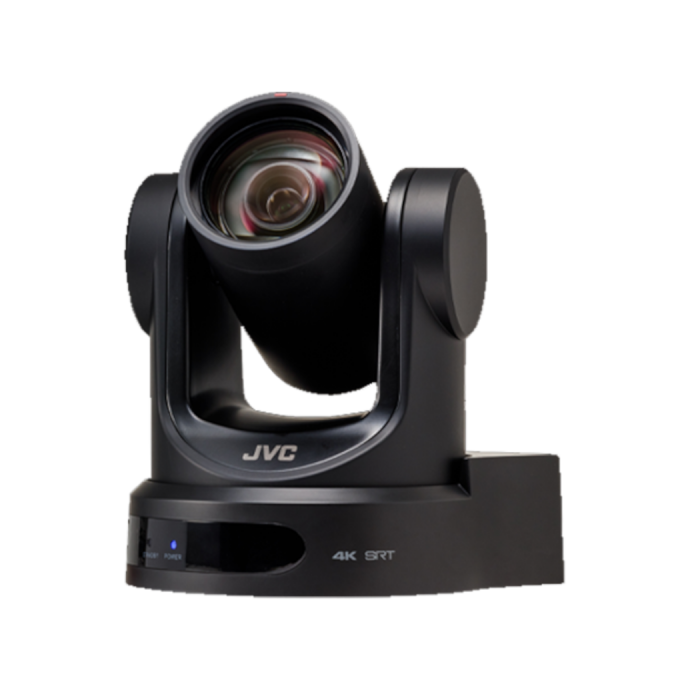
Choose a 4K PTZ setup if you want:
- Higher-resolution capture for future content needs
- A clean installation in a fixed shooting environment
- Remote operation for solo or small-team production
- A system that can scale into multi-camera work
For absolute beginners, HD can still be enough. But if your budget allows and your goal is to build a setup that lasts for years, a 4K PTZ can be a smart step. Unique Photo can help match your production goals with the right level of camera investment.
Best beginner video camera setup for sports, school, and community events
For sports, event coverage, and school media departments, flexibility matters. You may need handheld shooting one day and tripod-based operation the next. In this case, a camcorder with strong zoom and production-friendly handling can be one of the best budget-friendly solutions.
The JVC GY-HC500SPCU Handheld 4K Connected Camcorder with Sport Overlays and the JVC GY-HM250SP are relevant examples for environments where event and sports coverage are part of the workflow.
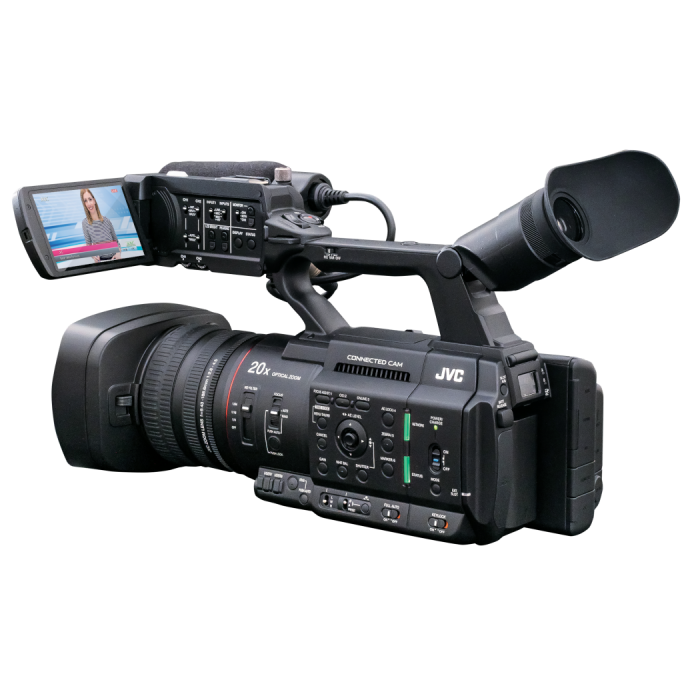
Why these setups work well:
- Portable for sideline, gym, and auditorium use
- Built-in zoom lens helps cover action from a distance
- Suitable for streaming, highlights, and recap videos
- Easier to manage for student crews and volunteer teams
This is a category where a “budget” setup really means high value per use case. At Unique Photo, many organizations look for video systems that are efficient, durable, and simple enough for multiple users to operate.
PTZ vs camcorder: which budget setup is better for beginners?
When comparing PTZ vs camcorder for beginners, the better choice depends on where and how you shoot.
Choose a camcorder if:
- You move around while filming
- You shoot interviews, events, or documentaries
- You want a traditional camera feel
- You need a versatile all-purpose starter camera
Choose a PTZ camera if:
- You film in one fixed space
- You livestream regularly
- You want remote control operation
- You need to reduce staffing requirements
For many first-time buyers at Unique Photo, the real decision is less about specifications and more about workflow. A handheld camcorder is often best for flexible solo production, while a PTZ setup shines in controlled environments like classrooms, sanctuaries, council rooms, and studios.
How to build a budget video camera setup step by step
If you’re overwhelmed by choices, keep your first setup simple. Here is a practical way to build a beginner-friendly budget video kit in 2024:
- Pick the camera based on your shooting style
Choose a camcorder for mobility or a PTZ camera for fixed-position streaming. - Add support
A stable tripod or mounting solution improves video quality immediately. - Prioritize audio
Even the best camera setup feels amateur if your sound is weak. - Use basic lighting
A modest LED light can dramatically improve image quality indoors. - Plan your workflow
Decide whether you are recording, streaming, or doing both.
That approach helps beginners avoid overspending on advanced accessories before they understand their actual needs. Unique Photo is a strong resource when you want to compare video-first cameras that make sense for real-world beginner production.
What to avoid when buying your first budget video camera setup
Beginners often make a few common mistakes when shopping for a starter video kit:
- Buying only for specs instead of workflow
- Ignoring audio and support gear
- Choosing a system that is too complicated
- Forgetting future use cases like streaming or events
- Underestimating zoom needs for classrooms, churches, and sports
A practical, easy-to-operate setup is usually more valuable than an impressive but confusing one. That is why integrated-lens camcorders and PTZ cameras remain excellent options for beginners.
Top beginner-friendly budget video camera ideas in 2024
Here are a few easy starting points based on creator type:
- Solo content creator: compact handheld camcorder + tripod + mic + light
- Church or classroom streamer: one HD PTZ camera + audio source + streaming platform
- Small business video team: 4K camcorder + interview mic + lighting kit
- School sports or events: handheld connected camcorder with zoom + monopod or tripod
- Growing production space: 4K PTZ camera + remote control workflow
Options like the JVC KY-PZ200 series, KY-PZ400N, GY-HC500U, and GY-HM250SP show how a beginner can start with purpose-built video gear rather than forcing a more complicated system to fit the job.
Final thoughts on the best budget video camera setups for beginners in 2024
The best budget video camera setup for beginners in 2024 is the one that helps you start creating right away without unnecessary complexity. For mobile shooting, a handheld camcorder remains one of the smartest choices. For streaming in a fixed location, a PTZ camera can deliver excellent value and ease of use. Either path can be beginner-friendly when matched to the right workflow.
Unique Photo is a great place to compare practical video solutions for new creators, schools, houses of worship, and small production teams. If you’re ready to keep researching, consider linking this article internally to related content such as best microphones for beginner video creators, how to choose a tripod for video, PTZ camera buying guide, and camcorder vs mirrorless for video production. Those resources can help readers build a complete system with confidence.