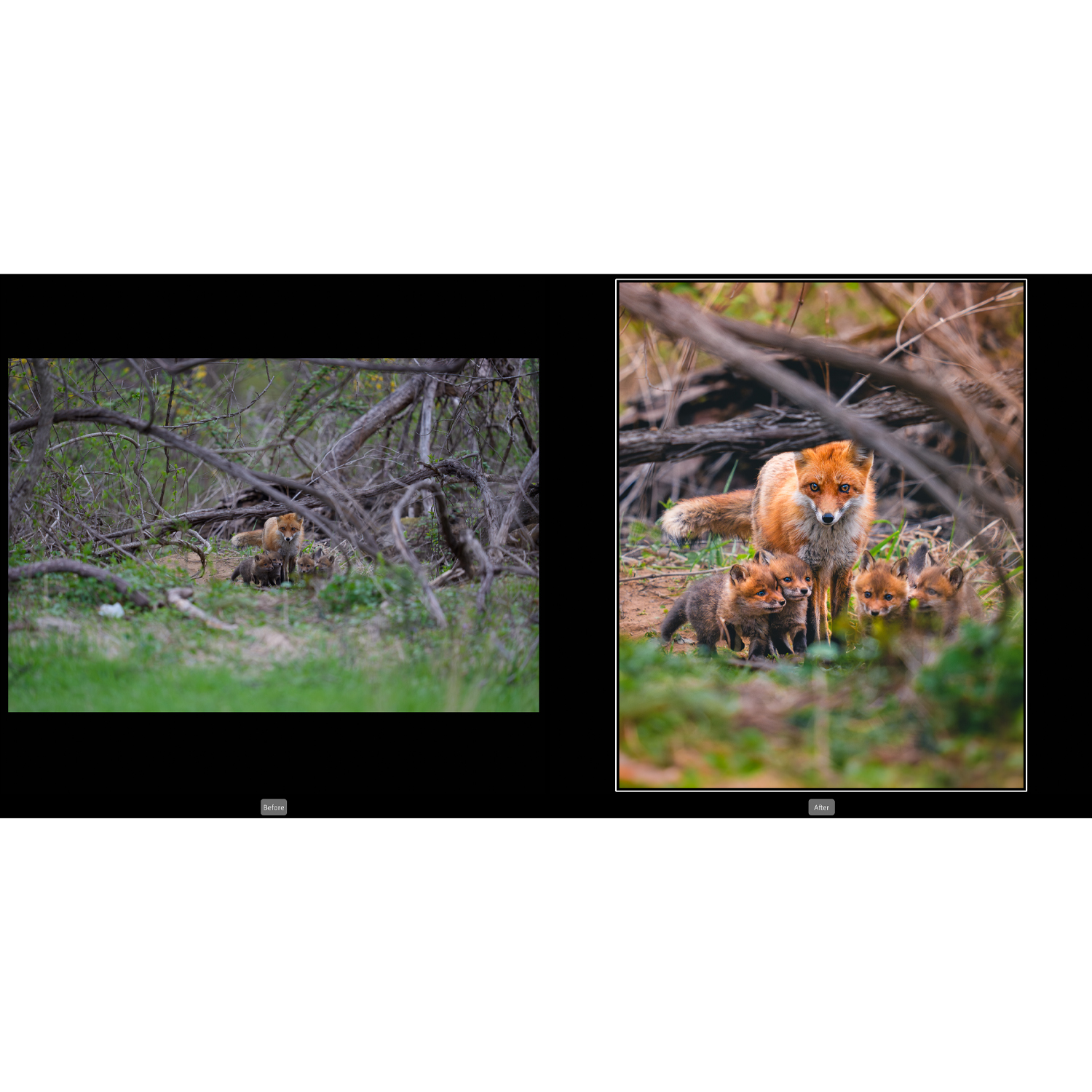
Introduction: Adobe’s New Noise Reduction Is a Bigger Deal Than It Looks
Adobe Lightroom’s newer AI-powered Noise Reduction has quickly become one of the most talked-about updates in the photo editing world. For photographers who regularly shoot in low light, push ISO for wildlife or sports, or recover underexposed RAW files, this tool is more than a minor checkbox update—it can noticeably change what files are worth keeping.
In practical use, Lightroom Noise Reduction sits in an interesting position. It is not a camera, lens, or accessory, but it directly affects how much performance you can pull from the gear you already own. That matters whether you are shooting on a compact like a used Canon PowerShot G7X Mark III, a high-resolution body such as a used Sony A7R V, or refining wildlife and nature workflows through education-focused resources like Unique Photo’s Lightroom training offerings.
For photographers asking, “Is it actually good?” the short answer is yes—with some caveats. Lightroom’s AI noise reduction is impressive for preserving detail while cleaning up luminance and color noise, especially from RAW files. It is fast enough for many working photographers, easier to integrate than third-party plugins, and strong enough that many users may no longer need a separate denoise app for everyday editing.

How Lightroom Noise Reduction Compares in Real-World Editing
The biggest strength of Lightroom’s implementation is convenience. Unlike exporting files to another program, denoising happens inside a workflow many photographers already use for import, culling, color work, and export. That makes the feature feel less like a specialty tool and more like a natural extension of RAW development.
Compared with Lightroom’s older manual noise sliders, the AI version is in a different class. Traditional luminance reduction could smooth away noise, but it often softened fine textures like hair, feathers, distant foliage, or skin detail. The newer tool does a better job identifying what is noise and what is actual subject detail. The result is cleaner shadows, smoother tonal transitions, and less of the waxy look that older denoising often created.
Compared with third-party tools, Lightroom is highly competitive, though not always the undisputed best. Dedicated programs may still edge it out on extreme files, heavily underexposed frames, or very high ISO images where texture reconstruction becomes difficult. But Lightroom closes the gap enough that many users will value the time savings and all-in-one workflow over marginal quality differences.
Detail Retention Is the Standout Improvement
If you shoot wildlife, events, concerts, night street photography, or indoor sports, detail retention is what you will notice first. Fine edges remain more natural, and shadow cleanup is significantly better than older built-in methods. Feathers, fur, fabric texture, and distant environmental detail often survive the process surprisingly well.
This is especially relevant for photographers working with high-resolution files. Bodies in the Sony A7R V class can reveal both incredible detail and very visible noise when files are pushed. Lightroom’s AI denoise helps preserve the upside of high resolution without making the image look overprocessed.
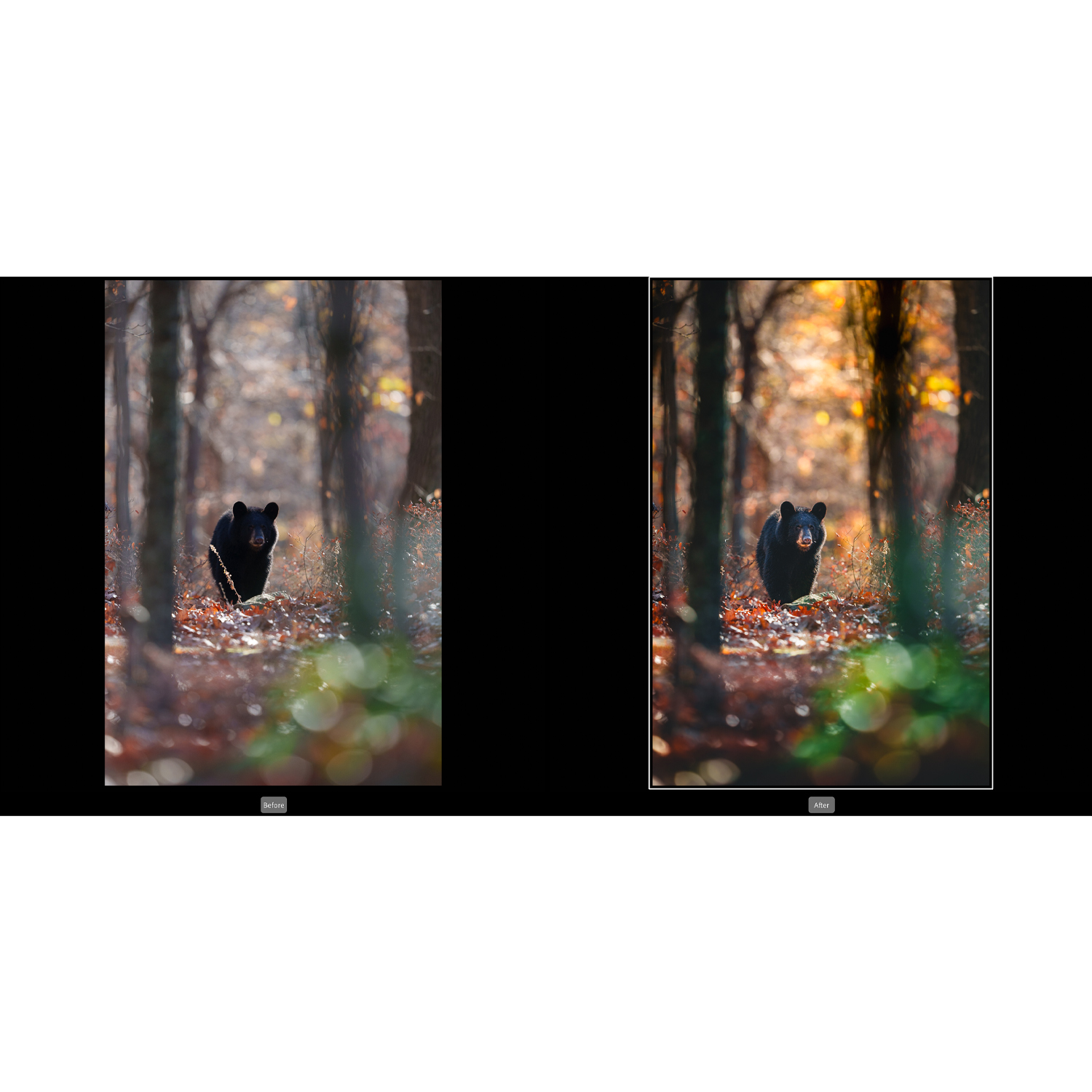
Best Results Come from RAW Files
Like many advanced denoising systems, Lightroom performs best on RAW images. That is where it has the most data to work with, and the results can be genuinely excellent. JPEG shooters may still see improvements through other tools in Lightroom, but the headline AI performance is most meaningful for RAW-based workflows.
This makes it especially compelling for enthusiasts and professionals who want to maximize image quality from cameras they already own. A camera that seemed only “okay” at higher ISO settings may suddenly feel more capable when paired with better post-processing.
Workflow Integration Is a Major Advantage
One reason Lightroom’s new noise reduction matters is that it reduces friction. Many photographers skip denoising unless absolutely necessary because exporting to separate software slows everything down. Lightroom keeps the process centralized, which means more users will actually apply it where needed.
That matters in volume work and travel work alike. Whether you are cleaning up low-light images from a compact camera or pushing files from a full-frame body, having denoise live inside Lightroom is a genuine workflow win.
Where It Still Falls Short
Lightroom’s Noise Reduction is not magic. It can create larger derivative files, increase processing time on older computers, and occasionally render detail a little too polished if settings are pushed too far. If you work with very noisy files constantly, you may still want to compare results with dedicated third-party tools before committing to one solution.
There is also the reality that no software completely replaces good exposure technique. AI denoise can rescue a lot, but it is still better to expose as cleanly as possible in-camera. Think of the tool as a quality multiplier, not a substitute for solid shooting fundamentals.
Performance Depends on Your System
On newer machines, Lightroom Noise Reduction feels practical and modern. On older hardware, it can feel slower than expected. For photographers editing large batches or high-resolution files, this may be the main drawback rather than image quality itself.
Overuse Can Make Images Look Too Perfect
Like sharpening or clarity, denoising works best when used with restraint. Push it too aggressively and images can lose authenticity. Skin can become plasticky, fine texture can flatten, and natural grain structure can disappear. The best results usually come from treating denoise as one part of an overall edit rather than the whole solution.
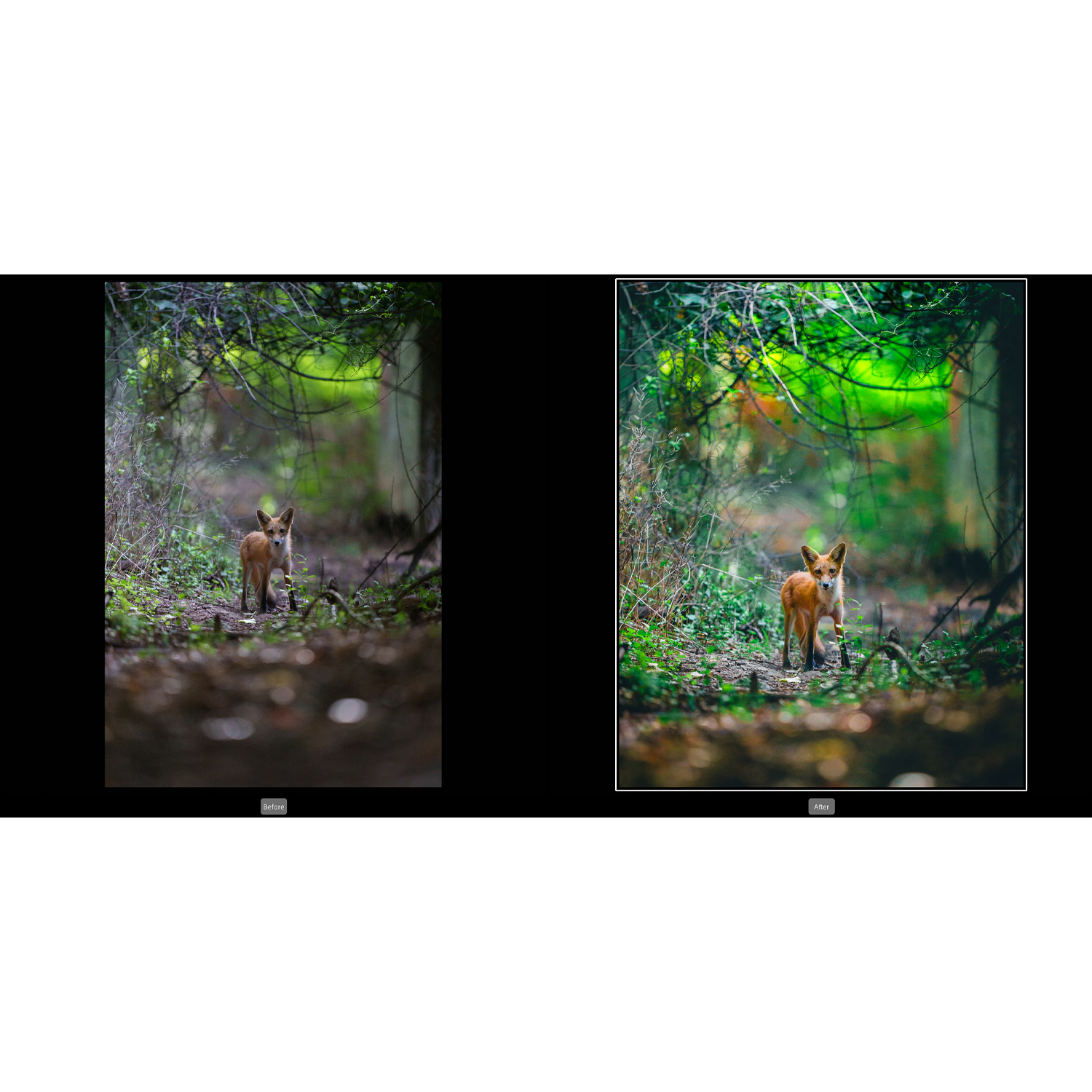
Pros and Cons
Pros:
- Excellent improvement over Lightroom’s older manual noise reduction tools
- Very strong detail retention for many real-world RAW files
- Convenient in-app workflow with no need to leave Lightroom
- Particularly useful for low-light, wildlife, event, and high-ISO photography
- Can extend the practical performance of cameras you already own
Cons:
- Best performance is tied primarily to RAW workflows
- Processing can be slower on older computers
- Generated files may increase storage demands
- Dedicated third-party denoise software may still do better on the toughest files
- Overuse can produce an overly smooth, artificial look
Who Should Use It?
This update is especially worthwhile for photographers who frequently shoot in challenging light, recover shadows, crop aggressively, or print large. It also makes sense for anyone trying to get more from older or smaller-sensor cameras. If you are learning Lightroom or refining your editing workflow for wildlife and nature photography, educational resources can help you understand when denoising improves an image and when it starts to work against it.
That is where Unique Photo comes in beyond gear alone. Unique Photo is a strong place to buy cameras, lenses, and accessories, but it is also a valuable resource for photography education, including Lightroom-focused classes and workshops that can help users get better results from tools like AI Noise Reduction.
Verdict: A Legitimately Useful Upgrade
So, has anyone tried the new Lightroom Noise Reduction, and how does it compare? It compares very well. For many photographers, it is the first built-in Lightroom denoise tool that feels genuinely competitive rather than merely convenient. It delivers cleaner files, preserves detail better than Lightroom’s older controls, and fits naturally into an established editing workflow.
It may not replace every specialized denoise application for every user, but it absolutely raises Lightroom’s value as a complete editing platform. If you already use Lightroom, this feature is worth exploring seriously. And if you want to improve both your editing technique and your overall photography setup, Unique Photo is an excellent place to buy gear and find learning resources that support the whole workflow.