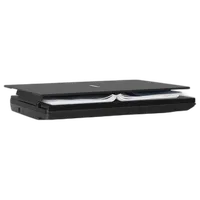
Canon CanoScan LiDE 300 Color Image Scanner

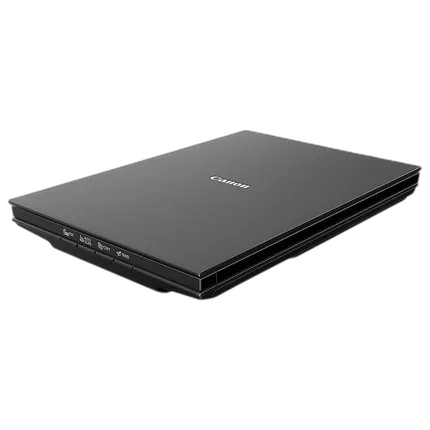
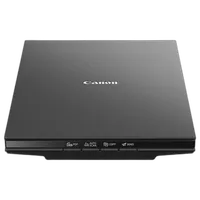
Key Features
- Canon CanoScan LiDE 300 Color Image Scanner
- Optical resolution of 2400×2400 dpi
- Contact Image Sensor
- Document scan in 10 seconds
- Photo scan in 5 seconds
- Auto dust and scratch reduction
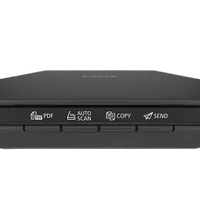
- Document fix and fading correction
- Optical Character Recognition
- USB 2.0 port
- ScanGear MP Driver
- CanoScan LiDE 300 color image scanner driver
- Power and data cable included

Overview
The Canon CanoScan LiDE 300 Color Image Scanner delivers high-quality results thanks to its Contact Image Sensor. This flatbed scanner offers an optical resolution of 2400×2400 dpi. It scans a document in approximately 10 seconds and photo in 5 seconds. You can set the scanning mode to either 16-bit grayscale or 48-bit color. When connected to a Windows PC, the scanner provides auto dust and scratch reduction, document fix, fading correction, and other features to improve the scan quality. You may also create PDFs from scanned pages using the Optical Character Recognition. The scanner connects to Mac and Linux systems as well via the USB 2.0 port. You can use the provided cable for both data transfer and power supply.
Brand
scanner specifications
| Scanner Software | CanoScan LiDE 300 Color Image Scanner Driver IJ Scan Utility (Windows) / IJ Scan Utility Lite (Mac), ScanGear MP Driver |
| Scanner Type | Flatbed |
| Scanning Modes | Color: 48-bit Internal / 48- or 24-bit External Grayscale: 16-bit Internal / 8-bit External |
| Scanner Element | Contact Image Sensor |
| Light Source | Three-color (RGB) LED |
scanner data
| Scan Size | 8.5 x 11.7 (Letter/A4) |
| Optical Resolution | Optical: 2400 x 2400 dpi |
| Interpolated Resolution | Interpolated: 19200 x 19200 dpi |
printer specifications
| OS Compatibility | Windows: 7 Windows® 10, Windows 8.1, Windows 7 SP1 Mac: 8 Mac OS® X v10.10.5 - macOS v10.13 (High Sierra) Linux®:9 Requires ScanGear MP Driver Installed |
detailed specifications
| Power | Hi-Speed USB 2.0 |
- CanoScan LiDE 300 Color Image Scanner
- Setup CD
- USB 2.0 Cable (USB A to Mini B)
No creators have tagged this product yet.
Articles featuring this product
Film Scanner Types Compared: Real-World Results, Workflow Tradeoffs, and the Best Options for Digiti
Aug 17, 2026
·
Unique Photo
CANON U.S.A. Announces The PIXMA Pro9000 MARK II & PIXMA Pro9500 MARK II Photo Printers
Mar 4, 2009
·
admin
Community questions about this gear
Ask a question
0
votes
2
answers
562
0
votes
2
answers
190
0
votes
2
answers
165
Can a CanoScan 8800F produce sharper 35mm negative scans, or do I need a film scanner?
Photography Stack Exchange contributor
13y ago
0
votes
2
answers
230
You may also like
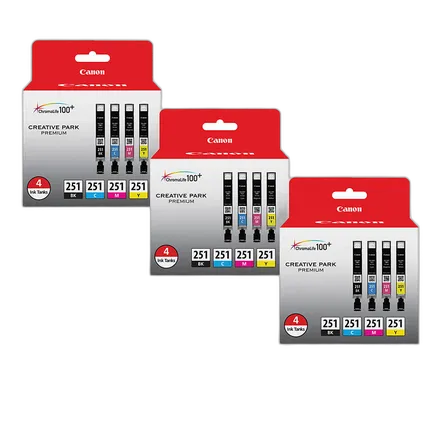
Canon CLI-251 BK/CMY 4 PK Value Pack Ink for Canon InkJet Printers-3 PK
- Canon CLI-251 BK/CMY Value 3 Pack Ink
- For Canon inkjet printers