Introduction
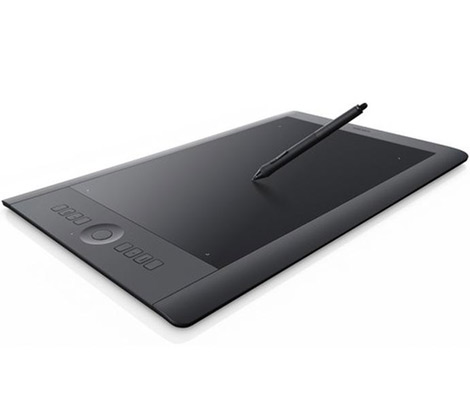
Wacom's Intuos 5 Touch tablet is the latest entry in their series of professional graphics tablets. When compared to Wacom Bamboo tablets, it boasts eight express keys and a multi-functional concave Touch Ring which is beneficial for digital artwork. Wacom is a leading manufacturer of high-end graphics tablets, providing users with a multitude of features. The Intuos 5 is similar to its predecessor, the Intuos 4, but gives additional features such as tilt control, better pressure sensitivity, improved software, and more advanced settings controls. The Intuos 5 tablet is manufactured in three different sizes.Build Quality
When compared to the Wacom Intuos 4, the new Intuos 5 Touch is thinner, features a rubberized top frame, and integrated express keys with Touch Ring. Its design has been improved with a soft touch matte finish, giving the buttons a smooth feel and allows them to be easily distinguishable from each other. The Intuos 5 has a rubberized skin allowing simple and smooth operation of its keys and touch wheel. Included is a touch-sensitive pen with 2,048 different pressure levels and a 60 degree tilt. The tablet comes with a stand and can store up to 10 different nibs. It measures 278 x 196 mm and gives an active area of 224 x 140 mm for drawing. This tablet also features eight customizable express keys and capacitive buttons, which senses the user's fingers and shows each function on the screen. A very important feature of the Intuos 5 tablet is the Touch Ring. It enables users to scroll, zoom, alter the brush size, and even rotate images with their finger by moving it around the outer ring. This tablet also supports multi-touch gestures similar to pinch zooming and two-finger scrolling a on a laptop's touchpad or iPad. [caption id="" align="aligncenter" width="410"]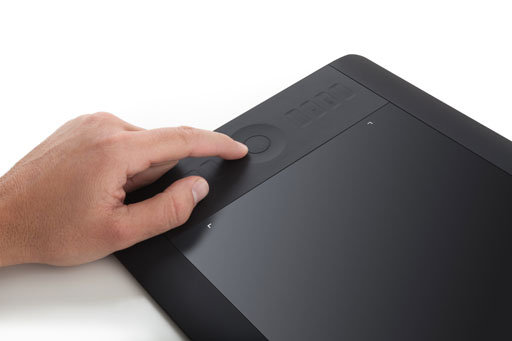 Intuos 5 TouchRing[/caption]
Intuos 5 TouchRing
The Intuos 5 comes with a comfortable grip pen, which is equipped with a two-button switch and eraser on the end. It comes with eight express keys and a single, four-way switchable touch ring that can be used to toggle between four different functions. The Intuos 5 tablet is available in sizes small, medium and large.
- Small - 6.2 x 3.9 inch working area
- Medium - 8.8 x 5.5 inch working area
- Large - 12.8 x 8 inch working area