EXPO: Digital Editing Workflow Using Photoshop and Lightroom with Don Polzo — Contest-Ready Techniques Review
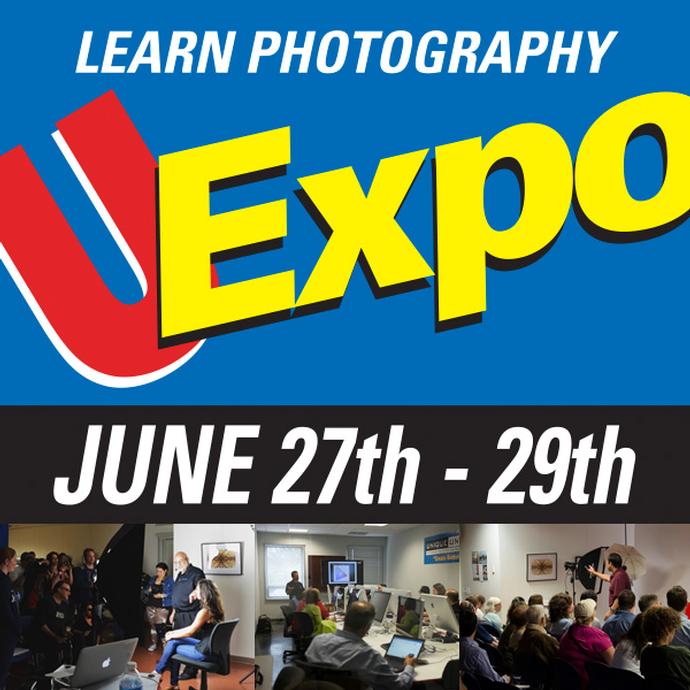
If you’re polishing images for competitions, your edits must be precise, ethical, and output-perfect. EXPO: Digital Editing Workflow Using Photoshop and Lightroom with Don Polzo is a concise, competition-focused class that bridges Lightroom’s organizational and tonal tools with Photoshop’s pixel-level control. The result is a clean, repeatable workflow that prepares your files for judges—whether they’re reviewing on a calibrated monitor or holding a fine-art print.
Who it’s for
Photographers who already manage RAW files in Lightroom and make selective refinements in Photoshop—and who now want a streamlined, competition-ready pipeline. If you’re aiming for magazine covers, salon acceptances, or club trophies, this class focuses on the details that make an entry feel polished and professional.
Key features and what stands out
Unified Lightroom-to-Photoshop workflow
The class emphasizes non-destructive editing, smart handoffs, and versioning so your RAW foundation stays intact while Photoshop handles targeted refinements. You’ll learn a logical order of operations to prevent rework and maintain image quality through to export.
Contest-ready color and tone management
Expect clear guidance on choosing appropriate color spaces, consistent white balance, and controlled contrast that preserves detail in highlights and shadows—crucial for both digital judging and print competitions.
Local adjustments judges notice (for the right reasons)
Thoughtful dodging and burning, selective color refinement, and edge control help direct attention without over-processing. The approach here favors clean, believable improvements that respect competition rules.
Sharpening and noise reduction tailored to output
Output-specific sharpening and noise reduction are treated as final, deliberate steps. You’ll see how to strike the balance between crisp detail and natural texture for web submissions vs. high-resolution prints.
Crop discipline, aspect ratios, and presentation
From common contest aspect ratios to horizon alignment and subject placement, the course nudges you toward crops that read well at thumbnail size and hold up at judging distance.
Metadata hygiene, naming, and export presets
Avoid last-minute chaos with sensible file naming, metadata checks, and export presets that bake in color space, resolution, and sharpening—helping you meet varied entry specs without reconfiguring every time.
Ethics and rules-aware retouching
The workflow keeps edits on the right side of common competition guidelines, favoring corrective and interpretive adjustments over heavy manipulation that could disqualify an entry.
Speed, consistency, and repeatability
Presets, reusable layers, and a predictable step-by-step sequence make it easier to refine a set of images to a uniform standard—a hallmark of strong submissions.
Pros and cons
- Pros
- Contest-oriented workflow that balances Lightroom and Photoshop effectively.
- Practical, repeatable steps with an emphasis on non-destructive editing.
- Clear focus on output-specific sharpening, color, and export settings.
- Strong guidance on subtle, rules-aware local adjustments.
- Useful structure for handling multiple entries consistently.
- Cons
- Geared to intermediate users; true beginners may want a fundamentals class first.
- Doesn’t dive deep into heavy compositing or advanced Photoshop effects.
- Assumes access to both Lightroom and Photoshop.
- Fast-paced for note-takers—be ready to follow along closely.
Verdict
EXPO: Digital Editing Workflow Using Photoshop and Lightroom with Don Polzo is an excellent, no-nonsense roadmap for preparing competition entries. Its strength lies in a disciplined sequence—global RAW optimization, tasteful local edits, ethical retouching, and output-tuned exports—that consistently yields clean, judge-friendly files. If your goal is to deliver entries that look great at first glance and hold up under scrutiny, this class is well worth your time.
Recommendation: Intermediate photographers aiming for club, regional, or magazine competitions should prioritize this class. If you’re a specialist, consider complementing it with genre-specific sessions (e.g., landscape or macro) to fine-tune your subject-matter look while keeping this workflow as your baseline.
Where to buy
EXPO: Digital Editing Workflow Using Photoshop and Lightroom with Don Polzo is available at Unique Photo. Check Unique Photo’s listings for dates and availability, and build your contest-ready workflow with guidance from the pros.