Real-Time Editing Workflow for News Photographers
Breaking news doesn’t wait for you to finish a perfect grade. The winning workflow is the one that delivers sharp, accurate, well-captioned images to your editor or wire service first. Here’s a practical, field-tested playbook to shave minutes at every step—from ingest and cull to caption, edit, and transmit—so you can beat the clock without compromising integrity.
Build a Fast Ingest-to-Publish Pipeline
1) Preflight your cameras and cards
- Set camera date/time to the second on all bodies. Enable voice memos for quick caption notes after key frames.
- Create in-camera IPTC presets (author, copyright, outlet) so every file starts with the right metadata.
- Carry fast, labeled cards and rotate them methodically. News is about continuity and chain of custody.
2) Ingest at UHS-II speeds and verify
When you hit the press room or your car desk, plug in a fast reader and copy immediately with verification. A dual-slot UHS-II reader like the Lexar Professional Workflow Dual-Slot SD UHS-II Reader (LRD1116) helps you offload two cards while you caption. Use a consistent folder scheme (YYYY/MM/DD > SLUG > CARD01) and a renaming preset (YYYYMMDD_SLUG_####) so recovery and backtracking are easy under pressure.
3) One-click metadata and caption templates
- Build IPTC templates by assignment type (protest, sports, weather). Include location placeholders, editor notes, and any required agency fields.
- Use a text expander for recurring lines (e.g., “Photo by Your Name for Outlet”).
4) Cull fast: preview-rendered and keyboard-first
- Generate embedded previews on ingest or use a fast culling app to fly through frames with zero lag.
- Star/rate on the first pass; color-tag selects that need quick crop/straighten only.
- Sync camera time across bodies so sequences sort correctly.
5) Batch looks that respect editorial standards
Keep edits minimal, consistent, and ethical: white balance, exposure, contrast, crop, and lens corrections. Create a “clean news” preset for daylight and another for mixed/tungsten to standardize tones under deadline. If Lightroom is your hub, keyboard-driven local tools (Select Subject/Sky) and synced adjustments across bursts save critical seconds.
Want to sharpen your Lightroom speed? The NJCS: Lightroom Photo Editing for Nature and Wildlife with Bobby Stormer focuses on fast, repeatable adjustments and catalog efficiency—skills that translate directly to deadline work.
6) Smart Photoshop touch-ups for the few images that need it
Most news images shouldn’t leave your RAW editor, but when a PSD is warranted (straightening, minor dust, composite caption slates for social), use action-driven steps. The principles taught in Editing and Enhancing Landscape and Nature Photography with Photoshop emphasize clean, efficient layers and repeatable actions—great for staying fast and consistent while honoring editorial guidelines.

7) Timecode and sync when you’re filing hybrid
If you’re delivering quick clips alongside stills, timecode pays off. Locking time across devices makes rough cuts and captioning faster, especially for multi-cam pressers or sideline angles.
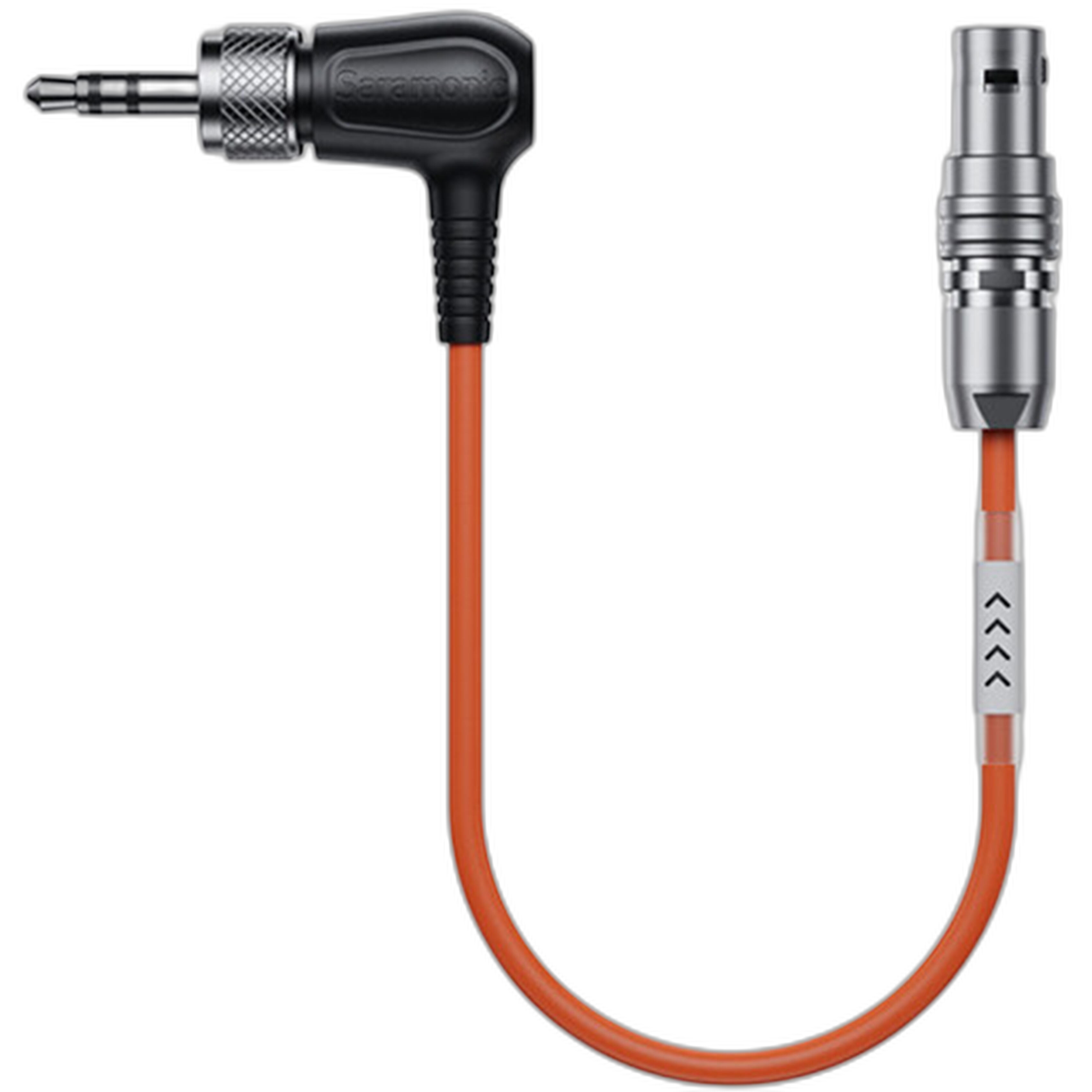
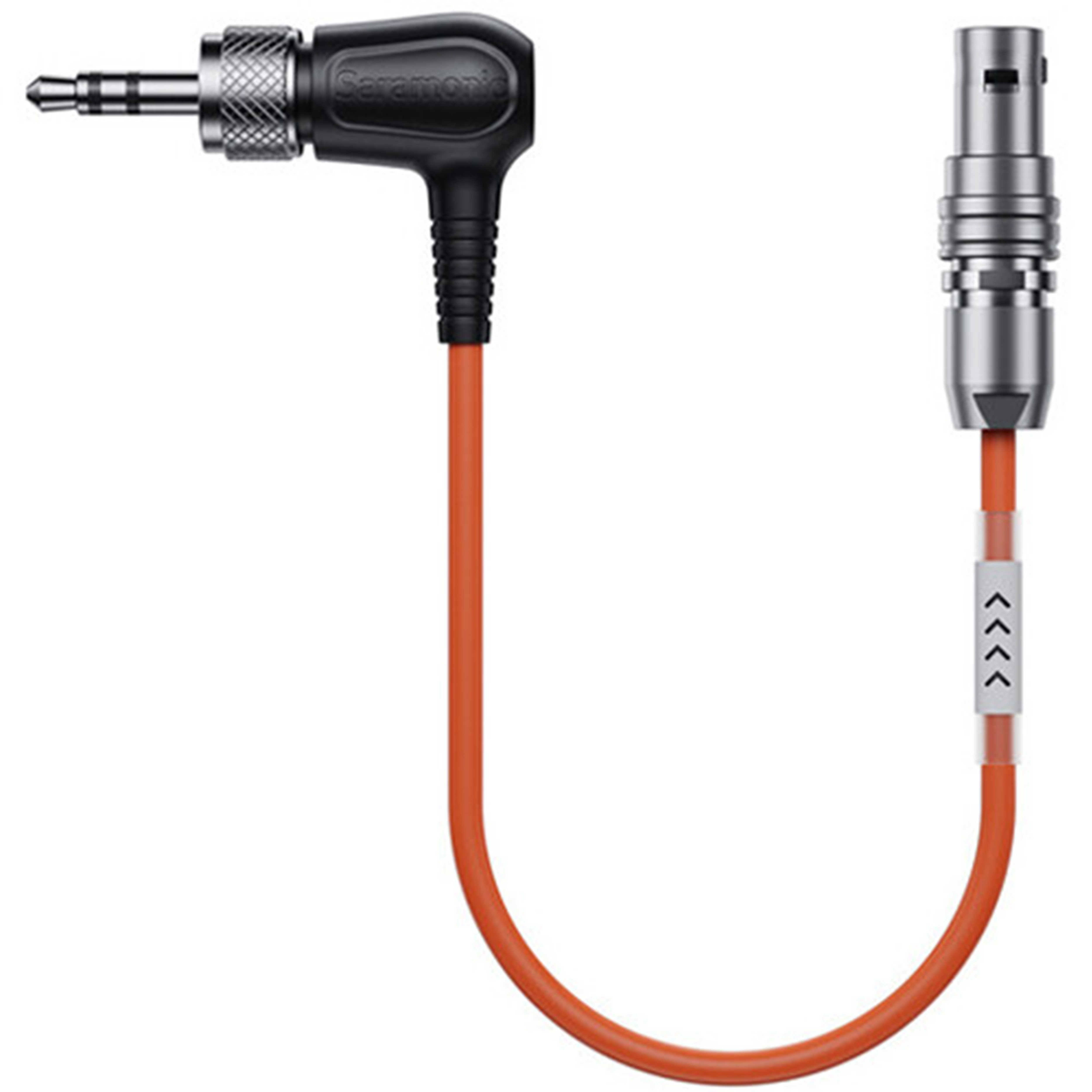
- Use the Saramonic SR-TRS-C04 Locking 3.5mm TRS to Straight 5-Pin LEMO Timecode Cable to feed timecode between a recorder/camera and a 5-pin LEMO device with a secure, locking connection.
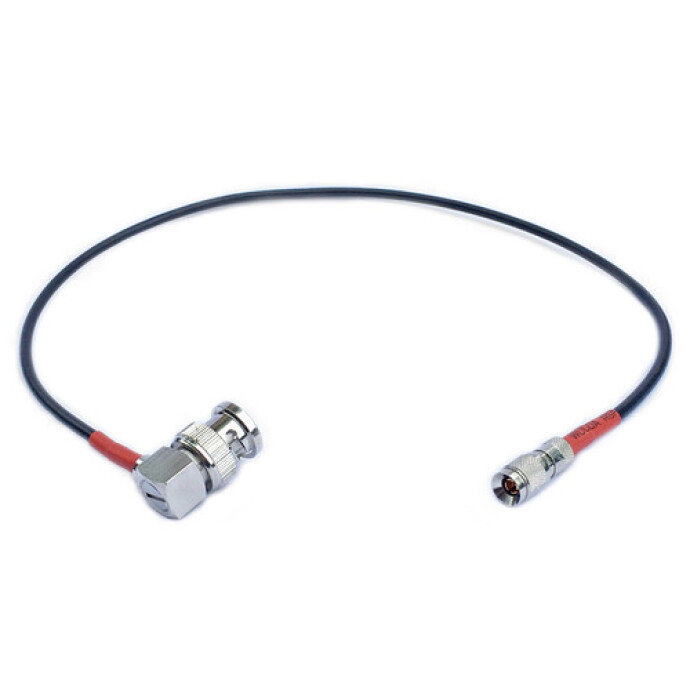
- Need to integrate cameras or recorders with BNC? The Atomos Ultrasync One to BNC Timecode and Genlock Cable (Red) keeps TC precise and supports genlock for stable multi-cam sync.
8) Export presets + auto-upload
- Create export recipes for wire and desk: sRGB, JPEG, 240–300 dpi, long edge 3000–4000px, appropriate sharpening.
- Use watched folders or publish services to push to FTP/SFTP as soon as you flag a file “ready.” If bandwidth is tight, send first frames at smaller size, then resend at higher resolution from the car.
- Write captions into the file (IPTC/EXIF) so nothing gets lost downstream.
9) Low-light news? Practice night handling
Night assignments challenge noise, color casts, and mixed lighting. Training built around dark scenes accelerates your decision-making. UUOnline: Photographing the Nighttime Landscape with Roman Kurywczak can help you master exposure choices and noise reduction that carry over to late-night spot news.

10) Video basics for still shooters on deadline
More desks expect quick clips. Learn reliable, simple setups, audio capture, and delivery formats so you can shoot, trim, and send without a full NLE. PCS: Video for Photographers with Shiv Verma (Lumix) focuses on practical production for photographers—perfect for newsroom hybrid roles.

11) Redundancy and verification without slowing down
- Adopt a 3-2-1 mindset even on deadline: primary SSD, mirrored backup when you can, and a background cloud sync at base.
- Verify card copies before formatting. Keep a “last 48 hours” archive on a small SSD in your pocket—insurance if a laptop fails.
Final Thought
Real-time editing is a system: fast ingest, airtight metadata, efficient batch edits, and frictionless delivery. Start with one improvement—like a consistent export preset or a faster reader—and stack from there. For gear, training, and real-world advice to keep you ahead of deadline, visit Unique Photo and keep refining your workflow.