Lightroom vs Capture One vs DxO PhotoLab: Which Editing Software Fits You?
Choosing photo editing software is one of the most important workflow decisions a photographer can make. Lightroom, Capture One, and DxO PhotoLab each offer strong raw processing tools, but they serve different priorities depending on how you shoot, organize, and deliver your images.
At Unique Photo, we help photographers compare software not just by feature lists, but by real-world use: image quality, speed, cataloging, tethering, noise reduction, color control, and ease of learning. If you are deciding where to invest your time and budget, this FAQ will help you narrow it down.
What is the biggest difference between Lightroom, Capture One, and DxO PhotoLab?
The biggest difference is workflow philosophy. Adobe Lightroom is often the most familiar all-around option because it combines image organization, raw editing, presets, masking, and broad compatibility in one ecosystem. It is especially appealing to photographers who want a single application for importing, sorting, editing, and exporting large volumes of images.
Capture One is widely favored by photographers who want refined color control, excellent tethering, and a professional studio-oriented workflow. It can be a strong fit for portrait, fashion, commercial, and product photographers who need precision and consistency during client-facing shoots. If you are considering making that move, Unique Photo offers a dedicated class to help streamline the transition.
DxO PhotoLab stands out for its optical corrections, noise reduction, and detailed raw rendering. Photographers working in difficult light, high ISO, or with demanding lenses often appreciate DxO's strength in pulling clean, natural detail from challenging files. It is less about replacing every part of a digital asset workflow for every user, and more about delivering excellent image quality where it matters most.
Which software is best for beginners?
For many beginners, Lightroom is the easiest place to start because it balances editing power with a relatively approachable interface. It also has strong educational support, widespread community use, and a familiar catalog-based workflow that helps new photographers keep their files organized from day one.
If you are just getting comfortable with exposure, color balance, masking, and selective adjustments, structured instruction can shorten the learning curve dramatically. Unique Photo offers classes such as NJCS: Lightroom Photo Editing for Nature and Wildlife with Bobby Stormer, which can be valuable even beyond nature photography because it teaches practical editing decisions that apply across genres.
That said, beginners are not automatically limited to Lightroom. If your work is primarily tethered studio sessions or carefully controlled portrait sessions, Capture One may still be the better long-term choice. And if your biggest challenge is image quality from difficult files, DxO PhotoLab may feel rewarding right away.
Is Capture One better than Lightroom for color editing?
Capture One is often preferred by photographers who want deeper, more granular color control. Its color tools are especially useful for skin tone consistency, product photography, fashion work, and brand-sensitive commercial projects where subtle color shifts matter. Many photographers find that Capture One gives them a polished starting point for raw files and more direct control over targeted color adjustments.
Lightroom remains highly capable for color work and continues to be an excellent choice for most photographers. For many users, Lightroom's masking, presets, profiles, and integration with Photoshop make it more than enough for everyday and professional use. The question is less whether Lightroom can do the job, and more whether Capture One's extra color precision supports your specific style and client needs.
Photographers who shoot products can benefit from stronger color discipline and post-production planning overall. Unique Photo's Product Photography and Post Production Editing with Blake Taylor is a good example of the kind of education that helps you build a cleaner capture-to-edit workflow regardless of software choice.

Which program has the best noise reduction and lens corrections?
DxO PhotoLab is frequently the standout in this category. Its reputation is built on excellent optical corrections and highly regarded noise reduction tools, making it a compelling option for low-light work, wildlife, event coverage, and any situation where files are pushed hard. If you regularly shoot at higher ISOs or with lenses that need careful correction, DxO deserves serious consideration.
Lightroom and Capture One both offer effective sharpening, noise reduction, and lens profiles, and for many photographers these tools are fully sufficient. But photographers who are especially focused on extracting the cleanest possible results from difficult raw files often appreciate DxO's specialized approach.
If you want to learn more about DxO's workflow and strengths before committing, Unique Photo has also hosted educational programming like EXPO: DxO Innovative Photo Software with Hector Martinez, which is a useful path for photographers who want hands-on insight into what sets DxO apart.
What is the best choice for studio and tethered shooting?
Capture One is usually the strongest choice for tethered studio photography. It has long been popular with commercial, portrait, and fashion photographers who need stable tethering, fast image review, session-based organization, and dependable color handling while shooting live with clients or creative teams present.
Lightroom can support tethered workflows in some situations, but many professionals still lean toward Capture One when tethering is central to the job. If your workflow includes client review on set, immediate styling adjustments, or repeated lighting checks, Capture One's design is often a better match.
Photographers building a studio workflow may also benefit from education that connects capture and editing. Classes centered on post production and image refinement can be just as important as software selection because they help you understand where each program fits best in the complete production process.
Can I use more than one editing program?
Yes, and many photographers do. A hybrid workflow can make a lot of sense. For example, you might use Lightroom for cataloging and batch editing, Capture One for tethered commercial sessions, and DxO PhotoLab for selected images that need the best possible noise reduction or lens correction. The right setup depends on whether your priority is speed, quality, color, or file management.
The key is to avoid unnecessary complexity. If you are using multiple tools, define a clear role for each one. Otherwise, duplicated exports, sidecar files, and inconsistent edits can slow you down. For many photographers, one primary editor plus one specialty tool is the sweet spot.
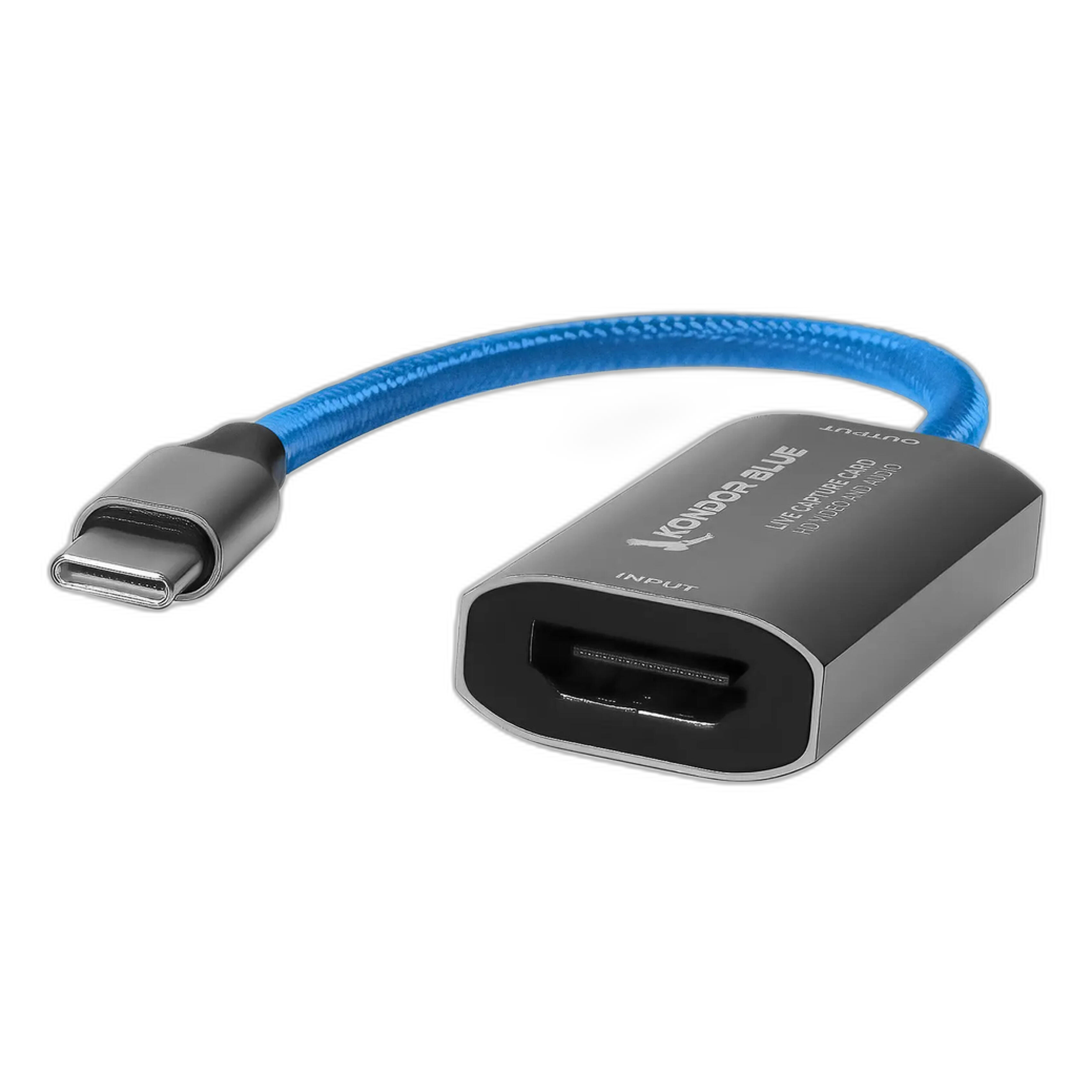
If you also create educational content, livestream demonstrations, or edit while presenting to an audience, supporting gear can matter too. For example, a compact connectivity tool like the Kondor Blue HDMI to USB-C Capture Card for Live Streaming Video and Audio can help photographers and educators share their editing workflow cleanly during online sessions or client reviews.
Do I still need Photoshop if I use Lightroom, Capture One, or DxO PhotoLab?
That depends on the kind of retouching you do. Lightroom, Capture One, and DxO PhotoLab are all strong raw editors, but Photoshop still plays a major role when you need compositing, advanced retouching, layer-based editing, detailed object removal, graphic design work, or highly localized corrections. If your edits go beyond tonal and color refinement, Photoshop remains a valuable companion.
Landscape, nature, and fine-art photographers often combine a raw editor with Photoshop to finish images with more control. Unique Photo's Editing and Enhancing Landscape and Nature Photography with Photoshop is a strong example of how photographers can expand beyond raw processing and build a more complete editing skill set.

For many users, the ideal setup is not choosing one program forever, but understanding where each tool excels. Raw editors shape the file; Photoshop finishes the vision when more advanced work is required.
How should I choose the right software for my type of photography?
Start with your actual shooting priorities, not just popularity. If you photograph weddings, travel, family sessions, or large event volumes, Lightroom is often a practical and efficient choice because it handles organization and editing in a unified way. If you photograph products, portraits, fashion, or commercial work in a controlled environment, Capture One may offer the workflow and color precision you need. If you shoot wildlife, night scenes, concerts, or high-ISO images and want the best cleanup and lens optimization, DxO PhotoLab is especially compelling.
You should also consider how you learn. Some photographers prefer broad ecosystems and lots of tutorials, while others want software-specific education and expert guidance. Unique Photo regularly offers classes and events that help photographers compare tools in context instead of guessing based on online opinions alone.
Is it worth switching if I already know Lightroom?
Sometimes yes, but only if the switch solves a real problem. If Lightroom already fits your workflow, there may be no reason to change. But if you feel limited by tethering, color precision, or how your files render, Capture One could be worth the investment. Likewise, if you consistently struggle with noise or lens correction, adding DxO PhotoLab to your workflow may improve your final results without requiring a complete migration.
If you are Lightroom-based and curious about Capture One, learning the differences in a structured environment can save a lot of frustration. Unique Photo's Capture One: Transitioning from Lightroom class is designed for exactly that scenario and can help you evaluate the move with more confidence.
The best switch is a purposeful one. Change platforms when the benefits are visible in your images, your client experience, or your editing speed.
No matter where you are in your editing journey, Unique Photo can help you build the right workflow with classes, events, and gear that support how you actually shoot. Explore our education offerings and photography tools to find the software path that fits your style.