Fujifilm instax Link WIDE 2 Smartphone Printer prints 3 x 5-inch photos from a phone. Beige and Blue are in stock at $179.95 each.
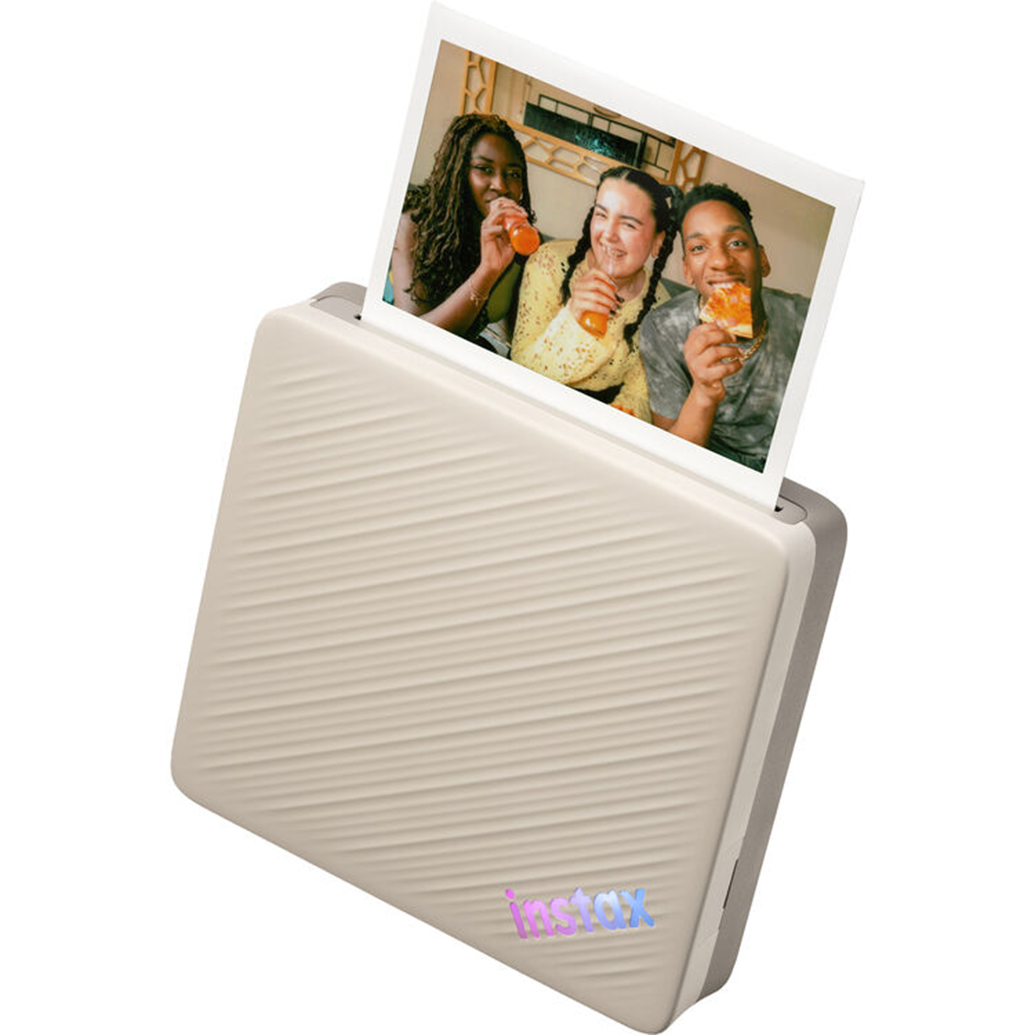
Smartphone pictures on instax WIDE film
The Fujifilm instax Link WIDE 2 Smartphone Printer (Beige) turns smartphone images into 3 x 5-inch instax WIDE instant photos. The free instax Link WIDE app is required, and the printer connects to a smartphone over Bluetooth 5.1. Both color versions are in stock at $179.95 each.
It suits people who already have their pictures on a phone and want a physical print, including a collage made from several images. There is also a way to print still images from video, so the source does not have to be a photograph. The app handles layout choices and additions such as text before the image becomes a print.
Film size, Bluetooth 5.1 and battery power
Fujifilm specifies a film size of 3 x 5 inches, or 7.6 x 12.7 cm. The printer uses instax WIDE instant film, which is sold separately. Downloading the free app takes care of the software requirement, but film is a separate purchase needed to make physical prints.
| Specification | Fujifilm specification |
|---|---|
| Film type | instax WIDE |
| Film size | 3 x 5 inches / 7.6 x 12.7 cm |
| Exposures | 10 |
| Connectivity | Bluetooth 5.1 |
| Power supply | Built-in battery |
Since each finished print uses instant film, there is a reason to settle the layout and text in the app first. A collage and a single-image print use the same WIDE format; the difference is how the image is arranged, not a change of media.
For a collage, each photograph occupies only part of the print. Simpler selections may read more clearly than a crowded layout, particularly when text also needs room.
Photo Mixer builds postcard-style collages
Photo Mixer is the app feature aimed at postcard-style collages. Select preferred shots from the smartphone's camera roll and the app generates a selection of layouts. Fujifilm says those layouts can be remixed up to five times, then fine-tuned with custom edits before printing or sharing online.
The useful distinction is that this starts with a set of pictures, not just one selected photograph. Several views from the same outing can share a layout rather than each requiring a separate sheet of film. The collage format is an option when the relationship between pictures matters more than showing one image on its own.
The generated layout is a starting point, not necessarily the finished design. Custom edits come after the remixing step, giving the user a chance to adjust the result before committing it to film. The five-remix limit refers to layout revisions, not a stated number of pictures per collage.
Video stills and QR-linked content
Still-image printing from video provides another source for a print. A moment recorded as a video can become a photograph on instax WIDE film without needing a separately captured still. This is useful for a clip containing an expression or moment someone wants to keep as a physical picture.
QR Print Mode adds another layer of information to a print. It supports URLs, sounds, locations and messages. A location can provide context for a travel photo; a sound can add something the still image cannot convey. The QR code provides a connection to that extra content alongside the photograph.
That makes QR Print Mode different from simply typing a caption across the picture. Text is a visible design element; a QR code provides a route to additional content without spelling all of it out on the print.
Color modes, frames and text
The app can add frames, stickers, emojis and text. Those tools can turn a single image into a small greeting or give a collage a short caption. They also compete with the photograph for space, so it is sensible to decide which information needs to be visible on the print and which could sit behind a QR code.
Fujifilm includes two color modes: instax-Rich Mode and instax-Natural Mode. These are color-rendering choices for the print, rather than different film formats. Choosing a color mode addresses the treatment of the image; adding a frame or text changes the design around or over it.
Color options, prices and stock status
The two finishes offer the same printing and app features. There is no price premium for either finish, so the color choice does not require giving up Bluetooth 5.1, Photo Mixer or QR Print Mode. Both use instax WIDE film and have a built-in battery.
Unique Photo has both versions in stock at $179.95 each, with film sold separately.
| Printer | Price | Availability |
|---|---|---|
| Fujifilm instax Link WIDE 2 Smartphone Printer (Beige) | $179.95 | In stock |
| Fujifilm instax Link WIDE 2 Smartphone Printer (Blue) | $179.95 | In stock |
Prices at Unique Photo
- FUJIFILM instax Link WIDE 2 Smartphone Printer (Beige): $179.95
- FUJIFILM instax Link WIDE 2 Smartphone Printer (Blue): $179.95
Prices as of October 15, 2026. Browse more: Instax Wide Film, Fujifilm at Unique Photo.
Frequently asked questions
How much does the Fujifilm instax Link WIDE 2 cost?
The Beige and Blue versions are $179.95 each. Both are in stock at Unique Photo.
What film does the instax Link WIDE 2 use, and is it included?
It uses instax WIDE instant film for 3 x 5-inch prints. Film is sold separately.
Does the instax Link WIDE 2 require an app?
Yes. The free instax Link WIDE app is required, and the printer connects to a smartphone using Bluetooth 5.1.
Can the instax Link WIDE 2 print pictures from video?
Yes. It supports printing still images from video.
What does Photo Mixer do on the instax Link WIDE 2?
Photo Mixer generates postcard-style collage layouts from selected smartphone camera-roll images. Layouts can be remixed up to five times and fine-tuned with custom edits before printing or sharing online.