
Flatbed vs. Dedicated Film Scanners: Which Should You Buy?
Photographers continue to debate the best path to digitizing film: a versatile flatbed scanner or a purpose-built dedicated film scanner. This head-to-head comparison breaks down real-world differences, provides workflow tips, and offers recommendations tailored to 35mm, medium format, and large format shooters at a range of budgets.
Side-by-Side Specs Comparison
| Spec/Feature | Flatbed Scanner (Pro/Photo models) | Dedicated Film Scanner |
|---|---|---|
| Typical optical resolution | Advertised 2400–6400 dpi (effective ~2000–2400 dpi) | 4000–8000 dpi (effective ~3800–6300 dpi) |
| Dynamic range (Dmax) | ~3.2–3.8 | ~4.0–4.8 |
| Supported formats | 35mm strips/slides to 120/220 and large format up to 8×10 (via holders) | Primarily 35mm and 120; select pro units handle up to 4×5 |
| Batch scanning | Good for multi-frame holders; efficient for contact sheets | Varies; typically fewer frames per batch, prioritizes precision |
| Speed | Fast for preview; moderate at highest quality | Moderate; faster per frame at top quality than flatbeds |
| Footprint | Larger, all-purpose bed | Smaller to moderate; pro units can be sizable |
| Film flatness | Relies on holders/wet mount; good with proper setup | Excellent with precision holders or virtual-drum style gates |
| Infrared dust/scratch removal (ICE) | Common for color film; not for traditional silver B&W | Common for color film; not for traditional silver B&W |
| Software support | Manufacturer apps, VueScan, SilverFast | Manufacturer apps, VueScan, SilverFast |
| Cost (typical) | ~$200–$1200 | ~$400–$15,000 (consumer to high-end pro) |
| Best use cases | Mixed formats, large format, contact sheets, cost-effective archiving | Maximum quality for 35mm/120, critical archival work, pro delivery |
Category-by-Category Analysis
Image Quality and Resolution
Dedicated film scanners concentrate their optics on small film areas and generally deliver higher effective resolution and better micro-contrast than flatbeds. This shows up as cleaner grain structure, finer detail in 35mm, and deeper tones. High-end dedicated systems (such as virtual-drum style solutions that use precision holders) excel at film flatness and focus consistency, boosting real-world sharpness.
Flatbeds can produce outstanding results with medium and large format where the required dpi for a given print size is lower. For 35mm, they are excellent for web use and small to moderate prints; for gallery-level 35mm work, dedicated scanners still have the edge.
Format Flexibility
If you scan everything from 35mm to 8×10, a flatbed is hard to beat for versatility. Dedicated film scanners are usually limited to 35mm and 120, though select pro models and ecosystems can handle up to 4×5 with the right holders. Consider what you shoot most before deciding.
Speed and Workflow
Flatbeds shine when batch scanning contact sheets or multiple frames at once, but their highest-quality passes are slower. Dedicated scanners often take a single frame at a time, yet they sustain top-tier quality without as much compromise, and some support efficient holder-loading workflows.
Color, Dynamic Range, and Grain
Dedicated scanners typically push further into dense shadows, preserving subtle tones in slide film and high-contrast scenes. Flatbeds do very well with color negative and B&W in larger formats, though dense reversal film benefits from the higher Dmax of dedicated units. For grain rendition, dedicated scanners tend to render grain more crisply; flatbeds can look slightly smoother, which some prefer for portrait work.
Software and Color Management
Both categories work with popular tools like VueScan and SilverFast. Use IT8 targets for slide film profiling when available, scan in 16-bit per channel, and export wide-gamut TIFFs (Adobe RGB or ProPhoto RGB) for grading. For color negatives, lock exposure on an unexposed film area and let software handle inversion for consistent results.
Maintenance and Reliability
Keep glass and optics pristine. For flatbeds, clean the platen and holders; consider wet mounting to control film curl and Newton rings. Dedicated scanners benefit from pristine gates/holders and regular calibration. Store film in sleeves, use anti-static tools, and handle in a dust-controlled area to minimize retouching time.
Cost of Ownership
Flatbeds provide strong value for mixed-format shooters and archivists. Dedicated scanners can command higher upfront cost, but deliver unmatched quality for 35mm and 120 if that is your primary output. Factor in software licenses, holders, wet-mount kits, and the time savings from cleaner scans when comparing total cost.
Recommendations by Film Format
35mm
- Best quality: Dedicated film scanner for archival work, large prints, or pro delivery.
- Everyday and budget: Flatbed works for web/small prints; consider lab scans for special frames.
Medium Format (120/220)
- Balanced choice: Flatbed at 2400–3200 dpi yields excellent results for most uses.
- Maximum quality: Dedicated scanner for critical detail and shadow separation.
Large Format (4×5 to 8×10)
- Practical choice: Flatbed is the most accessible and versatile solution.
- Pro ecosystems: Select dedicated systems support up to 4×5 with the correct holders.
Workflow Tips That Save Time
- Resolution targets: 35mm at ~4000 dpi for archival; 120 at ~2400–3200 dpi; 4×5 at ~1200–2400 dpi.
- Bit depth: Scan at 16-bit per channel; export TIFFs for grading.
- Multi-exposure: Use when available to improve deep-shadow detail.
- Dust control: Anti-static brush, blower, and gloves; keep a microfiber handy.
- Wet mounting: Improves flatness and suppresses Newton rings on challenging frames.
- Post-process: Use layers and curves; keep an inversion/grade template for a given film stock.
Our Pick
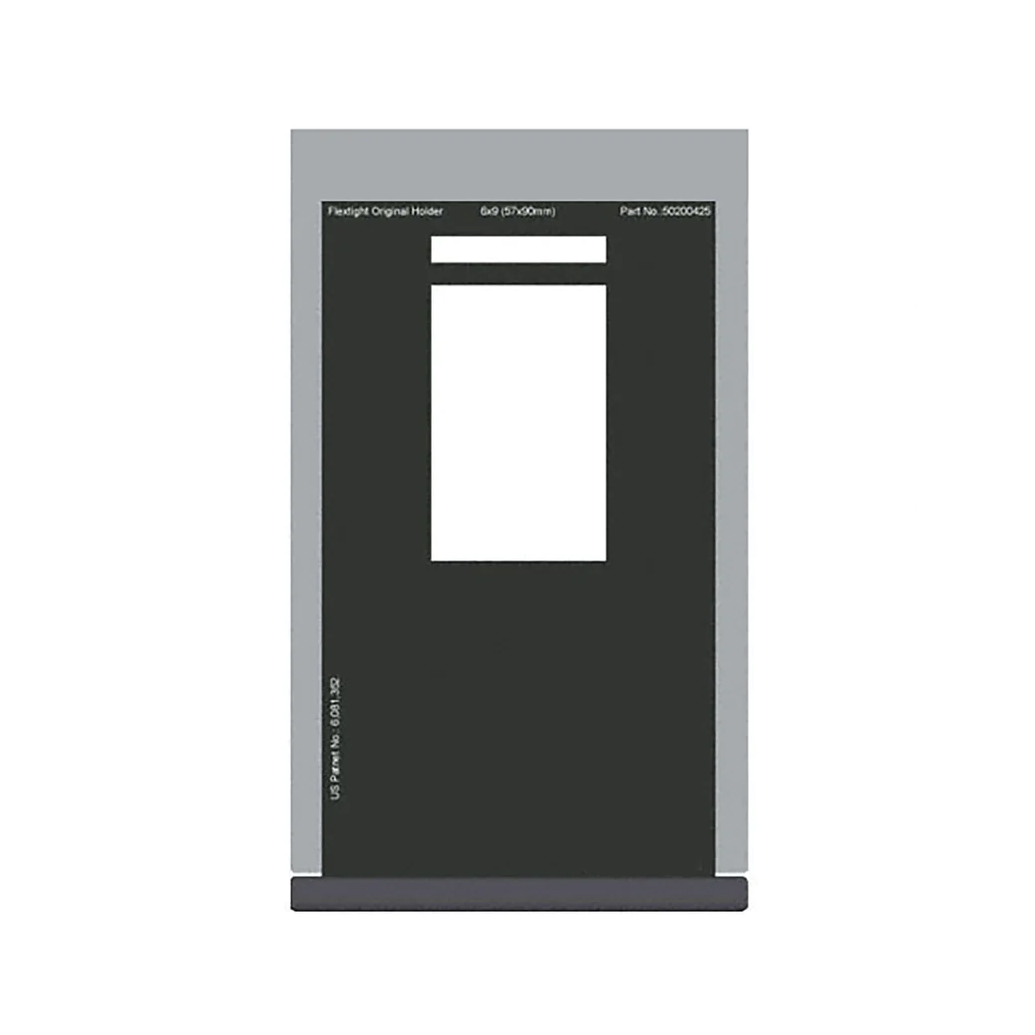
For mixed-format shooters and anyone balancing cost, speed, and flexibility, a good flatbed offers the best overall value—especially for medium and large format. If your priority is museum-level 35mm/120 quality, a dedicated film scanner wins. For those working within a dedicated ecosystem, invest in precision holders to ensure film flatness and consistent results. Shown above: a Hasselblad Flextight original holder designed for its pro scanners.
Conclusion
Whether you choose a versatile flatbed or a precision dedicated film scanner, the right setup and workflow make all the difference. Unique Photo stocks gear and education to support your film-to-digital journey—from precision accessories to post-processing classes—so you can digitize your archives with confidence and quality.