
Editing Faster: Photoshop Landscape vs Product Post‑Production — Which Class Streamlines Your Workflow?
Looking to build a faster, more consistent photo editing workflow? We compare two focused Unique University classes to help you choose the best path to efficiency: Editing and Enhancing Landscape and Nature Photography with Photoshop (SKU UUU237) and Product Photography and Post Production Editing with Blake Taylor (SKU UUU332). Each teaches Photoshop-driven techniques, but they prioritize different problems and deliver different time-saving wins depending on your subject matter and output needs.


Side-by-Side Specs Comparison
| Key Specs | Editing and Enhancing Landscape and Nature Photography with Photoshop (UUU237) | Product Photography and Post Production Editing with Blake Taylor (UUU332) |
|---|---|---|
| Brand | Unique Photo | Unique Photo |
| Primary Genre Focus | Landscape & nature images | Product/e‑commerce imagery |
| Core Software | Adobe Photoshop workflow | Adobe Photoshop post‑production |
| Workflow Angle | Efficient enhancement, tonal control, and creative polish for outdoor scenes | Consistent, repeatable retouching and delivery for catalog/product sets |
| Key Efficiency Tools | Layered non‑destructive edits, masks, targeted adjustments, actions/presets | Precision selections, layer‑based retouching, consistent color/scale, batch export |
| Best For | Photographers refining large sets of landscape/nature files with cohesive style | Creators who need uniform, production‑ready assets at scale for clients/stores |
| SKU | UUU237 | UUU332 |
Category-by-Category Analysis
Ingest and Setup Foundations
Both classes emphasize Photoshop-centric post work. For the fastest start, pair your chosen learning path with fast media offloading and folder templates. If you frequently import heavy shoots, a high-speed UHS‑II SD reader (like Lexar’s dual‑slot options) complements either class to keep your ingest from bottlenecking the rest of your workflow.
Culling and Selection Strategy
UUU237 aligns with selective culling based on mood and light across a variety of scenes. You can expect an emphasis on choosing frames that maximize dynamic range and composition, then applying consistent adjustments. UUU332 leans toward objective consistency: pick hero frames based on angle, alignment, cleanliness, and brand requirements. This helps drive faster, more uniform edits across similar product sets.
Color and Tone Control

For landscapes, UUU237 favors expressive yet controlled tonal shaping—think local contrast, nuanced color grading, and highlight/shadow recovery for a natural, immersive look. UUU332 prioritizes precision and repeatability: neutral backgrounds, true product color, and matching tone across many images for catalogs and PDP pages.
Retouching and Precision Work
UUU237 suits cleanup that preserves the integrity of a scene—removing distractions, correcting lens artifacts, and guiding the eye with subtle local edits. UUU332 is built for exacting polish: dust cleanup, edge refinement, specular control, and shape/line consistency that helps products look accurate and premium—fast.
Batch Processing and Automation
Both paths benefit from actions and presets. UUU237 often leverages reusable adjustment stacks to keep a cohesive look across a series from the same location or lighting. UUU332 typically gains even more from batch logic—template canvases, standardized crops, and consistent export profiles that compress turnaround time for entire product collections.
Output and Delivery
UUU237 aims for high-quality prints and web galleries with a signature look. Soft proofing, sharpening for output size, and color-consistency checks are key. UUU332 centers on exact deliverables for marketplaces and e‑commerce—uniform file naming, background standards, and optimized file sizes—so clients can publish instantly.
Learning Curve and Takeaways
UUU237 reinforces broadly applicable Photoshop techniques for tone, color, and local control that translate well beyond landscapes. UUU332 helps you build a tight, repeatable production pipeline that scales, especially when you’re responsible for dozens or hundreds of similar assets.
Our Pick
Best Overall for Most Photographers: Editing and Enhancing Landscape and Nature Photography with Photoshop (UUU237)
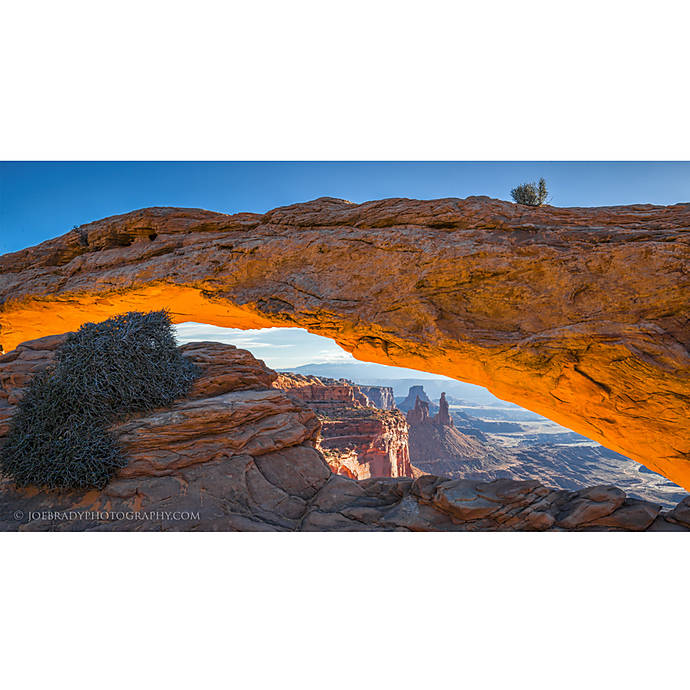
Why: Its Photoshop-driven methods for tonal balance, targeted adjustments, and style consistency are widely transferable to many genres. If your goal is to edit faster while maintaining a signature look across varied shoots, UUU237 offers the most immediately useful efficiency gains.
Runner‑Up (Best for E‑commerce Pipelines): Product Photography and Post Production Editing with Blake Taylor (UUU332) is ideal when you need systematic, production‑grade uniformity across large product sets.
Conclusion
Whether you’re refining outdoor images or shipping product catalogs on deadline, choosing the right learning path will dramatically speed up your edits. Explore these classes—and the gear that supports a fast workflow—at Unique Photo to build a streamlined, professional post‑production process from import to delivery.