All photographers, irrespective of whether they are just beginners or professionals, need to have a basic know-how to edit their photos. While most of the image-editing software available today are licensed and very expensive to afford, like Adobe Photoshop, there are free picture editors available too. The trick is to know which is the best free image editor, and make sure that your photos are perfectly edited without having to spend a bomb on editing software. While most of these free picture editors are simple, some of these provide features that are equivalent to the paid software.
Here's a list of some of the best Photo Editing Software You must give a shot.
1. GIMP

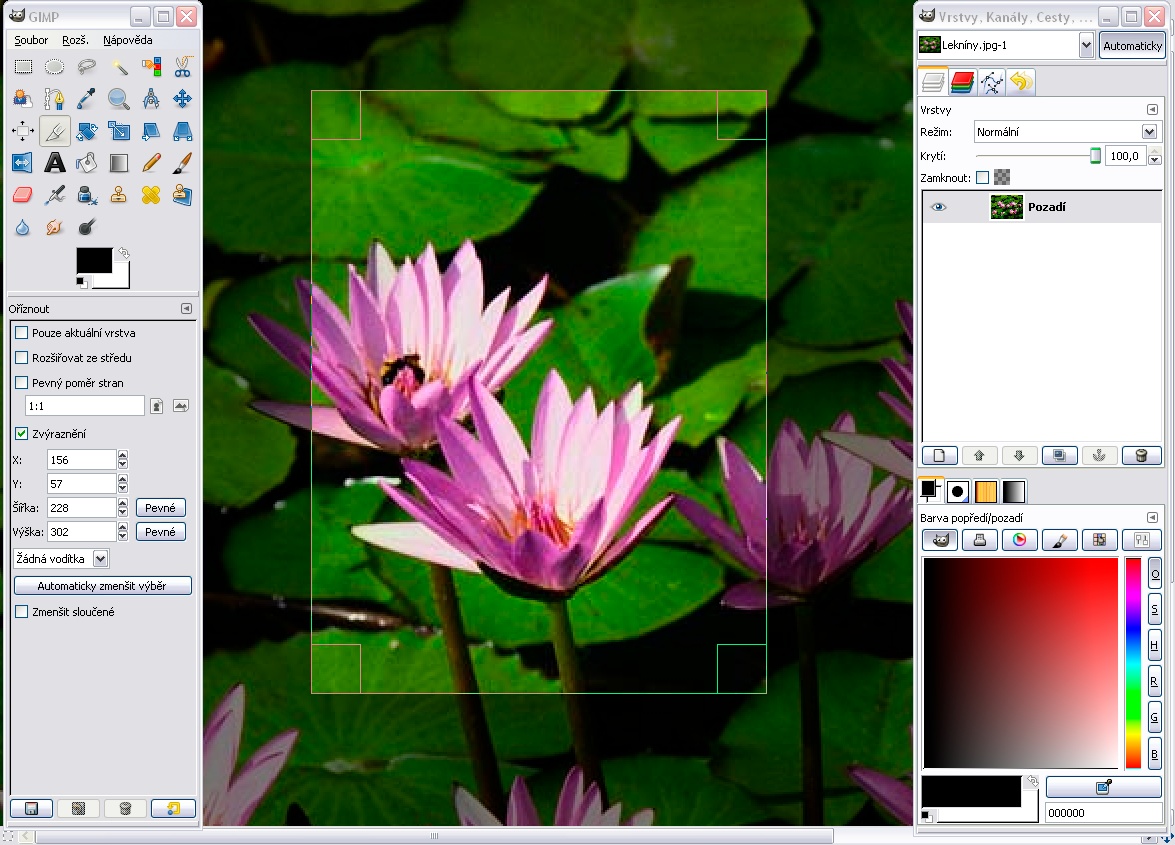
Undoubtedly the No. 1 of all the free picture editors available today, GIMP, or GNU Image Manipulation Program, is the closest thing to Photoshop, with a lot of professional-level editing and tools for retouching. It runs on Mac, Windows, and Linux. It is an Open Source software application and is backed by developers who keep fine tuning the kinks in the free photo editor. On launching the program, you’ll get a dedicated window that’ll display the picture and separate windows to organize the toolbox and layers. GIMP has its look and feels, and while Photoshop users might find a little difficulty in getting used to it at first, GIMP isn't that difficult to use. GIMP also has a dedicated website called ‘GIMP users,’ which has tutorials on everything, from basics to advanced topics.
2. Light Zone

Credits: David Becker
This free picture editor started off as a paid application, but was eventually made free. The photo editor runs on Windows, Mac, and Linux. LightZone is a great and versatile application, and can easily work in place of Lightroom. You can easily adjust the exposure and lighting, and make small spot-edits to your photos. For the free copy, you’ll need to visit the program’s website and register for an account. Once you have registered, you can download the application for free. You’ll also get a lot of knowledge from the LightZone community, since this app gives you access to it as well.
3. Photoscape


This free picture editor is another great software for editing images, creating slideshows, animated GIFs, screenshots, and split images. It lets you customize your toolbar according to your needs, and you can see more of the features offered. PhotoScape, though free to download, comes with a clause. Since it is a part of the Open Candy Network and runs ads for other ‘recommended’ software, it is restricted to PhotoScape, and won’t infiltrate the rest of your computer with adware, but worth noting. However, it is perfect for converting RAW into JPEG from DSLRs and other advanced cameras.
4. Paint.Net

Started out as an undergraduate senior design project mentored by Microsoft, Paint.NET soon surpassed Microsoft Paint, which it was set to replace in terms of functionality and advanced features. This free picture editor has an intuitive user interface, and can support layers, undo effects, add special effects, and much more. It supports Windows 8, and is very easy to use, just like Microsoft Paint.
5. Pixlr.com

This is a trial software, so all the photo-editing offerings are free. There is an advanced Pixlr Editor, Pixlr Express, which is efficient, and Pixlr-o-matic that is playful. It also lets you edit photos on a smartphone and tablet, with its mobile suite for both iOS and Android devices. The advanced offering is almost like Photoshop, and is perfect for professionals. You can tweak, resize, and crop images. Pixlr Express is more of a creative offering, which helps you play with colors and use the stain option, which gives it an authentic feel. The Pixlr-o-matic has an Instagram-like feel to it. You can use the fade, torn, or border features on the images. There are lots of options to edit, and then add additional features to the photos.
The only minus here is that you need to change applications to do so. These free picture editors will not only add that little extra detailing to your work, but will also be fun to work around. You can experiment with a lot of different features with these free picture editors.